October 26, 2026Journal entry
How to make a box look good (and where the screen went)
Eight months of enclosures, most of them drawn around a screen I eventually took out, and the split that finally made the design work.
By Andrew Douglass · Founder
Disclosure: Our articles contain affiliate links, including Amazon. If you buy through one, we may earn a commission at no extra cost to you, and as an Amazon Associate we earn from qualifying purchases. It never affects our testing, measurements, or verdicts. Full disclosure.
A KVM is a box. It sits next to a computer, takes a few cables, and has to look like it belongs there. This entry is about the eight months I spent trying to make that box look good, most of which I spent designing around a screen I eventually took out.
The short version: I started with a screen as the product's face, drew every enclosure around it, and only got to a design I liked once I removed it and split the line in two. The 4K60 model became something you want on your desk. The rack model became a plain black box.
It started as a cube with a screen
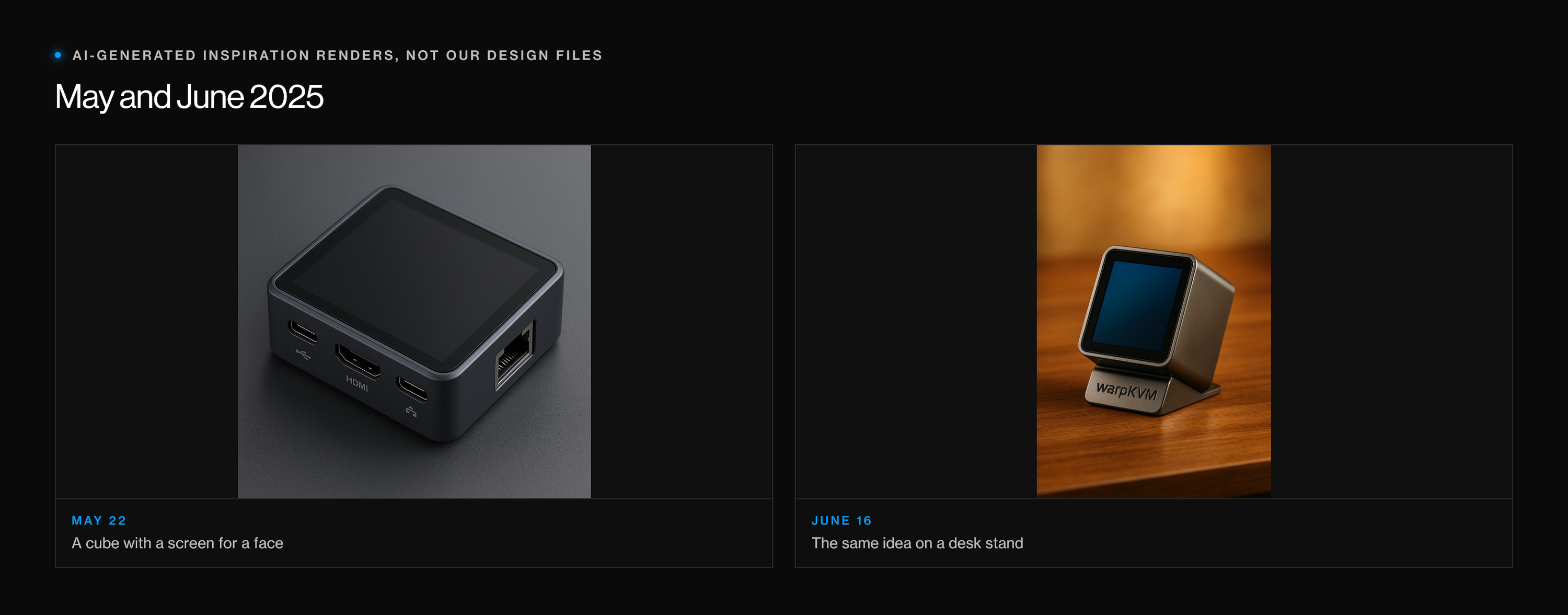
My first picture of WarpKVM, in May 2025, was a small cube whose whole front was a touchscreen: pick a machine, see its status, done. I used AI image tools to get that idea out of my head and in front of the team, and they were good for that. They are not design files.
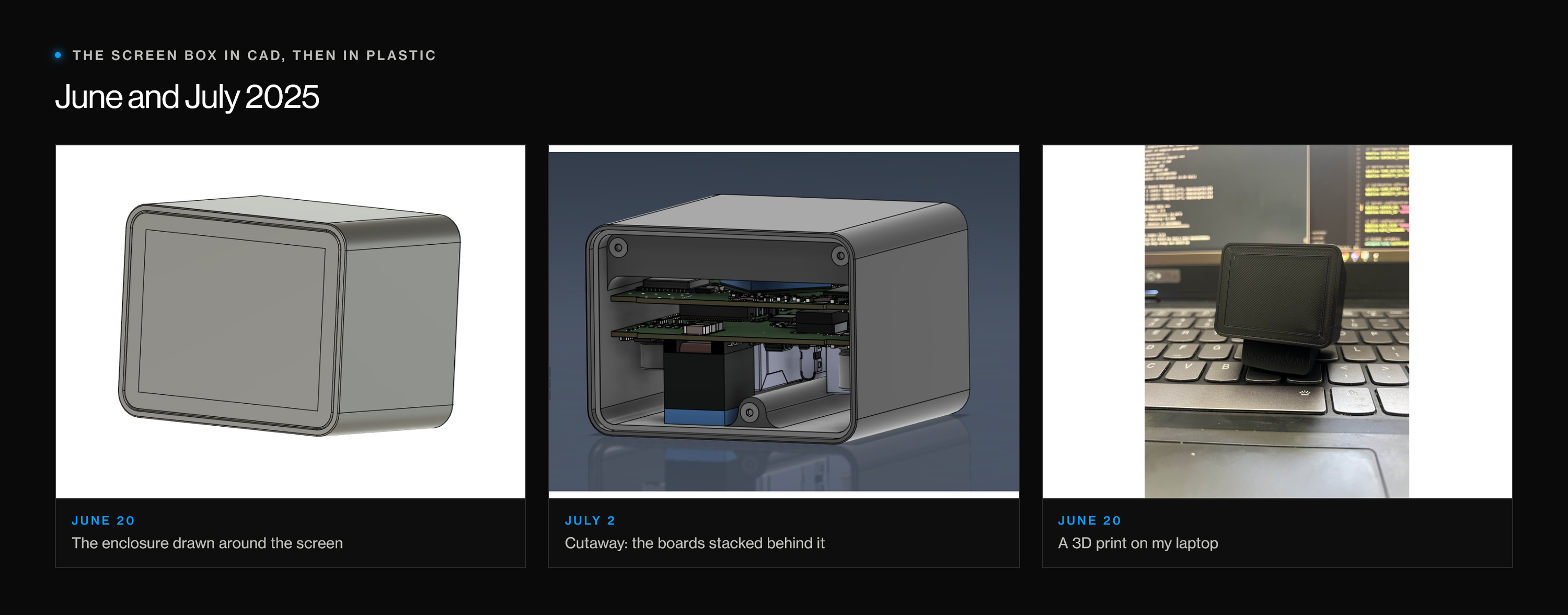
By June I was drawing the real thing in Fusion 360: an enclosure sized around a small display, with the boards stacked behind it. I printed one and put it on my laptop to see how it felt next to a keyboard.
Also, it had to go in a rack
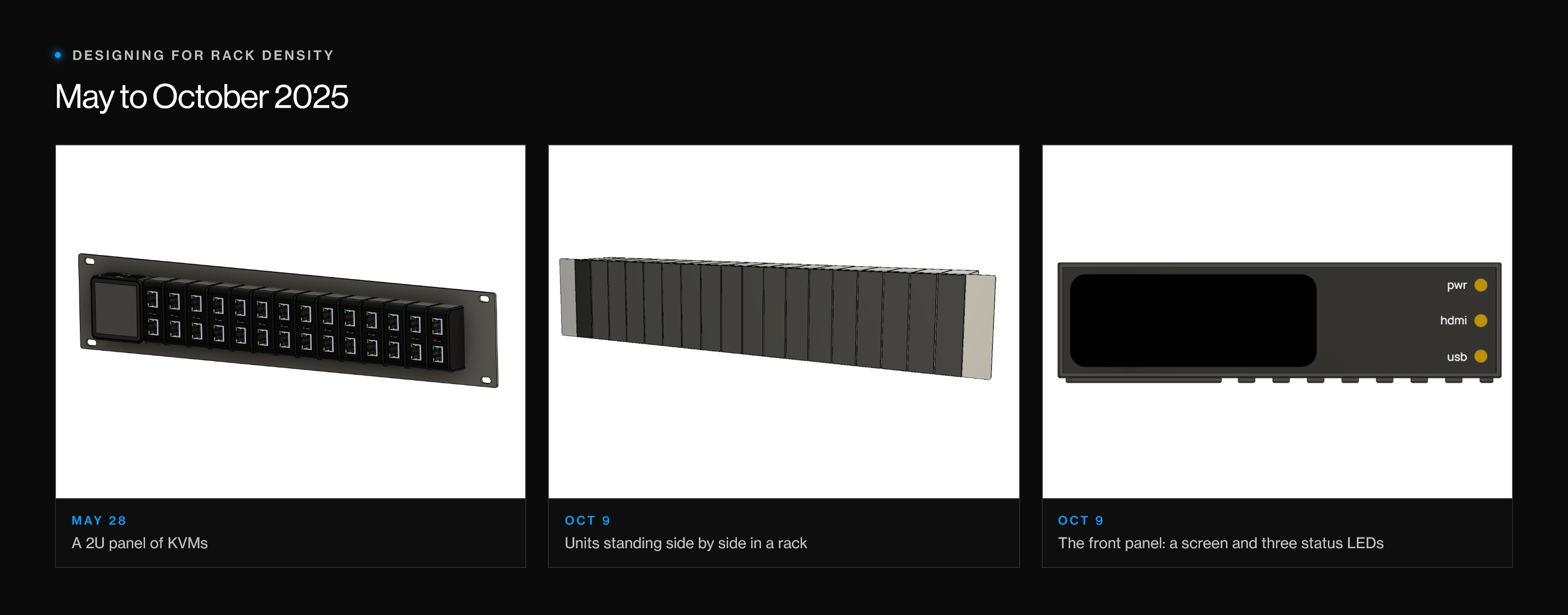
At the same time I was designing for the opposite use. WarpKVM started with a datacenter full of machines, so I kept asking how many would fit in a rack. One early concept was a 2U panel of KVMs. By October the plan was a metal box that could stand on edge, about 18 of them side by side in a 2U space, with the connectors in the back and a screen and three status LEDs on the front.
In between, in August 2025, I hired my first industrial designer. Their concept deck laid out three directions, from a plain box to much more sculpted shapes, for a lineup at $80 and $120. Every one of them used the screen as the product's face. The deck was thorough, and it showed me something about my own brief: I had asked for a box built around a display.
In October I decided to take a simpler approach myself. My note to the team from that day set the goals: a metal housing that is straightforward to manufacture, looks clean and professional for IT use, cools well, and lets us swap front panels between a Basic and a Pro version. The Basic would get a QR code and a few status LEDs. The Pro would get the screen and PoE. Both would have Wi-Fi and Bluetooth, so setup could happen from a phone through a web app.
Why the screen went
That last line is what eventually killed the screen.
I had a hard time finding a screen size that was actually useful and still fit the product. Anything big enough to show useful information made the box bigger, and anything small enough to fit was too small to be worth it. The rack made it harder still: I struggled to figure out how to keep the screen visible when the units were mounted in a rack and still get the density I wanted. Worse, it forced me to design the enclosure around the screen instead of around the product. And once every unit had Bluetooth, a phone could do everything the screen was for, and do it better, so the product got better without it. Removing it saved money and made manufacturing simpler too.
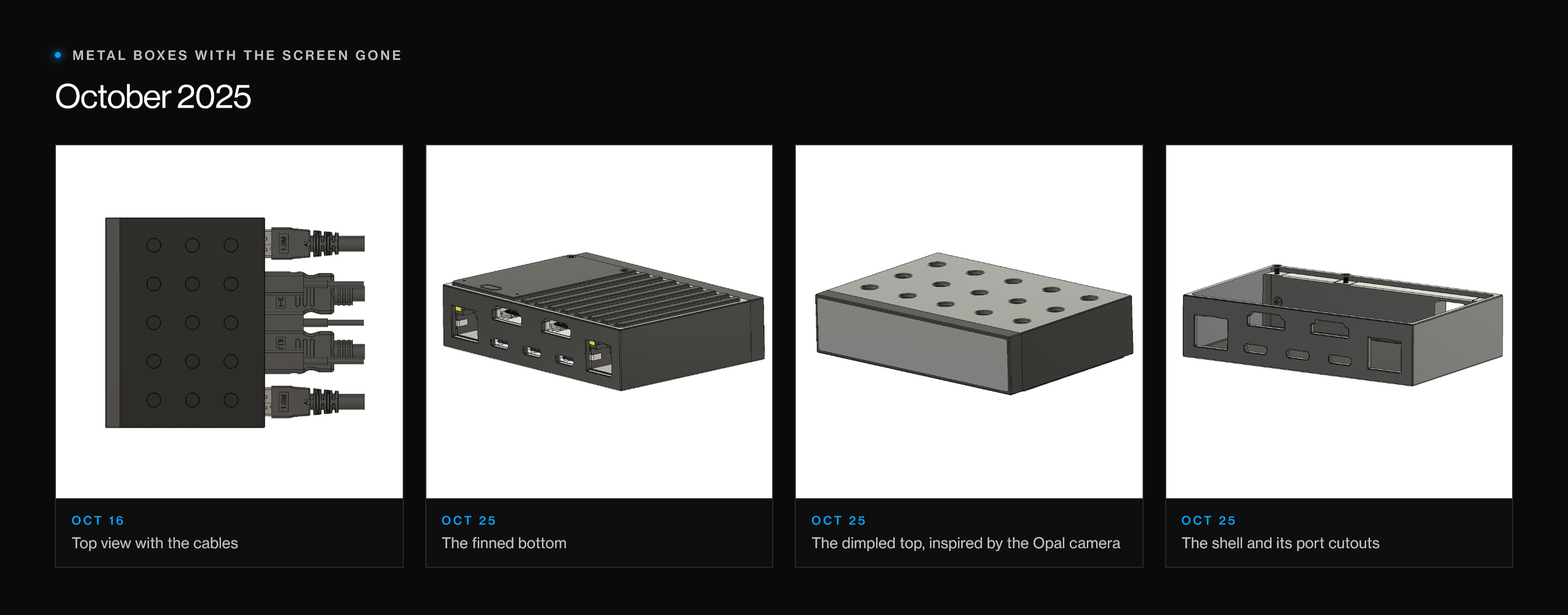
So the screen came out, and the boxes started looking like boxes. The October one had a dimpled top inspired by the Opal camera, with fins on the bottom.
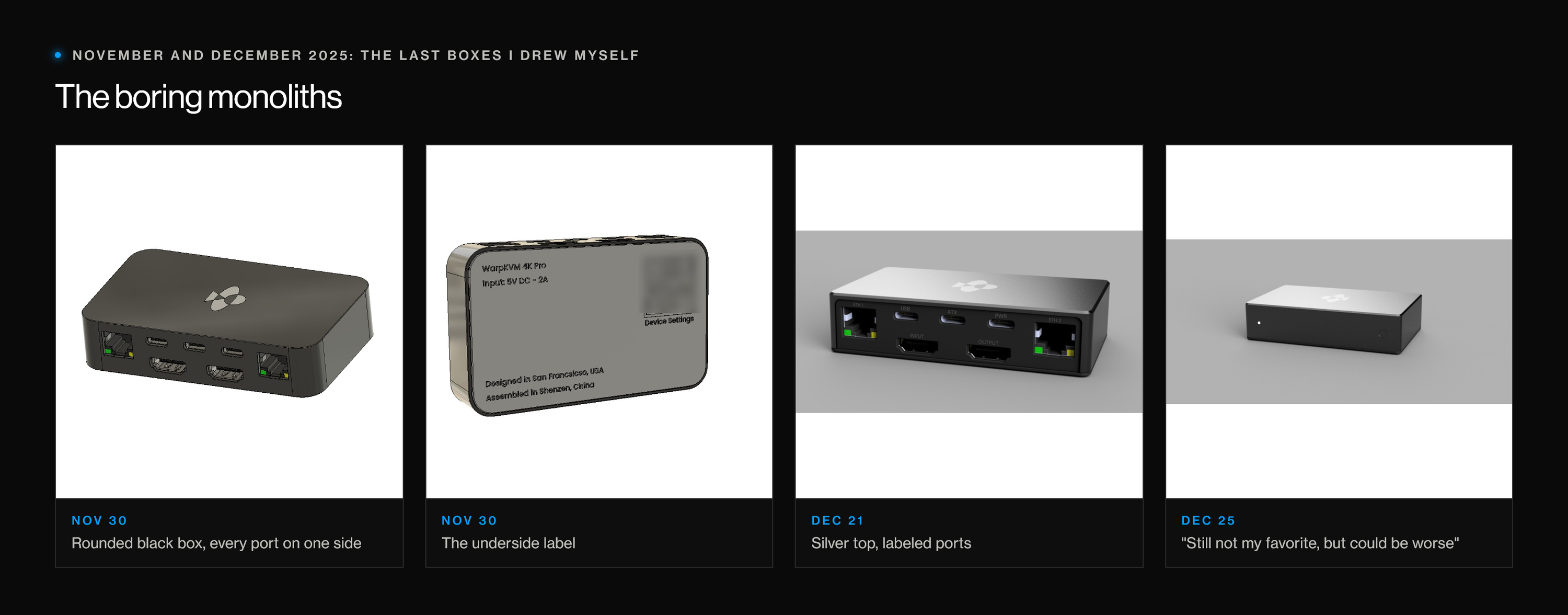
I kept iterating through December. The last box I drew myself was a rounded black enclosure with every port on one side and a proper underside label, then a silver-topped version with labeled ports. My note on the final one, on Christmas Day, was "still not my favorite, but could be worse." That was about right. I call them the boring monoliths now. They were fine. They were not a centerpiece.
One design for the desk, one for the rack
In January 2026 I started working with Anson, and this is where the brief changed, not just the design.
I had been trying to make one box that packed densely into a rack and also looked good on a desk. Anson's early studies were still about rack density: how many units fit across a 1U and a 2U panel in each form factor. From there we went through rounds of flat aluminum boxes with the cables out the back, then a round of top textures: waves, dimples, fins.
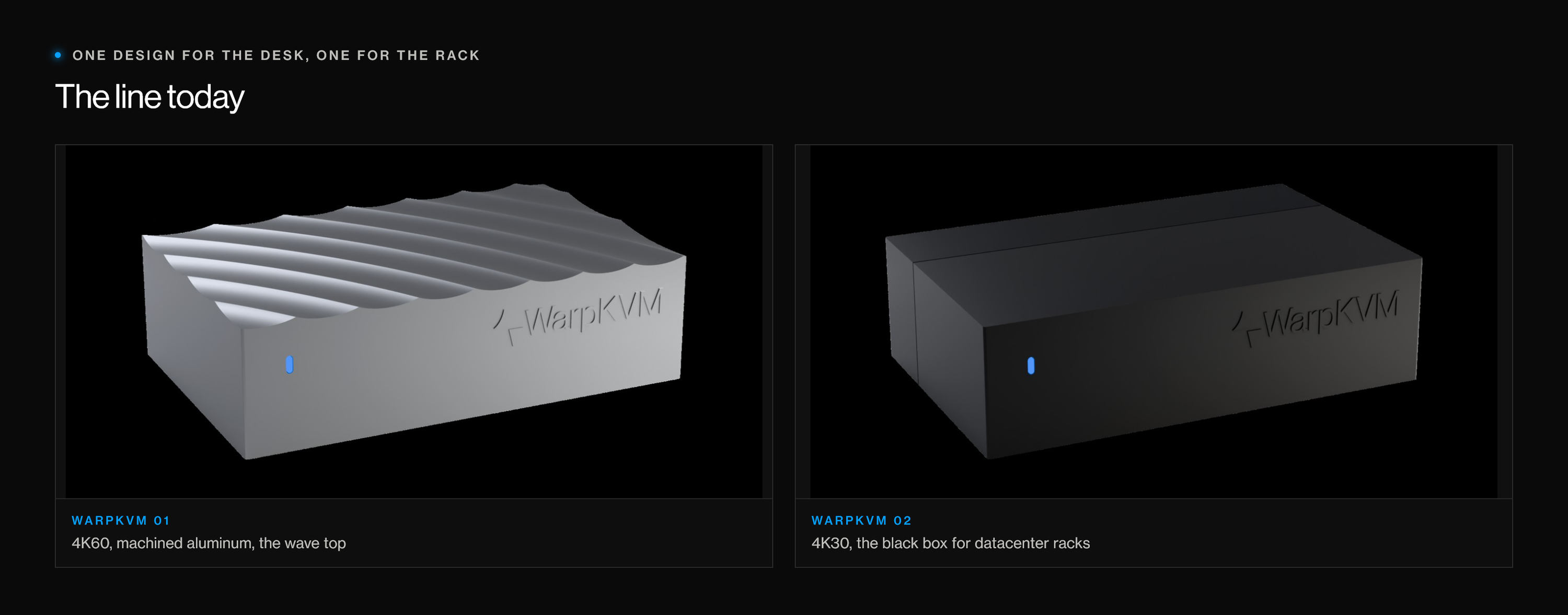
The realization was about price. If people pay a premium for the 4K60 model's premium features, it should have a premium look. That model should be the centerpiece of a desk, not one of eighteen in a rack. The rack customer cares about density and cost, and gets a different product: the 4K30 model, a black injection-molded box made for datacenter deployments, about 80 by 56 by 22 mm.
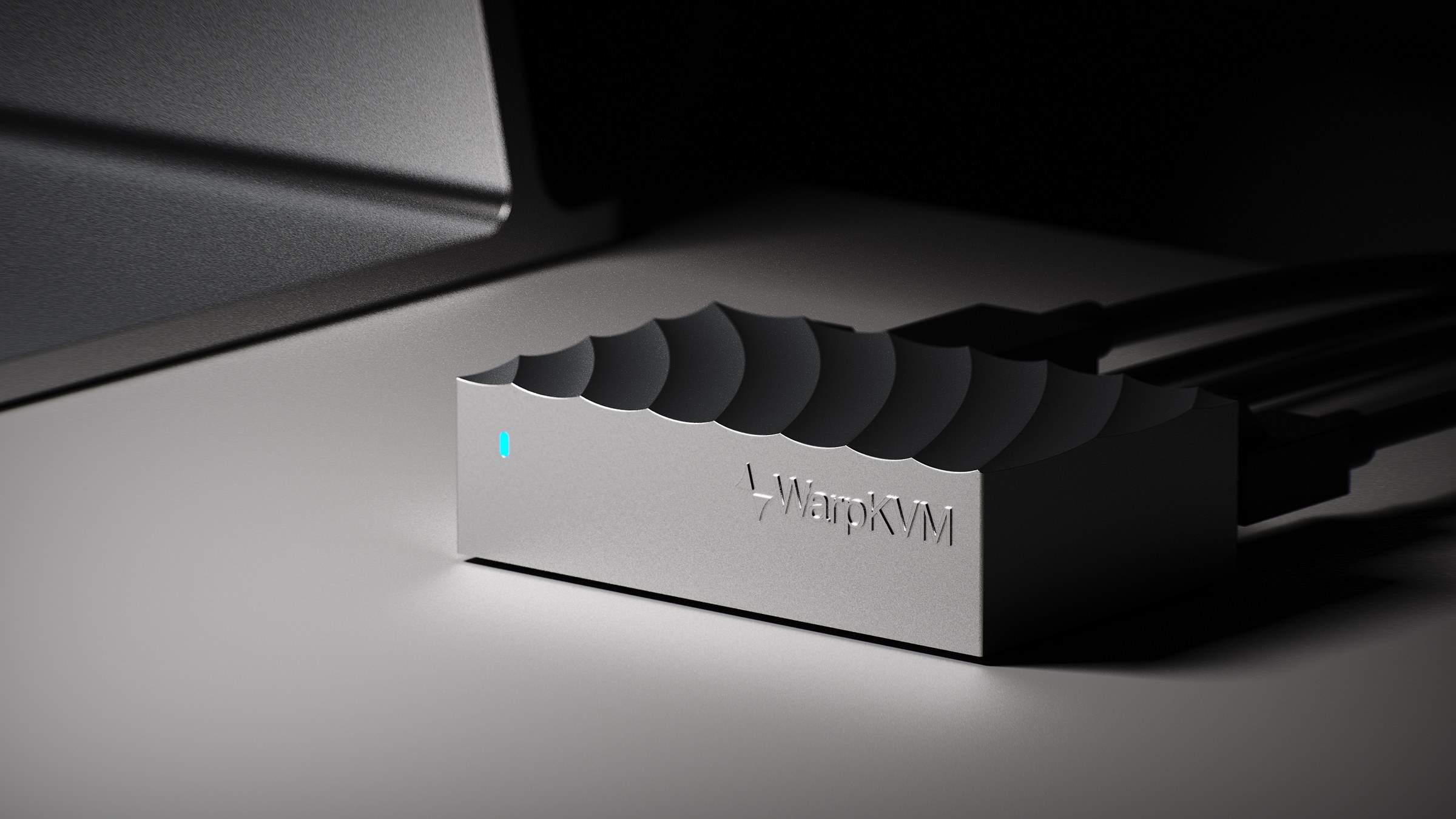
For the desk model, the wave top won. It reminded me of space, which is where the WarpKVM name comes from, and it made me think of a heatsink. On a desk it is the thing you notice first.
What it cost
Eight months, most of them part time, and a lot of enclosures I will never build. The screen alone sent me down two paths: designing around it, then designing out of it.
Most of that was avoidable. I picked the screen first and let it set the shape of everything else. And I kept trying to serve two customers with one box when they wanted different things.
If you are designing a box
- Do not design around a component. If one part is forcing the shape of the whole enclosure, ask whether you need that part at all. Often there is a better way to do its job.
- Decide who the box is for before you draw it. A rack wants density and cost. A desk wants something worth looking at. One design rarely does both well.
- Match the look to the price. If a product costs more for better features, it should look like it.
- Use AI renders to communicate, not to design. They are great for getting an idea in front of people fast. The real work starts in CAD.
Next in the journal: how we designed an 8-layer Rockchip board in Fusion 360.