Community Edition · kit · Pre-release
WarpKVM DIY Kit
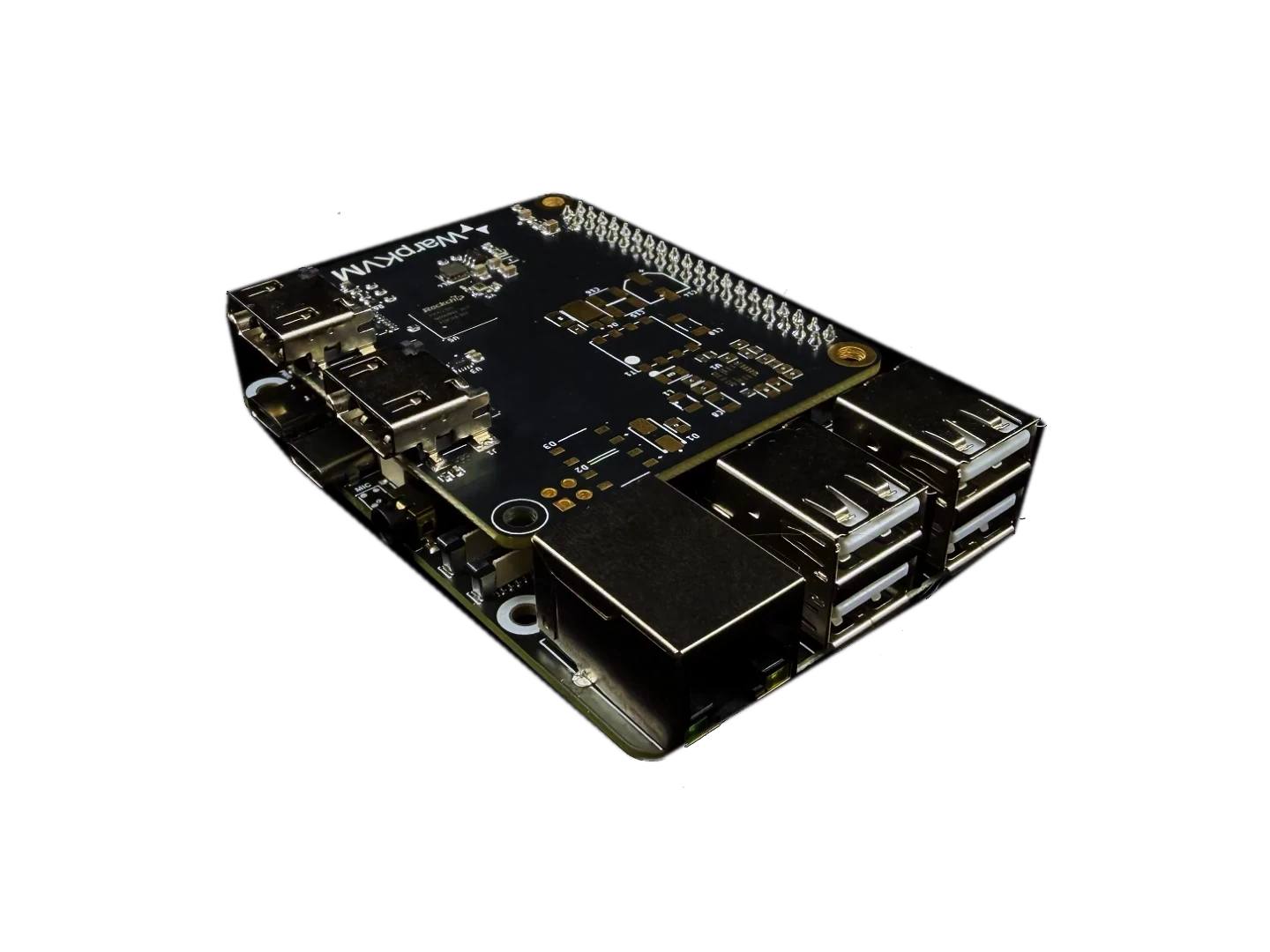
Every board needed to run WarpKVM on open hardware: a 1 GB Luckfox Aura (Rockchip RV1126B), our custom RK628H carrier board, and a pre-flashed 8 GB microSD card, plus the cables, standoffs, and antennas to put it together. Real HDMI capture over MIPI CSI, hardware H.264 and H.265 encode, and keyboard, mouse, and mass storage over USB. The same open-source daemon and browser console that run on our own hardware.
Fitment
Pre-order · ships Q4 2026 · charged today · refundable until it ships · US shipping from $6.95
Capabilities
What it does.
The same software
Not a cut-down build. The same open-source Rust daemon and browser console that run on our own hardware, on boards you could buy anywhere.
Hardware-encoded 4K30
The RV1126B captures HDMI at up to 4K and encodes H.264 or H.265 on-chip, so the capture path never touches the CPU. A locked 30 fps at 4K on our bench.
Real HDMI capture, with EDID control
A MIPI CSI bridge, not a USB dongle. That is what lets the console read and rewrite the EDID it presents, so you tell the source exactly what to send.
Keyboard, mouse, and mass storage
USB HID gadget through the Aura's USB-C port: absolute or relative pointer, paste-as-keystrokes, macros, an on-screen keyboard, and mounting an installer image over the network.
Measured, not estimated
30 ms median added at 1080p60 with the WarpKVM app on a standard 60 Hz monitor. Measured with two light sensors against a reference monitor. In a browser it is higher.
You're pre-ordering the port
The hardware works; the firmware for this board is still in bring-up. You are buying the boards plus the software port.
Scope
What you get, and what you'll need.
In the box
A 1 GB Luckfox Aura, our RK628H carrier board, and an 8 GB microSD with the WarpKVM image already on it. Plus everything to join them: two 22-pin FPC cables, standoffs and screws, a USB-C power cable, UART leads, and Wi-Fi and Bluetooth antennas.
Not included
No case, HDMI cable, USB cable to the target, or power adapter. The kit is the electronics and the leads to build it; you supply the enclosure and the connections to your machine.
You'll need
An HDMI source to control and an HDMI cable to it, a USB cable to the same machine for keyboard and mouse, a 5 V USB power adapter or a PoE switch, and Ethernet or Wi-Fi. That is the whole build.
Questions
Before you buy.
The software is identical: the same open-source daemon and the same browser console. The hardware is not. The kit runs on a Luckfox Aura and our carrier board, which you assemble; WarpKVM 01 is our own machined unit with HDMI passthrough, ATX power control, mobile apps, and nothing to flash. The kit proves the firmware is real and auditable; the appliance is what you buy when you don't want to build one.
The encoder, not the link. The carrier routes both of the RK628H's 4-lane CSI ports, so capture bandwidth is not the constraint. The ceiling is the RV1126B itself, which encodes H.264 and H.265 in hardware at up to 4K 30: more capture bandwidth changes nothing, because the SoC could not encode the extra frames. A 4K60 kit means an SoC with a faster encode block, which is a different kit, not a firmware setting. 4K30 is the honest ceiling of this chip.
At 4K the encoder outputs 4:2:0, so small, saturated text can show slight colour fringing on hard foreground-on-background edges. It is a property of the encoder, not a bug. For text-heavy work the console offers a 1080p high-detail mode that recovers full-resolution colour, and you can switch between them live.
Yes, at 1080p 60, and only 1080p 60. The kit can drive a local monitor, but the local output stays at 1080p whatever the source sends; the full-resolution path is the network stream. Native-resolution HDMI passthrough at the desk remains a feature of the commercial WarpKVM units.
You are pre-ordering the boards plus the firmware port. The hardware works today; the port is in bring-up. You're charged now, and you can cancel for a full refund any time before it ships.
You have 30 days from delivery to send it back for a full refund if it is unused and in its original packaging, and you can cancel for free any time before it ships. If a board arrives dead or fails in normal use within a year, we replace it and cover postage both ways. Full details in our returns policy.
Technical data
Specifications.
Compute
- SoC
- Rockchip RV1126B, 4× Cortex-A53 @ up to 1.6 GHz
- Memory
- 1 GB LPDDR4X
- Storage
- 8 GB microSD, pre-flashed · no eMMC
- Video encode
- 4K @ 30 H.264 / H.265, hardware
- Multi-stream
- 1× 4Kp30 + 1× 1080p30, hardware
- NPU
- 3 TOPS INT8, unused by WarpKVM
Latency, measured on this hardware
- Latency added, 1080p60
- About 30 ms, WarpKVM app, 60 Hz monitor, wired LAN
- In a browser
- Higher than the app; depends on the viewer PC's displays
- 4K30, internal
- About 40 ms, capture to encoded frame
- Encode rate
- 30 fps at 4K · 120 fps at 1080p
- Measured on
- Luckfox Aura RV1126B with our carrier board
Software
- Daemon
- Open-source Rust, runs on the device
- Console
- Browser-based, served by the device itself
- Viewers
- Every modern browser, no plugin · the WarpKVM app for Windows is the fastest path
- Auth
- Local account, argon2id password hashing
- Base OS
- Debian 13 or Buildroot
- Firmware
- In bring-up; ships when complete
Capture
- Bridge
- RK628H, on our carrier board
- HDMI input
- Up to 4K @ 60, YUV420, HDMI 2.0
- CSI link
- Dual 4-lane, both RK628H CSI ports routed
- High-refresh mode
- 1080p @ 120 capture, 60 encode
- Colour
- YUV422 capture; 4K encodes 4:2:0, with a 1080p high-detail mode for text
- EDID
- Read, write, and preset control from the console
Host & control
- USB
- 1× USB-C 3.0 OTG for HID and mass storage · 4× USB-A 2.0 host
- Keyboard & mouse
- USB HID gadget, absolute and relative pointer
- Mass storage
- USB gadget, mount an image over IP
- Network
- Gigabit Ethernet · optional PoE · Wi-Fi 6 · Bluetooth 5.4
- Display out
- Local monitor out, 1080p @ 60 only
In the box
- Compute
- Luckfox Aura, 1 GB, RV1126B, onboard microphone removed
- Capture
- WarpKVM RK628H carrier board
- Storage
- 8 GB microSD, pre-flashed
- Cables
- USB-C power cable · UART leads · 2× 22-pin 60 mm FPC
- Wireless
- Wi-Fi and Bluetooth antennas
- Hardware
- Standoffs and screws
- Power
- PoE variant powers over the network; Standard over USB-C or 5 V DC
- Not included
- Case, HDMI cable, USB cable to the target, power adapter
Read first
Documentation.
Everything we know about this kit is published as we bring it up. If something you need is missing, ask and we will write it down.
Getting started
The build guide: seating the CSI cables, wiring the target, first boot, and creating your account.
The full guide set
The kit overview and measured numbers, plus hardware, the image and recovery, capture modes and EDID, security posture, and troubleshooting.
HDMI to CSI Adapter
The capture bridge behind the kit, as a standalone board with its own measured mode tables and driver notes.
