August 24, 2026Comparison
IP KVM Setup Time Compared: From 75 Seconds to 39 Minutes
We started a timer at the first cable on every device. Most stream in minutes. A few make you fight firmware first.
By Andrew Douglass · Founder
Disclosure: Our articles contain affiliate links, including Amazon. If you buy through one, we may earn a commission at no extra cost to you, and as an Amazon Associate we earn from qualifying purchases. It never affects our testing, measurements, or verdicts. Full disclosure.
We started a stopwatch at the first cable on every IP KVM we own. IP KVM setup time really splits into two numbers: the time to a first remote picture, and the time to a fully updated, working device. To a first stream, every device here lands between about one and five minutes. What separates them is what comes next, the firmware update and, on a couple, flashing an SD card, which is where the total balloons: to a fully working state the range ran from a couple of minutes to nearly 39 minutes on the BliKVM. We timed both, because comparing only the totals would unfairly punish the devices that ship needing a big update.
Here is every device timed, what slowed it down, and which ones are genuinely plug-and-go.
How we timed it
The clock started at the first cable and stopped at a working remote session on our bench, over a wired local network at 1080p. Where a device needed a firmware update to reach a stable, current state, we recorded that too, because on several devices the update is effectively mandatory and dwarfs the initial setup. Everything was done once, out of the box, the way a first-time buyer would hit it.
| Device | To first stream | To fully updated | Biggest friction |
|---|---|---|---|
| Sipeed NanoKVM Full | 1:14 | ~2 min | Power port label is on the side, not by the ports |
| TinyPilot Voyager 3 | 1:30 | 5:44 | Mandatory update; absolute-mouse only |
| Sipeed NanoKVM PCIe | 1:40 | 2:37 | None major |
| JetKVM | 1:55 | ~3 min | Needs a USB power/data splitter |
| GL.iNet Comet Pro | ~2:30 | 8:52 | Firmware update; tiny touchscreen |
| Luckfox Pico KVM | 2:37 | ~11 min | No IP shown on the screen |
| PiKVM V4 Plus | 3:17 | ~13 min | SSH-only update; passthrough fiddly |
| GL.iNet Comet | 3:30 | 22:55 | Firmware update hangs at 99% |
| Sipeed NanoKVM Pro | 4:56 | 4:56 (no update) | admin/admin default |
| BliKVM | Flash to boot | ~39 min | Flashed the wrong image first |
Setup time: first picture versus fully updated
- To fully updated
- To first stream
Our own bench, July 2026. BliKVM has no first-stream figure because our unit would not boot until we had flashed an image, so its clock covers a from-scratch flash, about ten minutes of which was our own wrong image. BliKVM does ship a microSD card; the one in our unit was ours. The Comet firmware update stalls at 99% and needs an ethernet replug.
Show data table
| Minutes | To fully updated | To first stream |
|---|---|---|
| NanoKVM Full | 2 | 1.2 |
| NanoKVM PCIe | 2.6 | 1.7 |
| JetKVM | 3 | 1.9 |
| NanoKVM Pro | 4.9 | 4.9 |
| TinyPilot Voyager 3 | 5.7 | 1.5 |
| GL.iNet Comet Pro | 8.9 | 2.5 |
| Luckfox Pico KVM | 11 | 2.6 |
| PiKVM V4 Plus | 13 | 3.3 |
| GL.iNet Comet | 22.9 | 3.5 |
| BliKVM | 39 |
The plug-and-go group
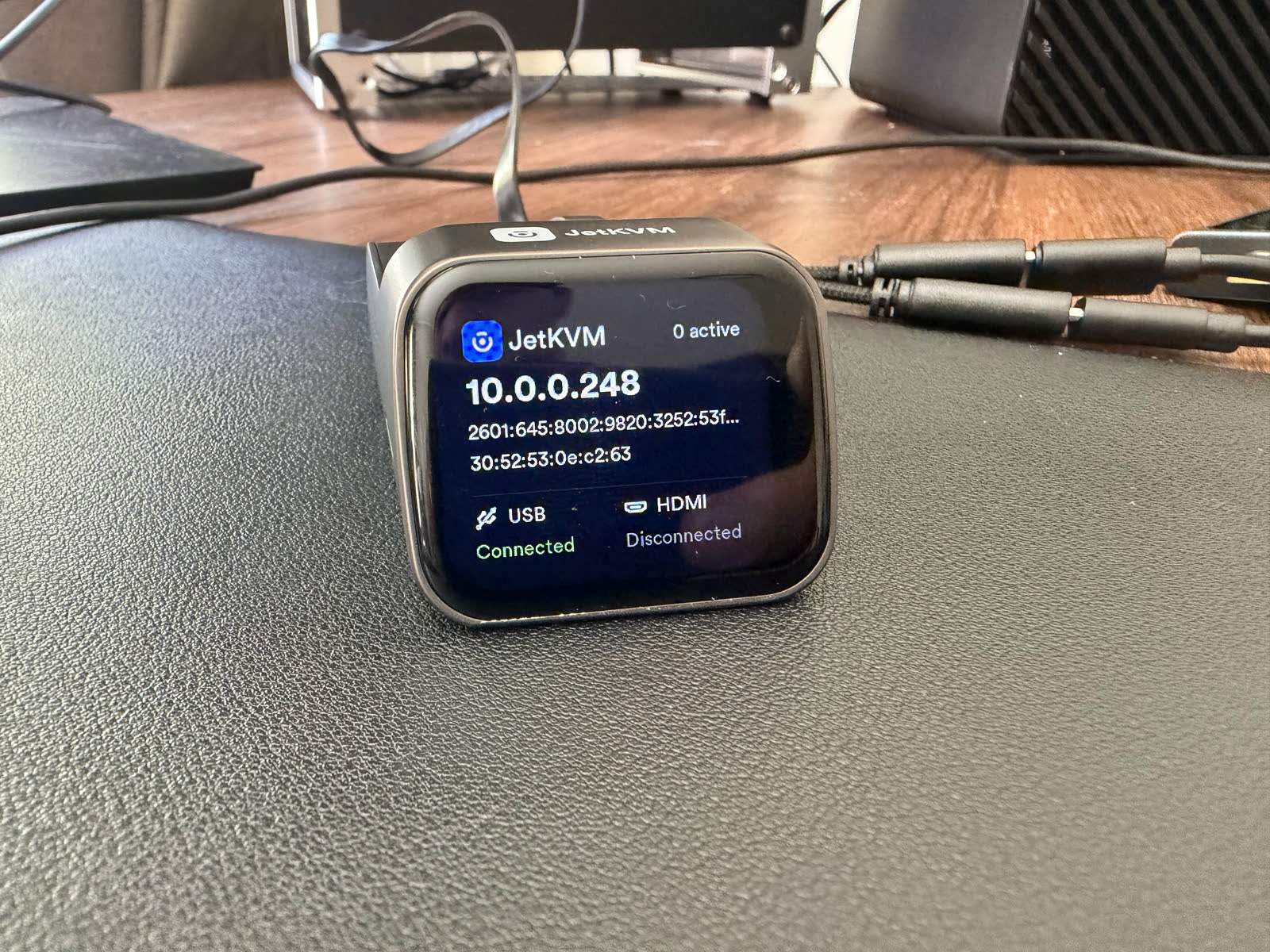
Four devices are genuinely fast. The Sipeed NanoKVM Full was quickest at 1:14: cable it up, read the IP off the little OLED, open it in a browser. The JetKVM is nearly as slick at 1:55, with the IP shown on its front touchscreen, though it needs a USB power-and-data splitter cable that is easy to misplace. The TinyPilot Voyager 3 put up a stream in 1:30, and the NanoKVM PCIe in 1:40. If your mental model of an IP KVM is "plug it in and log in," these four match it.
The common thread is that they show you an IP address and get out of the way. Nothing to flash, no account, no desktop app. That is the experience every device should aim for.
The firmware tax
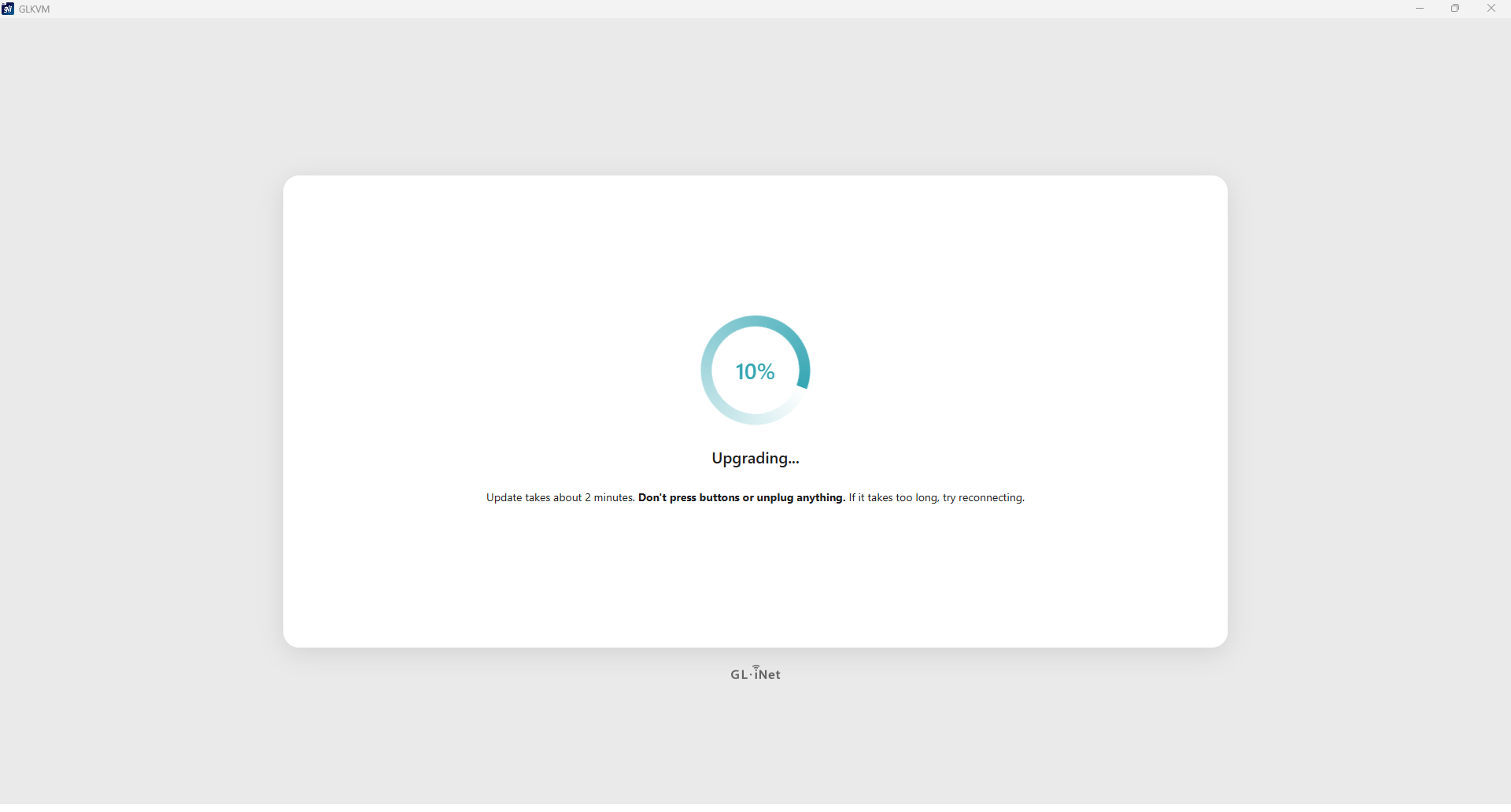
Then there is GL.iNet. Both Comets are quick to a first picture, roughly three minutes, but getting them to a stable, updated state was the worst experience on the bench. The firmware update repeatedly hung at 99%, needed an ethernet cable pulled and reseated to recover, and involved a multi-step dance of installing one firmware version, updating the device, then installing another, plus a Windows desktop app that broke until we rolled it back to an older release. The base GL.iNet Comet took 22:55 to reach a fully updated, working state. The Comet Pro took 8:52, and its tiny curved touchscreen made even entering a Wi-Fi password a genuine struggle, enough that we skipped Wi-Fi and later had to factory-reset to get back into the setup.
None of this is the KVM being hard to use once it works. The web interface is actually nice, and it shows all your devices in one dashboard, which no one else does. But the out-of-box firmware path is a slog, and it is the same story on both Comets. The GL.iNet Comet review covers the device once you are past it.
The flashing tax
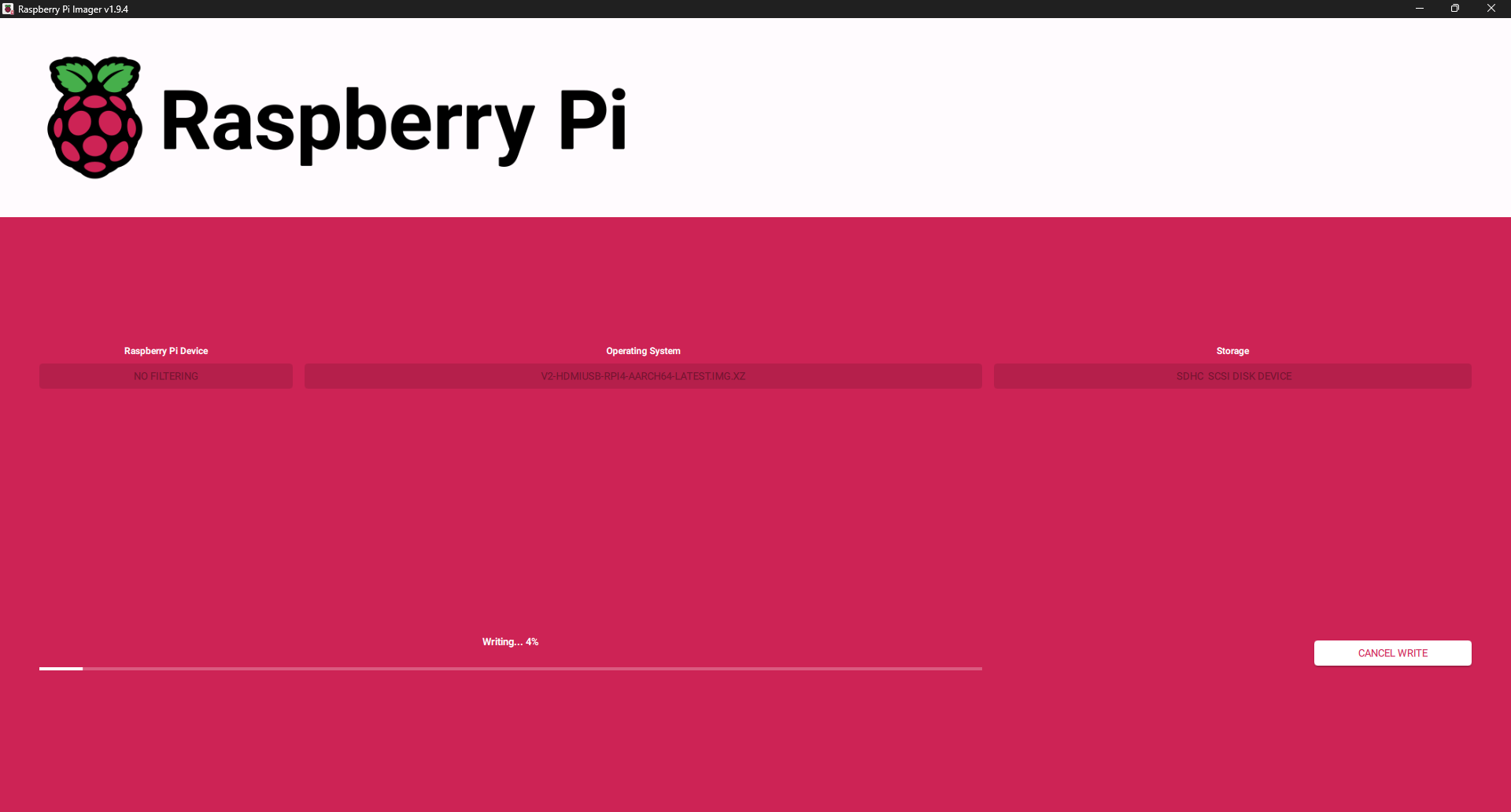
The BliKVM posted the slowest time at 38:57, but that is not really a setup, it is an install. We had to write an OS image to an SD card with the Raspberry Pi Imager before it would boot, and we lost about ten minutes to flashing the wrong image the first time. One caveat on that number, and it is a real one: BliKVM does ship with a microSD card, but ours was a unit we had used before and we fitted our own card, so a first-time buyer may never face the flash at all. Treat 38:57 as our experience rather than a typical out-of-box time. Once it is running it is fine, but budget for a from-scratch flash rather than a plug-in.
The PiKVM V4 Plus sits in between. It streams in 3:17, but updating its firmware is SSH-only, with no button in the web UI, and took well over ten minutes following the PiKVM documentation. Its HDMI passthrough also refused to work until we tracked the cause to the HDMI cable itself; the Raspberry Pi is less forgiving of marginal cables than the other devices. That is worth knowing before you assume a passthrough problem is a settings problem. More in the PiKVM review.
The rest, and the gotchas
The NanoKVM Pro took 4:56 with no update needed, but ships with an admin/admin default login and a clock set to the wrong time, so it is clearly not pulling time from an NTP server out of the box. The Luckfox Pico KVM, a near-clone of the JetKVM, streams in 2:37 but shows no IP address on its screen at all, popping up a file-explorer window with two files instead, and its firmware update is slow at about nine minutes. The NanoKVM PCIe is effectively the Full on a card, with the same quick setup.
A pattern worth calling out: the devices that made you wait were almost never slow to wire up. They were slow to update. If you are comparing these, separate the one-time firmware pain from the daily experience, because they are very different. Independent testing by Jeff Geerling reaches similar conclusions on the smoothness of each.
Verdict
The smoothest IP KVM to set up is the Sipeed NanoKVM Full, with the JetKVM a very close second. Both get you from box to a working remote session in under two minutes with nothing to flash and no desktop app, which is exactly what you want from a device you may set up once and forget. For the fastest polished experience, the JetKVM edges it on build and interface.
Per use case: if you value a turnkey first run above all, the NanoKVM Full or JetKVM. If you are comfortable flashing an SD card, the BliKVM and DIY-style setups are only slow the first time. Avoid judging the GL.iNet Comets on their raw setup number: the device is pleasant once running, but be ready for a frustrating firmware update, and do it on a wired connection. The one device whose setup number is a genuine warning is any that makes a mandatory update mandatory and painful, and that is where GL.iNet needs to do better.
FAQ
For most, one to four minutes to a first remote stream. On our bench the Sipeed NanoKVM Full took 1:14 and the JetKVM 1:55. The slow devices are slow because of firmware updates or SD flashing, not wiring: the GL.iNet Comet took 22:55 and the BliKVM 38:57.
The Sipeed NanoKVM Full and the JetKVM. Both show their IP address on a small screen, so you cable up, open the address in a browser, and you are in, with nothing to flash and no desktop app.
The device streams within a few minutes, but its firmware update repeatedly hangs at 99% and needs a multi-step reinstall plus a desktop app, which stretched the base Comet to nearly 23 minutes on our bench. Do the update on a wired connection, and expect some frustration.
Often, yes, and it is where most of the setup time goes. Several devices shipped on old firmware. On the GL.iNet Comets and the TinyPilot the update is effectively required, and on the PiKVM it is SSH-only. Budget time for it, and always update on a wired network.
Every time here is from our own bench, timed from the first cable to a working remote session. Disclosure: this guide is published by WarpKVM, which is developing an IP KVM of its own; the competitor timings are reported exactly as recorded.