October 21, 2026Review
GL.iNet Comet and Comet Pro Review: The Feature-Packed IP KVMs
The base Comet tied for the fastest third-party KVM we tested at 1080p60. The Pro packs 4K, Wi-Fi, and a fingerbot. We measured and opened both.
By Andrew Douglass · Founder
Disclosure: Our articles contain affiliate links, including Amazon. If you buy through one, we may earn a commission at no extra cost to you, and as an Amazon Associate we earn from qualifying purchases. It never affects our testing, measurements, or verdicts. Full disclosure.
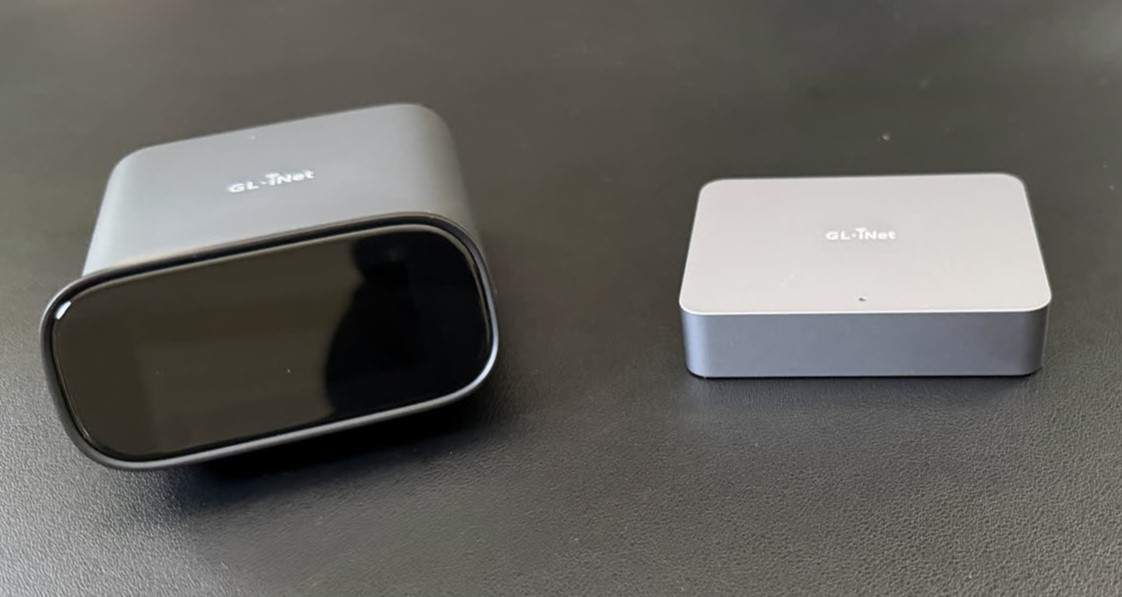
This GL.iNet Comet review covers the two models we own, and the line surprised us: it is the most feature-packed budget IP KVM you can buy. We own the base Comet (GL-RM1) and the Comet Pro (GL-RM10), measured both, and opened them up. The headline: the little base Comet posted the lowest latency of any third-party IP KVM we tested on a still screen, and tied for the lowest on scrolling text, and the Pro piles on 4K, Wi-Fi, a touchscreen, and a genuinely charming robot finger that presses your power button. The catch, and it is a real one, is a firmware update process that was the worst we experienced on the entire bench.
A KVM over IP gives you keyboard, video, and mouse control of a machine at the hardware level, below the OS, so you can reach a server stuck in BIOS or mid-reinstall. GL.iNet, better known for travel routers, brought its software polish to the category and it shows, once you get past setup.
The verdict up front
The Comet family
GL.iNet sells the base Comet (GL-RM1), a Comet PoE variant, the Comet Pro (GL-RM10) we tested, and a multi-port Comet X is on the way. The base and Pro cover most buyers. The Pro's real differentiator over the base is HDMI passthrough: it has two HDMI ports and sits inline between your PC and monitor, so it is invisible during local use and there when you are remote. That, plus the touchscreen and Wi-Fi 6, is what the extra money buys.
Design and what is inside
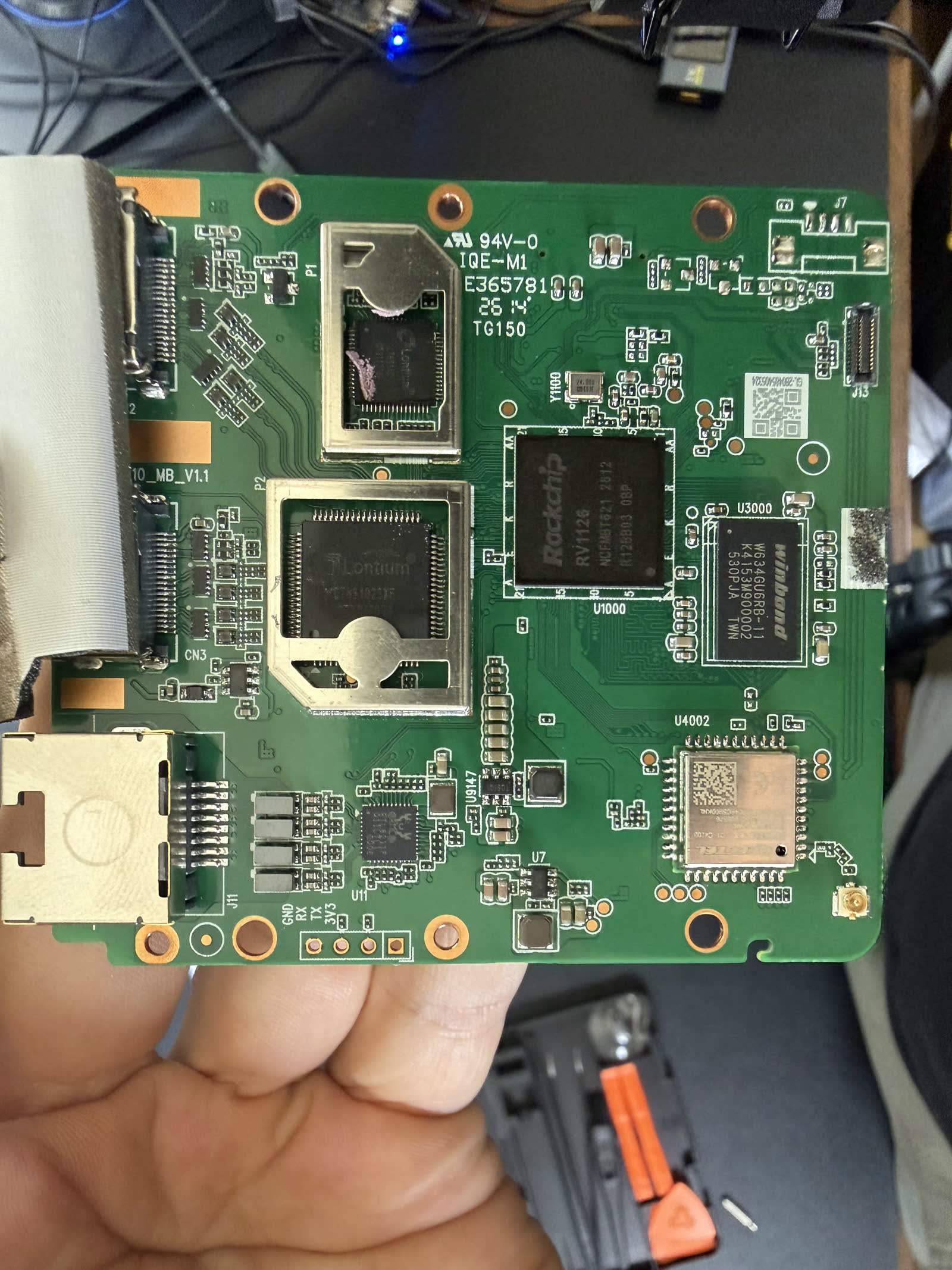
We opened both. The base Comet runs a Rockchip RV1126 (quad Cortex-A7, 1 GB DDR3, a soldered 8 GB Kioxia eMMC). The Comet Pro runs a Rockchip RV1126B (quad Cortex-A53, 64-bit, 1 GB RAM, a 64 GB eMMC from the tier-2 vendor TWSC). That RV1126B is worth a note: GL.iNet never publicly named the Pro's SoC, so identifying it was a genuine teardown scoop on our part (CNX Software's GL-RM1 teardown documents the base model's board). Both capture HDMI through what appears to be a Lontium LT6911-series bridge.
Build quality is fine for the price, plastic cases that feel a touch cheap, with the Pro adding a small curved touchscreen. One honest observation on the base Comet: it does not feel premium, and GL.iNet uses DDR3 memory partly to keep cost down amid rising memory prices. Full internals are in our capture-chip database and storage provenance report.
Setup: the firmware update pain
Both Comets reach a first stream quickly, roughly two to three minutes. Then it falls apart. Getting either to a stable, fully updated state was the worst setup experience on our entire bench. The firmware update repeatedly hung at 99%, needed the Ethernet cable pulled and reseated to recover, and involved a multi-step dance of installing one firmware version, updating the device, then installing another, plus a Windows desktop app that broke until we rolled it back to an older release. The base Comet took 22 minutes 55 seconds to reach a fully updated, working state. The Comet Pro's tiny touchscreen also made entering a Wi-Fi password a genuine struggle.
This is not a one-off. A Trustpilot reviewer reported a GL.iNet firmware update bricking their router, and across 43 Trustpilot reviews sentiment is sharply polarized, with 16 one-star and 19 five-star ratings. The device is good once it works; getting there is the risk. Do the update on a wired connection and set aside time.
Web interface and the dashboard
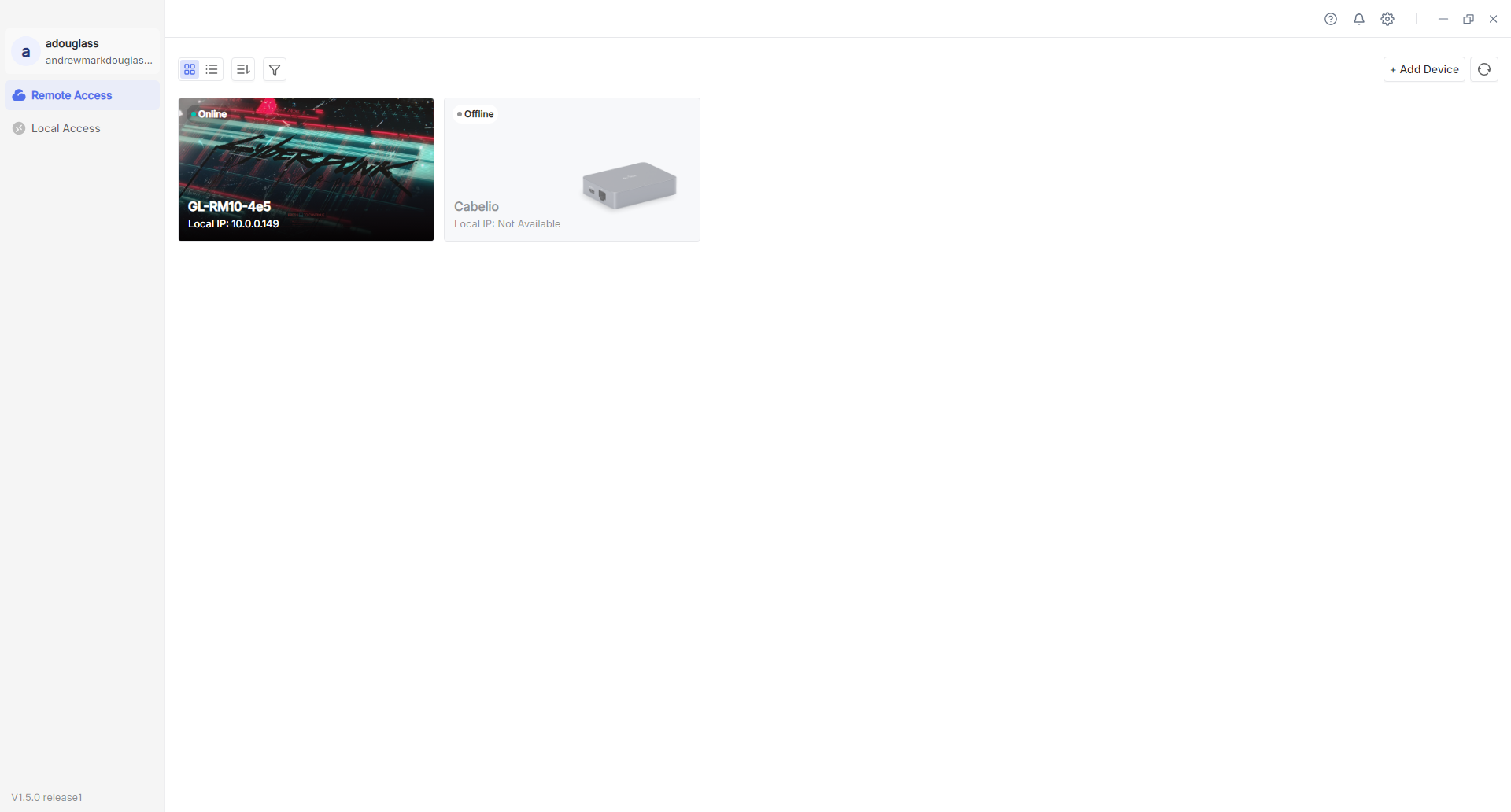
Once running, GL.iNet's software is the best part. The web UI is clean, and it has one feature no competitor offers: a dashboard that shows all your Comet devices in one place. If you run several KVMs across sites, this is genuinely useful. Security defaults are good too, a mandatory password on first use (no default credential), HTTPS by default, and optional two-factor authentication. Tailscale is built in through the app center for remote access without port forwarding, which is the setup we recommend. The GLKVM Windows client and even 4G LTE remote access are supported.
Performance: latency, video, and power
Updated October 2026: we re-measured every KVM with a new two-monitor glass-to-glass rig at each device's best settings on current firmware. The figures below replace our July click-to-photon numbers; why they changed. To feel these delays rather than read them, try our latency page.
The base Comet's headline number is speed. We time glass-to-glass latency: an HDMI splitter feeds one source to a reference monitor on a straight cable and to the KVM, whose stream we show full screen on an identical viewer monitor, and two light sensors time the same on-screen change on both. The figure is the viewer's time minus the reference's, so it is the video delay the KVM path adds over a direct cable: capture, encode, network, decode and the viewer's display. Each figure is the median of 300 timed changes per side at 1080p60 in Chrome over wired gigabit LAN, and we quote the higher of a scrolling-text and a still screen. It is a video-path number only: it does not include the input path. At its lowest-latency setting (Direct connection, Lowest Latency, Quality Auto) the base Comet measured 54.1 ms on scrolling text and 42.1 ms on a still screen, so the headline is 54.1 ms. That is a statistical tie with the Sipeed NanoKVM Pro (53.3 ms, intervals overlap) for the fastest of the third-party KVMs we tested on scrolling text, and the Comet is the fastest of the third-party KVMs we tested on a still screen. It beats even the far pricier PiKVM V4 Plus (57.3 ms with its H.264 boost). The quad-core RV1126 punches above its price. The Comet Pro measured 57.3 ms on scrolling text and 44.1 ms on a still screen, still quick, though slower than the cheaper base model in every mode we measured.
On video, GL.iNet lists the base Comet at up to 4K30 HDMI input, and the Pro adds 4K30 with HDMI passthrough so it can live inline with a workstation. Both are fine for console and desktop work. The cost of the Pro's capability is power: it drew 3.76 W streaming (peaking near 5.5 W), among the highest of the small KVMs we measured, while the base Comet sipped a reasonable 1.85 W. Our latency benchmarks and power comparison have the full field.
ATX power control and the Fingerbot
For remote power, both Comets take an ATX power control board (GL-ATXPC) that wires to the motherboard front-panel headers for power, reset, and status. One gotcha owners and we both hit: the ATX connector has a polarity that is not documented, so if the power button does nothing, flip the connector.
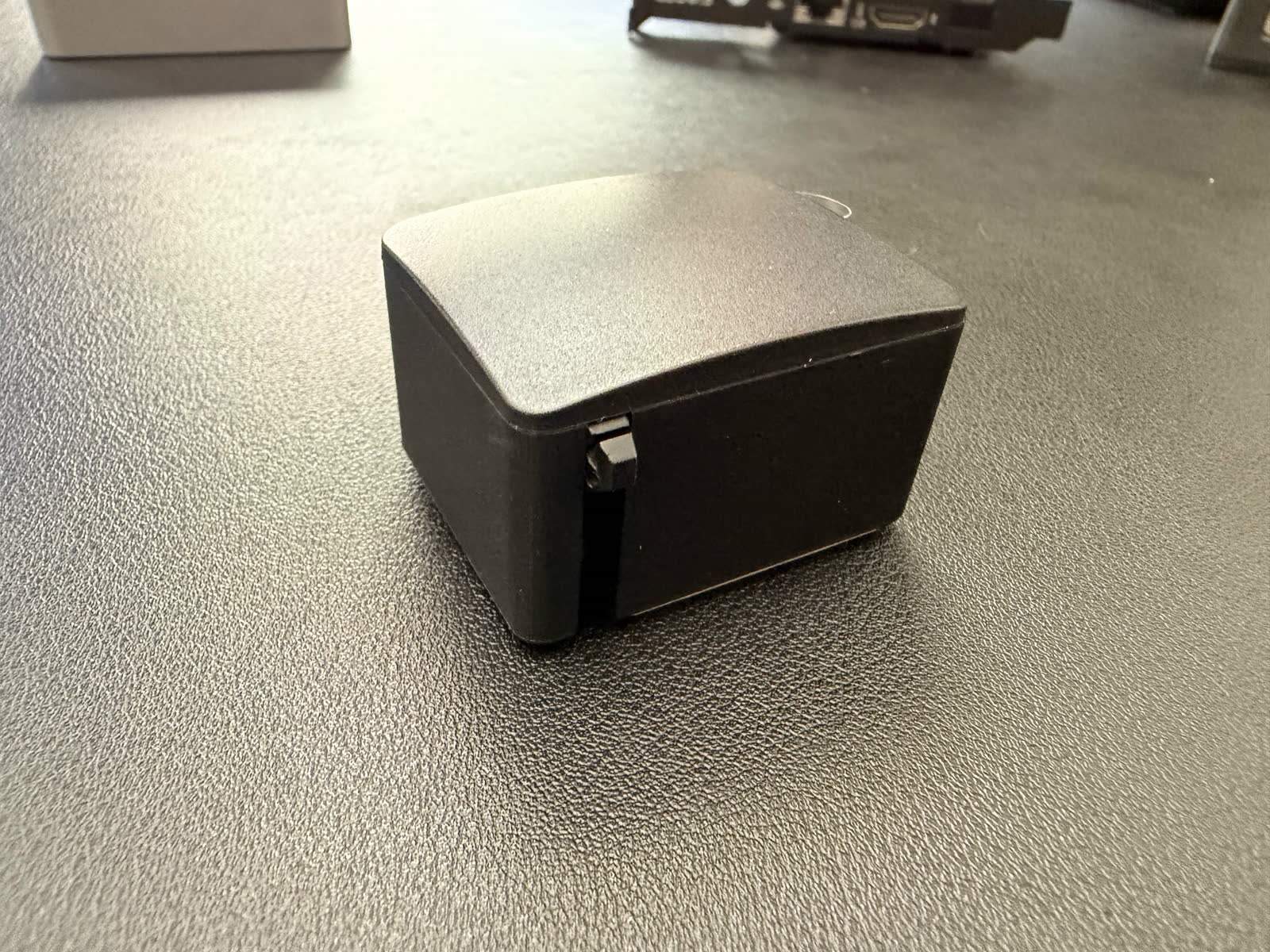
The more fun option is the Fingerbot: a small wireless robot that physically presses a power button, controlled from the KVM. It sounds gimmicky and it is a little, but for a machine with no accessible ATX header it genuinely works, doing short presses to wake and long presses to force off. The main criticism is that it is battery-powered, so it may be dead when you need it most. It is easily the most-loved quirk of the whole Comet line in owner reviews.
Virtual media, audio, and the rest
Both handle virtual media, mounting an ISO from the browser as a USB drive for a remote OS install, though the onboard storage is slow to write, so stage images ahead of time. A real differentiator is audio passthrough, which the Comet supports and most budget rivals do not. There is clipboard text paste, wake-on-LAN, and the usual BIOS-level access, with the caveat that a few owners report inconsistent pre-boot video on specific motherboards where HDMI is unavailable during POST.
Owner sentiment, value, and security
Across three video reviews (including NASCompares' Comet Pro review), 75 comments, and 43 Trustpilot reviews we analyzed, the Comet earns praise for value and the dashboard, and takes fire for the firmware experience and, on the Pro, the missing native PoE. On security, the firmware is closed source, unlike the JetKVM, PiKVM, and NanoKVM, and GL.iNet is a Shenzhen-based company, which prompts recurring requests from reviewers for independent audits and packet-capture analysis. It is not a specific disclosed flaw, but for a device with BIOS-level control it is a fair thing to weigh. Keep any Comet on an isolated VLAN behind a VPN. Our who makes each IP KVM guide covers the jurisdiction question across the market.
“Native PoE seems like such a huge miss to me. I have been using the Comet PoE and it has been fantastic in our fully UniFi PoE environments.”
Alternatives
| Device | Price | Glass-to-glass latency, 1080p60 (our test) | Max video | Notable |
|---|---|---|---|---|
| GL.iNet Comet (base) | ~$90 | 54.1 ms | 4K30 in | Tied for fastest third-party KVM we tested, audio, closed source |
| GL.iNet Comet Pro | ~$180 | 57.3 ms | 4K30 passthrough | Touchscreen, Wi-Fi, Fingerbot, no native PoE |
| JetKVM | ~$103 | 59.8 ms | 1080p | Open firmware, best polish per dollar |
| Sipeed NanoKVM Pro | ~$155 | 53.3 ms | 4K30 | Cheaper 4K, security caveats |
| PiKVM V4 Plus | ~$400 | 57.3 ms (H.264 boost) | 1080p | Most mature open-source ecosystem |
The closest rival is the JetKVM, which is open source and better polished but slower and pricier than the base Comet, covered in our JetKVM vs Comet head-to-head. If you want 4K for less, the Sipeed NanoKVM Pro undercuts the Comet Pro but carries its own security questions. And the PiKVM is the open-source reference at a much higher price.
FAQ
FAQ
Yes, with a caveat. In our testing the base Comet tied for the lowest latency of any third-party IP KVM we tested (54.1 ms glass-to-glass at 1080p60, level with the NanoKVM Pro on scrolling text and ahead of everything else on a still screen), draws little power, and has excellent software including a multi-device dashboard and audio passthrough. The one real problem is a firmware update process that repeatedly hung and took nearly 23 minutes to complete on our bench.
The Comet Pro (GL-RM10) adds 4K30 HDMI passthrough (dual HDMI, so it sits inline with a workstation), a 3.69-inch touchscreen, and Wi-Fi 6, on a faster 64-bit Rockchip RV1126B. The base Comet (GL-RM1) is cheaper and, oddly, measured faster on latency in our test. The Pro notably lacks native PoE.
Yes. Tailscale is built into the app center, so you bind the device to your tailnet and get secure remote access without port forwarding. It is the remote-access method we recommend for any IP KVM.
No, not natively, which is a common complaint given it is the premium model. You power it over USB-C and can use a separate PoE-to-USB-C splitter. The cheaper Comet PoE model does include native PoE.
Cable HDMI and USB-C to the target and Ethernet to your network, then open the IP in a browser and set a password. Budget extra time for the firmware update, which is mandatory for a stable state and was slow and finicky on our bench. Do it on a wired connection.
Bottom line
We measured every number here ourselves and opened both units. See the latency benchmarks, power comparison, and capture-chip database for the full picture.