October 21, 2026Comparison
IP KVM Power Consumption Compared: Idle, Streaming and Startup Watts
We put a power meter on every IP KVM we own. The spread is roughly 4x, and the most expensive one to run is not the one you would guess.
By Andrew Douglass · Founder
Disclosure: Our articles contain affiliate links, including Amazon. If you buy through one, we may earn a commission at no extra cost to you, and as an Amazon Associate we earn from qualifying purchases. It never affects our testing, measurements, or verdicts. Full disclosure.
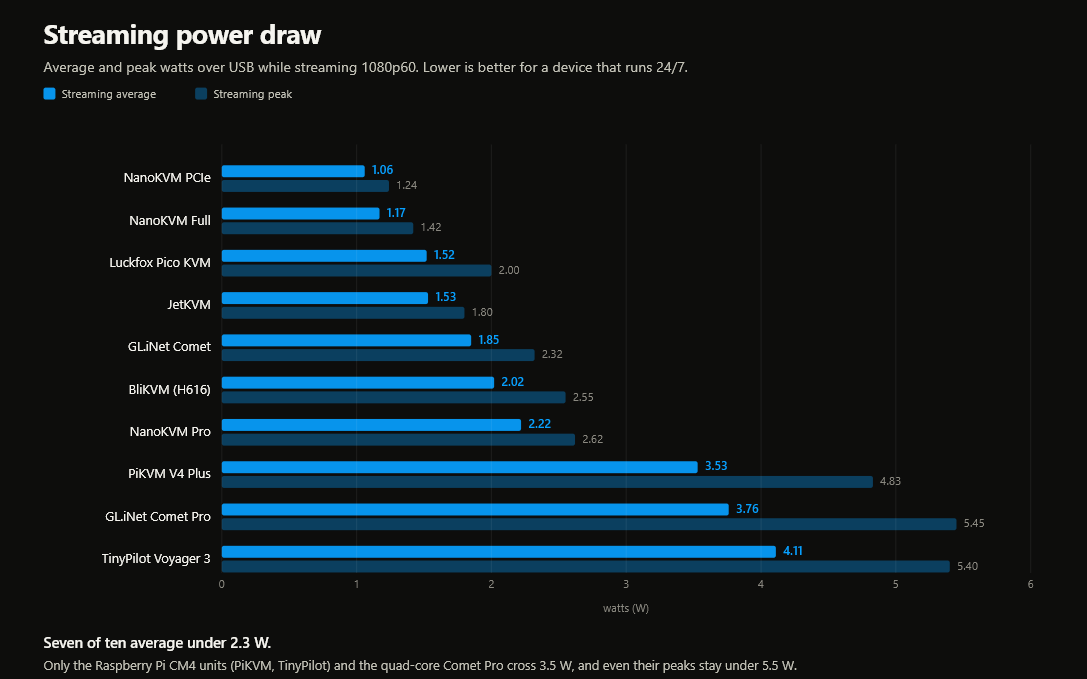
An IP KVM is a device you leave on for years, so its power draw is a real number, not a footnote. We measured IP KVM power consumption on every unit we own, and the streaming draw runs from 1.06 W on the Sipeed NanoKVM PCIe to 4.11 W on the TinyPilot Voyager 3. That is roughly a 4x spread across boxes that all do the same job: capture one machine's screen and forward its keyboard and mouse over the network.
Below is the full bench data, how we measured it, and the annual cost at the wall. The short version: the cheapest device to run is a RISC-V board, the most expensive is built on the same Raspberry Pi as a rival that draws far less, and the difference over a year is small in dollars but says a lot about the engineering.
How we measured it
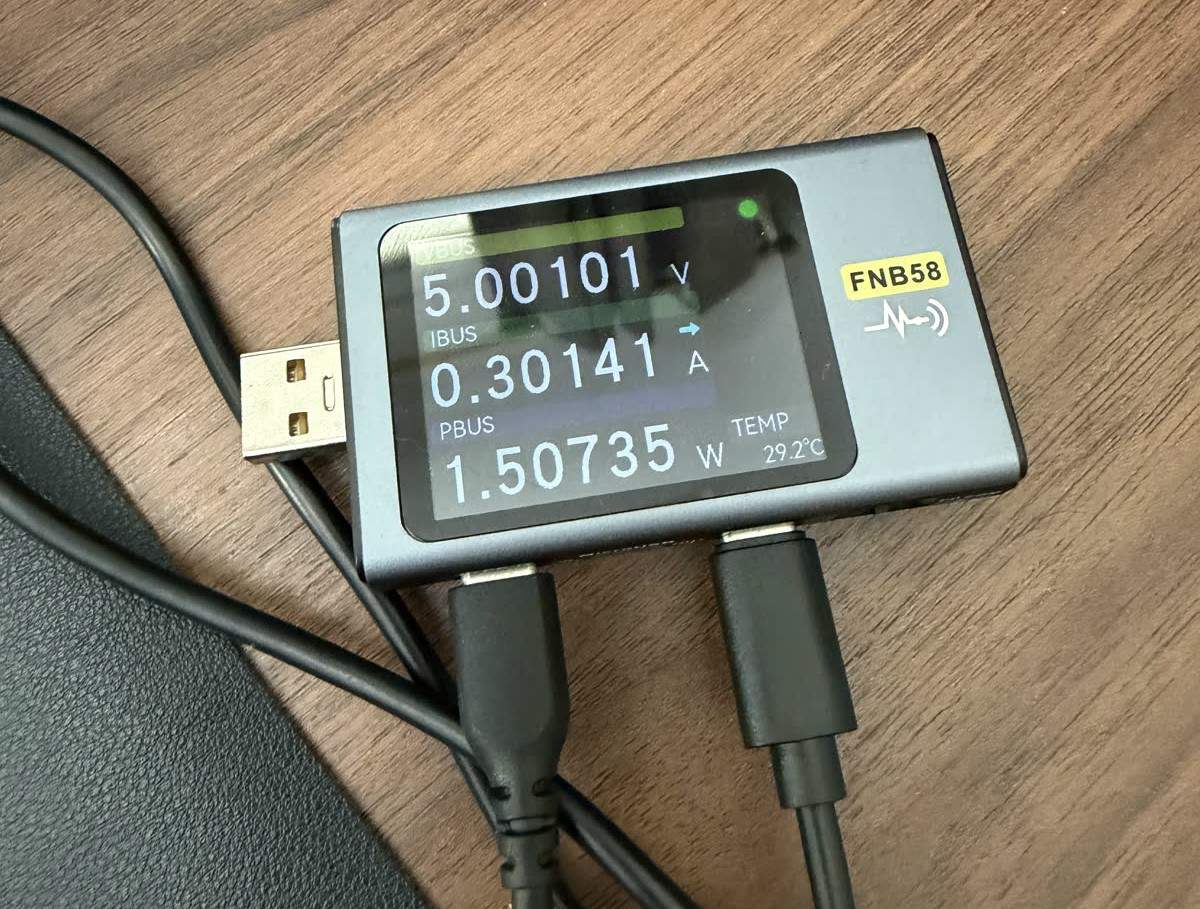
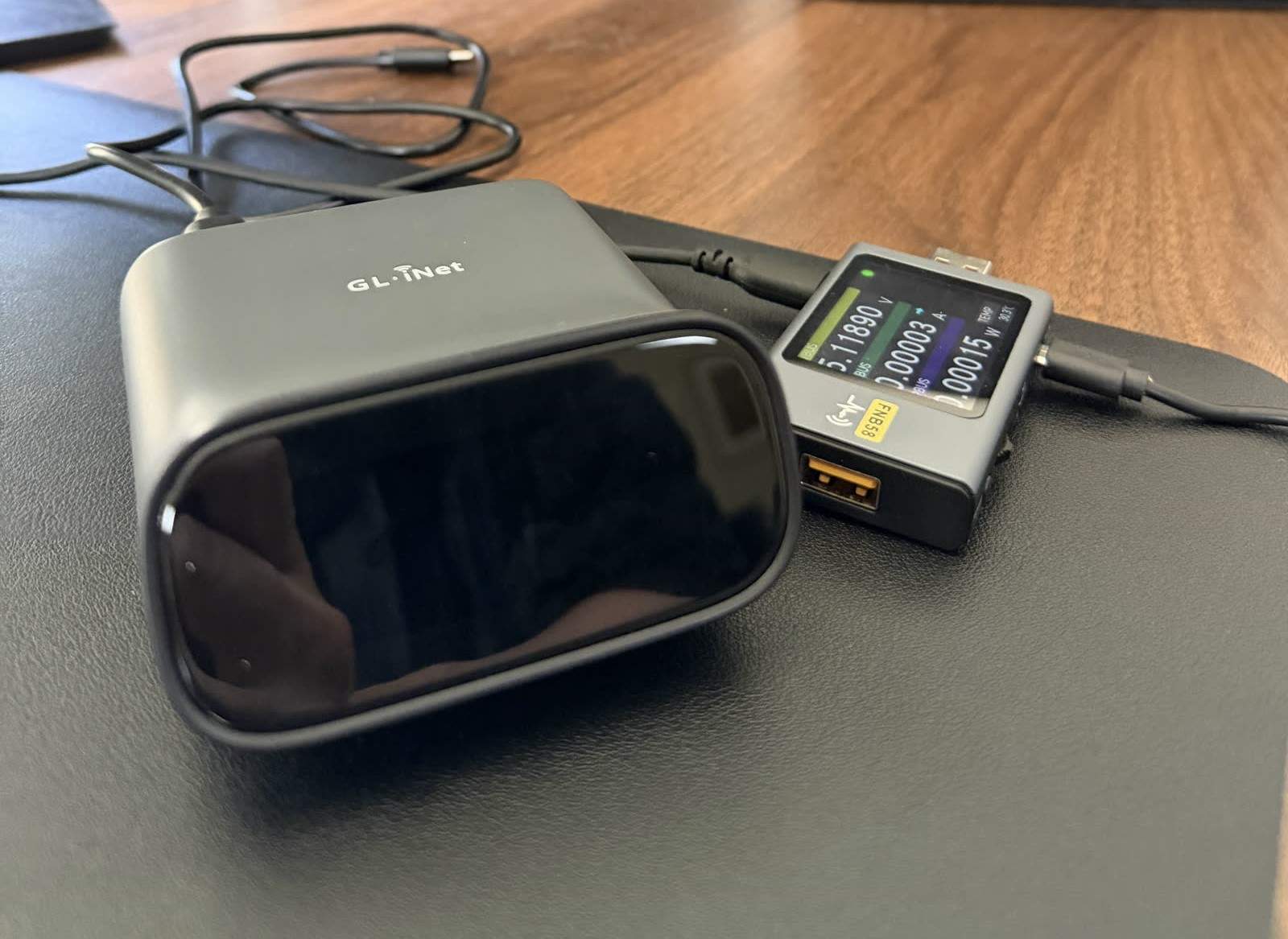
Every number here comes from a FNIRSI FNB58 USB power meter wired inline on the device's power feed, logging voltage and current at 50 Hz. Power is voltage times current, so a device pulling 5.02 V at 0.30 A is drawing about 1.51 W. We recorded each unit through boot and into steady streaming at 1080p60, then marked the segments and averaged the steady plateau. Where a device had several runs, we used the longest steady one. Our full method is in how we measure IP KVM power.
Two things worth stating up front. These are single-port homelab IP KVMs (JetKVM, PiKVM, the Sipeed NanoKVMs, the GL.iNet Comets, TinyPilot, Luckfox, BliKVM), not rack matrix systems. And power draw barely moved with encoder settings, because the load that matters is capture and encode running continuously, not the bitrate of a mostly static screen.
The results
Here is the whole field, sorted from least to most power-hungry while streaming. Startup is the average during boot and first connect; peak is the highest instantaneous draw we saw while streaming, which is the number that matters for sizing a power supply or a PoE budget. Annual cost assumes the device runs 24/7 at about 15 cents per kWh.
| Device (SoC) | Streaming avg | Streaming peak | Startup avg | Est. annual cost |
|---|---|---|---|---|
| Sipeed NanoKVM PCIe (RISC-V CV181x) | 1.06 W | 1.24 W | 0.99 W | $1.39 |
| Sipeed NanoKVM Full (RISC-V CV181x) | 1.17 W | 1.42 W | 1.12 W | $1.54 |
| Luckfox Pico KVM (Rockchip RV1106) | 1.52 W | 2.00 W | 1.05 W | $2.00 |
| JetKVM (Rockchip RV1106) | 1.53 W | 1.80 W | 0.60 W | $2.01 |
| GL.iNet Comet (Rockchip RV1126) | 1.85 W | 2.32 W | 1.61 W | $2.43 |
| BliKVM (Allwinner H616) | 2.02 W | 2.55 W | 2.83 W | $2.65 |
| Sipeed NanoKVM Pro (Axera AX630C) | 2.22 W | 2.62 W | 2.39 W | $2.92 |
| PiKVM V4 Plus (Raspberry Pi CM4) | 3.53 W | 4.83 W | 2.43 W | $4.64 |
| GL.iNet Comet Pro (Rockchip RV1126B) | 3.76 W | 5.45 W | 3.08 W | $4.94 |
| TinyPilot Voyager 3 (Raspberry Pi CM4) | 4.11 W | 5.40 W | 2.75 W | $5.40 |
The pattern tracks the silicon. The lowest-power devices run the simplest processors, and the highest-power ones run quad-core application processors that were designed for far heavier work than pushing a video stream.
The efficiency winners run RISC-V
The two most efficient devices are the Sipeed NanoKVM Full and the NanoKVM PCIe, both drawing around 1 W. They share the same brain: a CVITEK CV181x with a single RISC-V C906 core. That core is simple and slow by modern standards, which is exactly why it sips power. It is enough to run a hardware H.264 encoder and a minimal Linux, and not much more. If you want the details on that choice, we wrote them up in why Sipeed put RISC-V in the NanoKVM.
The tradeoff is performance elsewhere: the NanoKVM Full is among the slower devices we tested on glass-to-glass latency (144.8 ms at 1080p60 in its best mode, MJPEG; the PCIe card was not in our October re-test), and both cap at 1080p.
Updated October 2026: re-measured on our new glass-to-glass rig at each device's best settings; why the numbers changed. To feel these delays rather than read them, try our latency page. For a KVM that sits on a homelab server you touch a few times a month, that is a fine trade. Efficiency is the whole point of the design, and it delivers. Our full NanoKVM review covers the rest.
The power-hungry end, and the finding that surprised us
At the top of the table sit the TinyPilot Voyager 3 (4.11 W), the GL.iNet Comet Pro (3.76 W), and the PiKVM V4 Plus (3.53 W). The Comet Pro runs a quad-core 64-bit Rockchip RV1126B, and both the TinyPilot and the PiKVM run a Raspberry Pi Compute Module 4, a quad-core Cortex-A72. These are capable little computers, and idling a capable computer still costs watts.
The result worth pausing on is TinyPilot versus PiKVM. They run the same Compute Module 4. Same processor, same Toshiba capture bridge, same open-source uStreamer engine underneath. Yet the TinyPilot drew 4.11 W to the PiKVM's 3.53 W, and in our October 2026 glass-to-glass testing, at each device's best settings, the TinyPilot came in at 61.3 ms with its High-performance mode on, against the PiKVM's 57.3 ms with its H.264 boost on. Same silicon, more power, slightly more latency. The TinyPilot delivered about 51 fps in that test, where the boosted PiKVM reaches 60, and TinyPilot says its High-performance mode raises power use further; our power reading was taken with it off. That gap looks like software and tuning, not hardware, though we have not isolated the cause. TinyPilot's polished appliance exposes very few knobs, and on this board that shows up as both slower response and higher draw. It is a fair point rather than a gotcha, and we cover the responsiveness side in the PiKVM review and TinyPilot review.
Startup, idle, and why peaks matter
Streaming is the number you pay for around the clock, but two others are worth knowing.
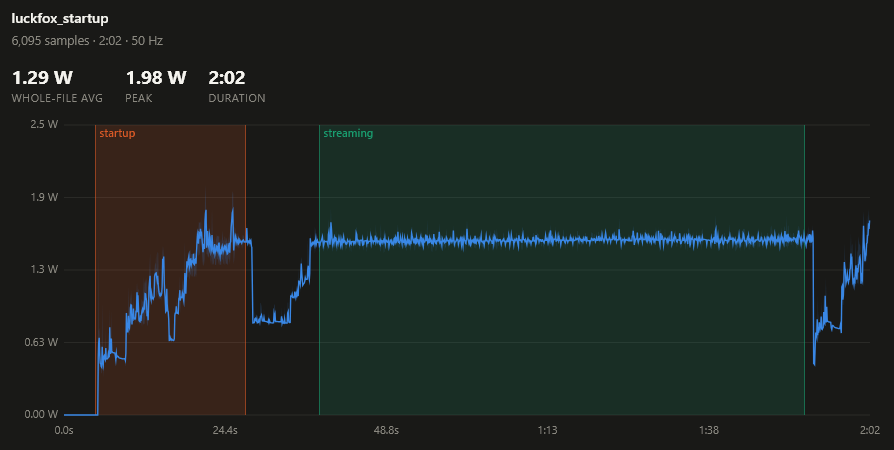
Startup draw is usually lower than streaming, because the encoder is not yet running. The JetKVM is the clearest example: it idles at about 0.60 W before a session, then climbs to 1.53 W once it is capturing and streaming. If your KVM spends most of its life waiting for you rather than actively streaming, the idle figure is closer to your real cost. One aside on the JetKVM: adding its ATX power-control extension board raised draw by about 0.17 W, a small but real cost for the remote power button.
Peak draw is the number to size a supply or a PoE budget against. The Comet Pro peaked at 5.45 W and the TinyPilot at 5.40 W under streaming, more than 5x the NanoKVM PCIe's 1.24 W peak. None of these are large loads, but if you are running a device from a PoE splitter with a tight budget, or bundling several onto one supply, the peaks are what you plan for, not the averages.
What else moves the needle
A few practical notes on hardware requirements and setup, pricing, and security. Power input is the main hardware requirement: most of these take 5 V over USB-C, and a few (the Comets, some PiKVM builds) support PoE, which is where the peak figures earn their keep during setup. Virtual media costs almost nothing: emulating a CD/DVD or flash drive to mount an ISO adds a fraction of a watt, because it is just the mass-storage gadget, not more encoding. A DIY PiKVM built from a bare Compute Module 4 draws essentially what our PiKVM V4 Plus does, since it is the same silicon. On pricing and cost comparison, this field spans roughly $60 to $300, and cost tracks capability far more than it tracks power. On security considerations and features, power draw says nothing about how safe a device is, but every one of these is an always-on box on your network, so the same hardening features and considerations apply to the efficient and the thirsty alike. For the products themselves, our full reviews of the JetKVM, PiKVM, NanoKVM, GL.iNet Comet and TinyPilot go device by device.
What it actually costs over a year
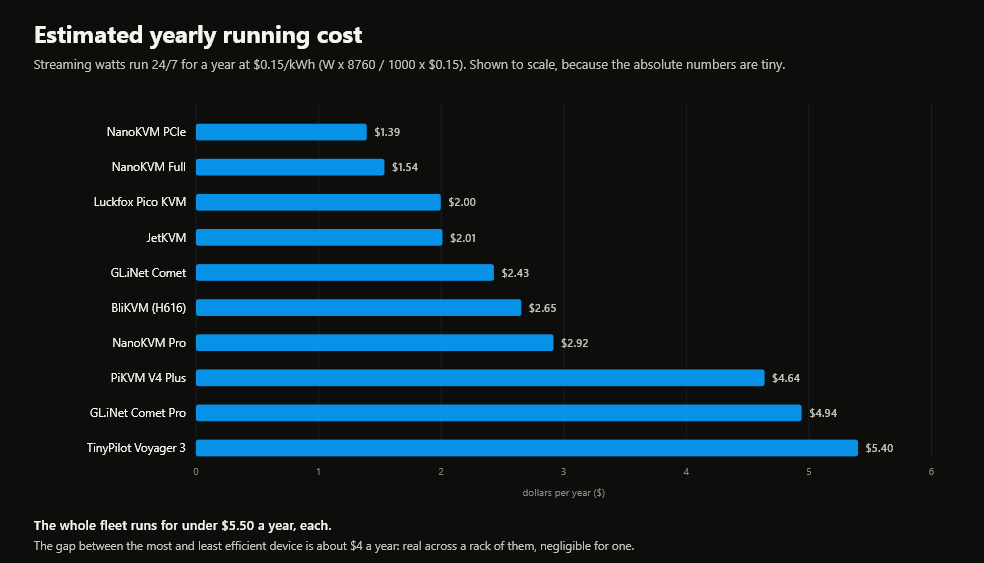
Because these devices run continuously, the honest way to read the table is in kilowatt-hours. A watt held for a year is about 8.76 kWh. At 15 cents per kWh, the NanoKVM PCIe at 1.06 W costs about $1.39 a year to run. The TinyPilot at 4.11 W costs about $5.40.
So the entire field fits inside a four-dollar-a-year window. Nobody should buy an IP KVM on its electricity bill. What the number really tells you is how hard the device is working to do a simple job, and that correlates with heat, with fan-free reliability, and often with how the software was built. A device that draws 1 W is running cool and simple; a device that draws 4 W on the same chip a rival runs at 3.5 W is leaving efficiency on the table. If you want the picks ranked purely on this axis, see the most power-efficient IP KVM for an always-on homelab, and for latency alongside power, our IP KVM latency benchmarks.
Verdict
FAQ
In our measurements, a single-port IP KVM draws between about 1 W and 4 W while streaming 1080p60. The efficient RISC-V Sipeed NanoKVMs sit near 1 W; Raspberry Pi CM4 devices like the PiKVM and TinyPilot draw 3.5 to 4.1 W. Idle draw is usually a little lower than streaming.
The Sipeed NanoKVM PCIe (1.06 W) and NanoKVM Full (1.17 W) are the most efficient we tested, thanks to their simple RISC-V CV181x processor. The JetKVM is the most efficient of the polished devices at 1.53 W streaming and 0.60 W idle.
No. Even the thirstiest devices we measured peaked around 5.5 W, well inside a standard 802.3af PoE budget of about 12.95 W at the device. Size your PoE budget against the peak draw (roughly 5.5 W for a Comet Pro or TinyPilot), not the average.
The usual one is an underpowered supply or thin cable causing undervoltage, which shows up as CPU throttling and dropped sessions. We saw exactly that on one unit. Use a supply that comfortably covers the peak draw and a decent cable, and the problem disappears.
Barely. Running 24/7 at 15 cents per kWh, the range is about $1.39 to $5.40 a year. Power draw is more useful as a signal of how lean a device's hardware and software are than as a cost to budget for.
Every figure here is from our own bench: a FNIRSI FNB58 USB meter logging at 50 Hz, power calculated as voltage times current, at 1080p60. Disclosure: this guide is published by WarpKVM, which is developing an IP KVM of its own; the competitor measurements above are reported exactly as recorded.