October 21, 2026Review
Sipeed NanoKVM Review: The $50 RISC-V KVM, and the 4K NanoKVM Pro
The cheapest IP KVM on the market, built on RISC-V. We measured all three we own, opened them, and went looking for the microphone.
By Andrew Douglass · Founder
Disclosure: Our articles contain affiliate links, including Amazon. If you buy through one, we may earn a commission at no extra cost to you, and as an Amazon Associate we earn from qualifying purchases. It never affects our testing, measurements, or verdicts. Full disclosure.
The Sipeed NanoKVM is the cheapest way into KVM over IP, and the most argued-about device in the category. We own three of them, the Full, the Pro, and the PCIe, and this review is based on measuring them on the bench, opening them up, and, yes, checking whether there really is a hidden microphone inside. The short version: the NanoKVM does the core job for a stunning price, the Pro is a genuinely capable 4K device, and there are real caveats around security and polish you should understand before you buy.
A KVM over IP gives you keyboard, video, and mouse control of a machine at the hardware level, below the OS, so you can reach a server in BIOS or mid-reinstall. Sipeed built the NanoKVM on a RISC-V chip and priced it below anything else on the market, which is exactly why it went viral and exactly why it drew scrutiny.
The verdict up front
The NanoKVM lineup
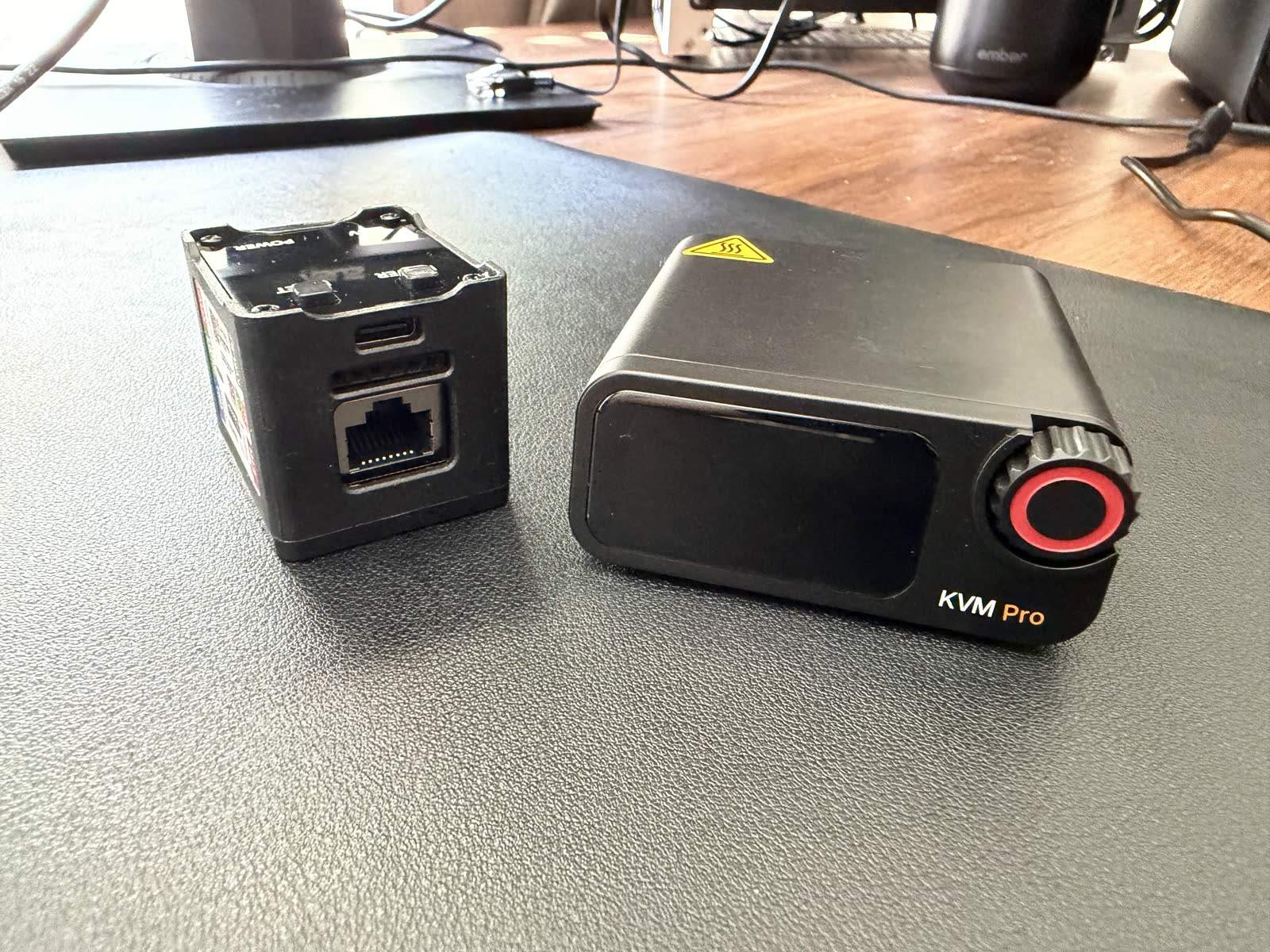
Sipeed sells a confusing family. In rough order of price: the NanoKVM Lite (the cheapest board), the boxed Cube (what many call the Full), the NanoKVM PCIe (a card version), the NanoKVM USB (a simpler USB-attached device), and the flagship NanoKVM Pro. A Kickstarter NanoKVM Go adds a 4K USB-C, AI-native model. All of it is documented on Sipeed's wiki and GitHub.
We tested the Full, the Pro, and the PCIe. The PCIe is effectively the Full on a card: identical RISC-V internals (it was not in our October latency run, so we quote no latency figure for it), and it was the single most power-efficient device in our entire test at about 1.06 W. If you want the Full in a slot, it is that, with the caveat that it still needs USB for keyboard and mouse.
Build and what is inside
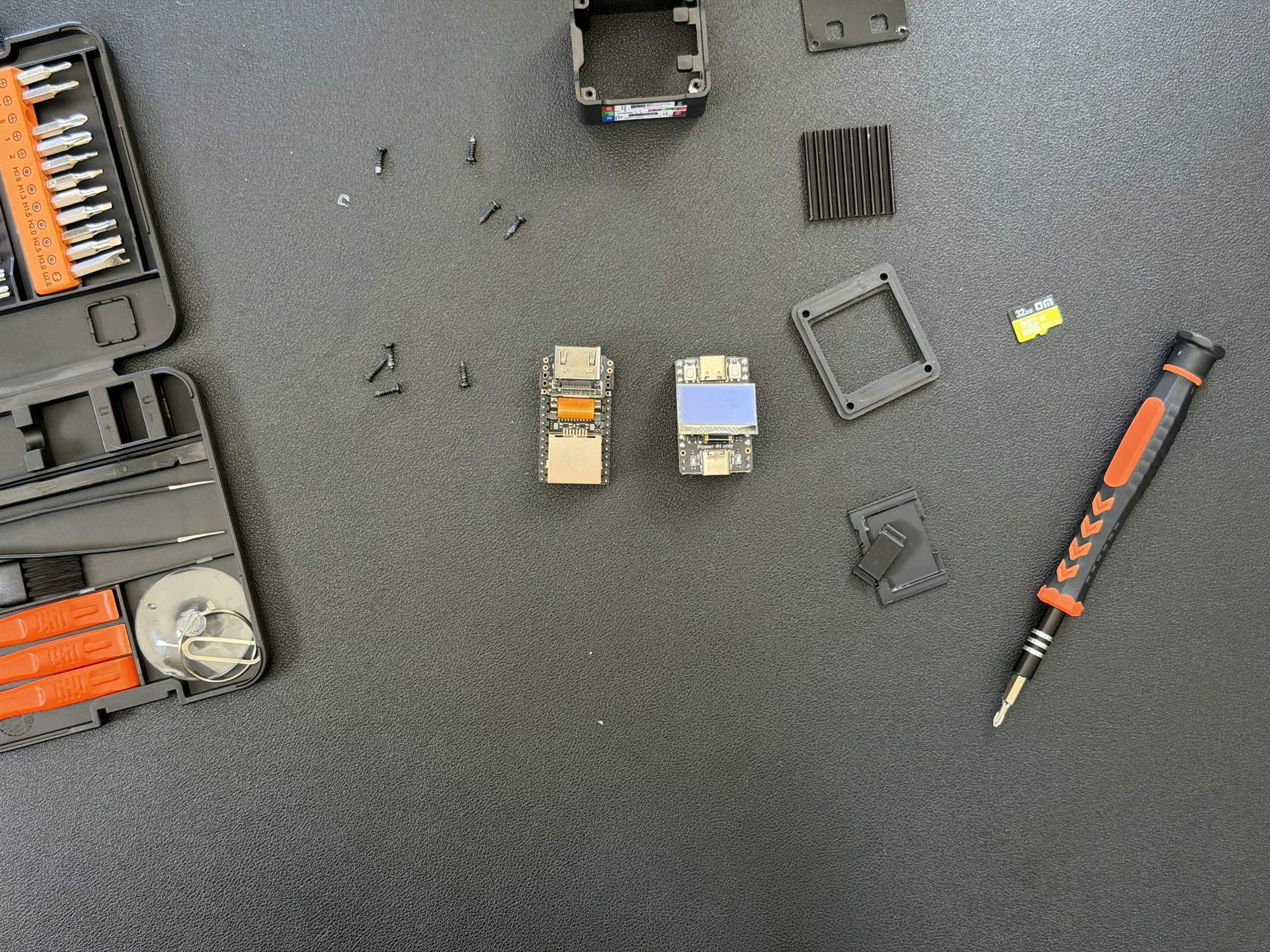
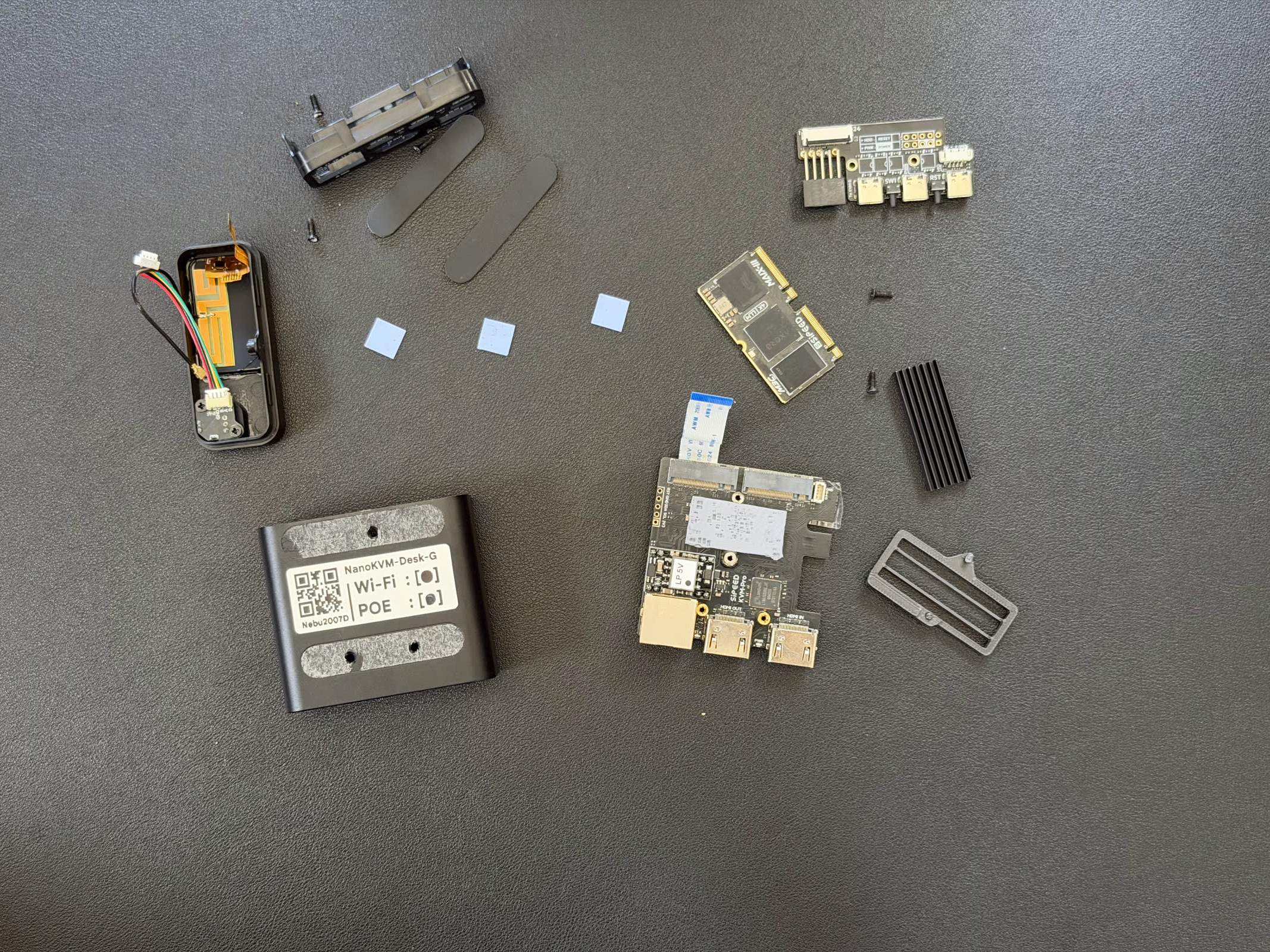
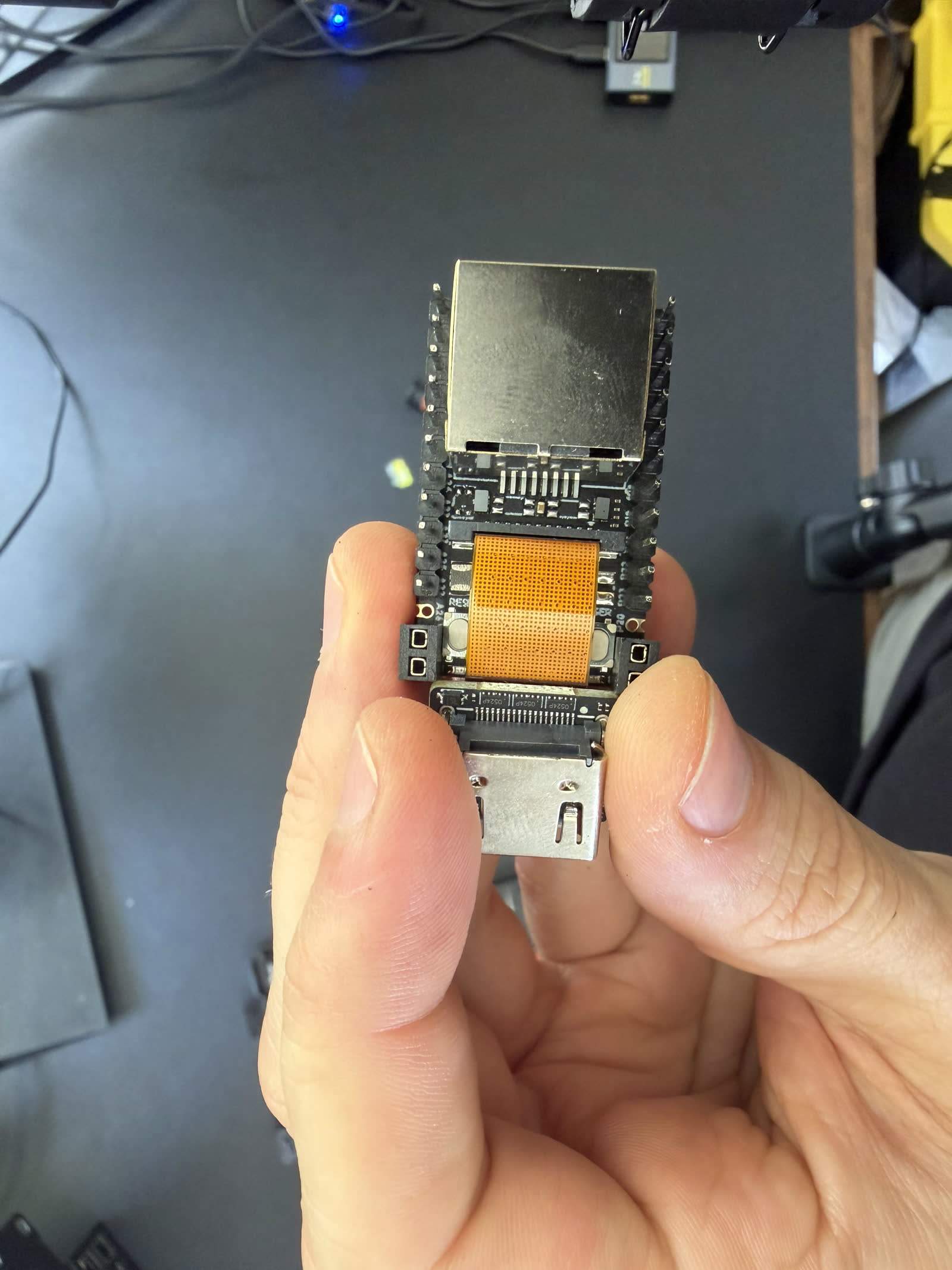
We opened all three. The Full and PCIe run a CVITEK/Sophgo CV181x (SG2002), a single-core RISC-V C906 based on the LicheeRV Nano board. It is the only RISC-V device in the category, and it is why these units sip power. The Pro is a different animal: an Axera AX630C with dual Cortex-A53 cores and a 3.2-TOPS NPU, which is how it does 4K and the AI features. Both capture HDMI through a Lontium LT6911UXC bridge; the Full also carries a Lontium splitter for its loop-out.
Storage is where cost shows. The Full ships a generic, no-name microSD (ours was DM-branded), the PCIe a generic Sipeed-labeled card, and the Pro a soldered tier-2 64 GB eMMC. On a device that runs constantly, that is the first thing we would upgrade on the card-based models. Build otherwise is good for the money: metal cases, a genuinely useful front OLED that shows the IP and status.
Setup and installation
The NanoKVM Full was the fastest device to set up in our entire test, 1 minute 14 seconds from box to a working stream: cable it up, read the IP off the OLED, open a browser. The Pro took 4 minutes 56 seconds. Two setup notes matter.
The Pro ships with an admin/admin default login. Change it before you do anything else; a default credential on a device with BIOS-level control is a real risk. The Pro's clock was also wrong out of the box, so it is clearly not pulling time from an NTP server by default. Firmware updates on the NanoKVM have a history of quirks, including a CDN caching bug that served the old image; if an in-browser update hangs, the community fix is a script or a fresh SD flash.
Video quality and latency
Updated October 2026: we re-measured every KVM with a new two-monitor glass-to-glass rig at each device's best settings on current firmware. The figures below replace our July click-to-photon numbers; why they changed. To feel these delays rather than read them, try our latency page.
Here the two families split hard. We time glass-to-glass latency: an HDMI splitter feeds one source to a reference monitor on a straight cable and to the KVM, whose stream we show full screen on an identical viewer monitor, and two light sensors time the same on-screen change on both. The figure is the viewer's time minus the reference's, so it is the video delay the KVM path adds over a direct cable: capture, encode, network, decode and the viewer's display. Each figure is the median of 300 timed changes per side at 1080p60 in Chrome over wired gigabit LAN, and we quote the higher of a scrolling-text and a still screen. It is a video-path number only: it does not include the input path. On our bench the RISC-V Full measured 144.8 ms at 1080p60 at its best setting (MJPEG at 60 Hz with Frame Detect off; 144.8 ms on scrolling text, 87.1 ms on a still screen), among the slowest devices we tested. Its H.264 mode measured 128.7 ms on scrolling text, but we could not time a still screen there: the encoder drops to about 5 fps on near-static pictures and the browser buffer grows to about a second. The Pro measured 53.3 ms (H.264 WebRTC at 5000 kbps CBR; 53.3 ms on both scrolling text and a still screen), about 2.7 times faster, because the Axera chip is simply more capable. That puts the Pro level with the GL.iNet Comet (54.1 ms, intervals overlap) at the top of the third-party KVMs we tested at 1080p60. So the cheap NanoKVM is functional but laggy; the Pro is genuinely responsive.
Resolution splits the same way. The Full is 1080p. The Pro captures up to 4K30 and passes through 4K60, one of the few small KVMs that reaches 4K at all. For console work either is fine; for a high-resolution desktop the Pro is the one, with a latency caveat: at 4K30 its scrolling text collapsed to 234.6 ms at 19 fps with 57 percent of frames frozen (a still screen measured 65.7 ms), and in our run 4K60 capture gave no 4K picture and stayed at 1080p. Our latency benchmarks and power comparison have the full numbers, and the capture-chip database covers the Lontium bridges.
Security: the microphone, and everything around it
This is the part you cannot skip. In February 2026 a security researcher reported that a NanoKVM unit contained a physical microphone, communicated with China-based servers, used a hardcoded encryption key shared across devices, and had other flaws. The story was covered widely, including by Tom's Hardware. Sipeed disputed that the microphone was undocumented, saying it was listed on the LicheeRV Nano wiki the device is based on, and it has since addressed many of the flaws.
We did our own check, because that is the point of owning the hardware. On our units, the Full and the PCIe, we found no physical microphone. The SoC exposes an analog audio-input path in software (the codec loads whether or not a mic is wired), but there is no capsule soldered on our boards. That is a meaningful distinction: an exposed audio-input capability in the chip is not the same as a working microphone recording your room. We report both honestly: the public report found a mic on a unit, and we did not find one on ours, which likely reflects a hardware revision or variant difference. Either way, the software-and-server concerns are the real issue, not the chip's audio pins.
The broader security posture is the actual caveat. The firmware is not fully open source (Sipeed has said it will open it after hitting sales or GitHub-star targets), and independent reviewers like Jeff Geerling landed on "wait and see" for production use. Our rule for any NanoKVM: keep it on an isolated management VLAN, behind a VPN such as Tailscale (which the device supports natively), never exposed to the internet, and watch what it talks to.
Software, AI, and the ecosystem
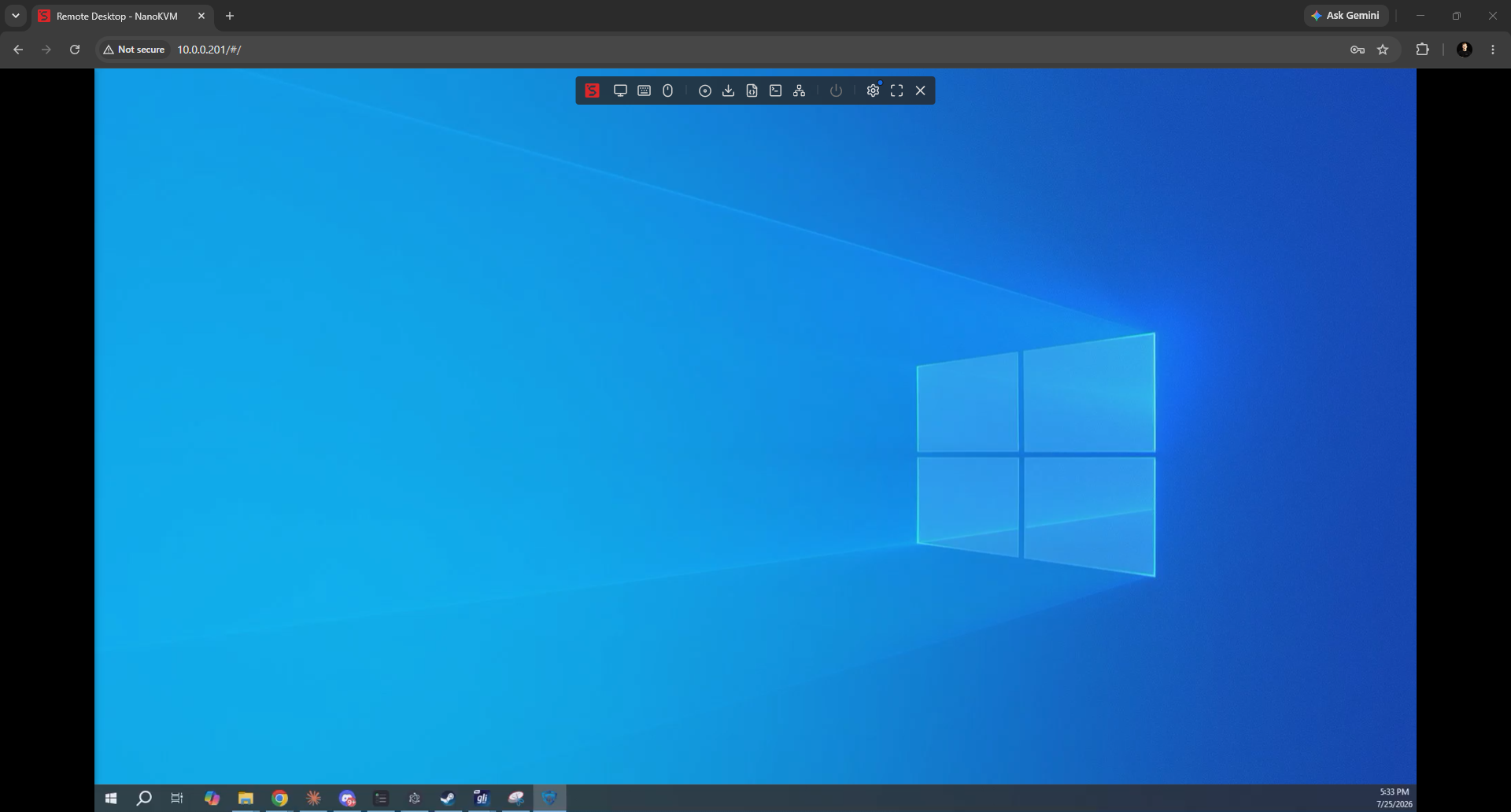
The Full runs a minimal Buildroot Linux; the Pro runs full Ubuntu 22.04, which makes it far more hackable (you can apt-install on it) at the cost of a bigger attack surface. Both offer a web UI with BIOS access, virtual media, ATX power control, and native Tailscale. The Pro adds experimental AI/vision features, screen OCR and automated control, which are more interesting toy than daily tool today but point at where Sipeed is going. H.265 was disabled by default on our Pro, worth enabling. It is worth knowing the NanoKVM can also run the open-source PiKVM software stack, so you are not fully locked to Sipeed's firmware.
What owners say, and value
Across four in-depth video reviews and roughly 100 owner comments we analyzed, the pattern is clear. The praise is the price and the form factor: it made IP KVM accessible. The complaints cluster on security (the mic and server story dominates comment sections), hardware bugs (one reviewer hit a unit that back-feeds 5 V over USB and caused boot issues, and 100 Mbps Ethernet that some gigabit-only switches will not negotiate), and firmware immaturity. There is also a recurring warning that AliExpress resellers jacked the price from around $60 to $150 right after a big LTT video, so buy carefully.
“I really want to recommend it, but I can't. At least not yet. If you want to try it out in an isolated environment, go for it.”
Alternatives
| Device | Price | Glass-to-glass latency, 1080p60 (our test) | Max video | Notable |
|---|---|---|---|---|
| NanoKVM (Full) | ~$50 | 144.8 ms (MJPEG) | 1080p | Cheapest, ~1 W, security caveats |
| NanoKVM Pro | ~$155 | 53.3 ms | 4K30 | Fast, 4K, Ubuntu, AI, admin/admin default |
| JetKVM | ~$103 | 59.8 ms | 1080p | Better polish and support, open firmware |
| PiKVM V4 Plus | ~$400 | 57.3 ms (H.264 boost) | 1080p | Most mature ecosystem, priciest |
| GL.iNet Comet Pro | ~$180 | 57.3 ms | 4K30 | 4K, Wi-Fi, touchscreen, closed source |
If the security and polish concerns bother you, the JetKVM costs about twice as much and buys you a cleaner track record and open firmware. If you want the NanoKVM Pro's 4K without the caveats, the GL.iNet Comet Pro is the closed-source alternative. And the PiKVM is the reference standard at reference prices.
FAQ
FAQ
Roughly $30 to $60 depending on model (Lite up to the Cube/Full), and around $155 for the Pro (the Wi-Fi and PoE model). Prices are volatile on AliExpress; resellers have been caught spiking prices after viral videos, so check before you buy.
A February 2026 report found a physical microphone on a NanoKVM unit. On our own Full and PCIe units we found no physical mic, only the SoC's audio-input path exposed in software. Treat it as revision-dependent, and either way keep the device isolated on your network. The server-communication and firmware concerns matter more than the chip's audio pins.
The NanoKVM Pro supports Wi-Fi and PoE. The base Full and PCIe are Ethernet-only in the configurations we tested. Check the specific SKU, as Sipeed offers several variants.
The base NanoKVM (Full/PCIe) is a single-core RISC-V device: 1080p, 144.8 ms glass-to-glass latency in our test, roughly 1 W, and cheapest. The Pro uses a faster Axera chip with an NPU: 4K capture, 53.3 ms glass-to-glass latency, Ubuntu, Wi-Fi, PoE, and AI features, at around $155, roughly three times the Full's price.
Not fully. Sipeed has said it will open the source after reaching sales or GitHub-star milestones. Some components are on GitHub, and notably the hardware can also run the open-source PiKVM software stack if you prefer not to trust Sipeed's firmware.
Bottom line
We measured every number here ourselves and checked the hardware in person. See the latency benchmarks, power comparison, and who makes each IP KVM for the fuller picture behind this review.