October 21, 2026Review
JetKVM Review (2026): Latency Measured, and the Catches
We bought a JetKVM, ran it for three months, and opened it up. Here is what it does well, where it falls short, and what the 2026 hardware revision changes.
By Andrew Douglass · Founder
Disclosure: Our articles contain affiliate links, including Amazon. If you buy through one, we may earn a commission at no extra cost to you, and as an Amazon Associate we earn from qualifying purchases. It never affects our testing, measurements, or verdicts. Full disclosure.
This JetKVM review is based on three months of daily use in our own rack, plus a full disassembly. Short version: it is the best value in KVM over IP right now, even after the price increase, with caveats worth knowing before you order.
A KVM over IP gives you keyboard, video, and mouse control of a machine at the hardware level. No agent on the host, no OS dependency. If the box is stuck in BIOS, mid reinstall, or kernel panicking, you still have eyes and hands on it. JetKVM launched on Kickstarter in late 2024 at $69, sold nearly 100,000 units by TechRadar's count, and forced every competitor to rethink pricing. Server-grade boards get this through iDRAC, iLO, or IPMI. JetKVM brings the same capability to any machine with HDMI and USB.
The verdict up front
Specifications
| Spec | JetKVM (2026 revision) |
|---|---|
| SoC | RockChip RV1106G3 (ARM Cortex-A7) |
| Memory | 256 MB DDR3L |
| Storage | 32 GB microSD (was 16 GB soldered eMMC) |
| Video input | Full-size HDMI (was mini HDMI), 1080p at 60 FPS max |
| Encoding | H.264, H.265 with auto-negotiation |
| Network | RJ45 Ethernet, 100 Mbps |
| Host connection | USB-C (USB 2.0, 480 Mbps) |
| Extension | 5-pin port (was RJ-11 style RJ-12 jack) |
| Size / weight | About 43 x 60 x 31 mm, 30 g |
| OS | Linux 5.10 (Buildroot), Go controller, React web UI |
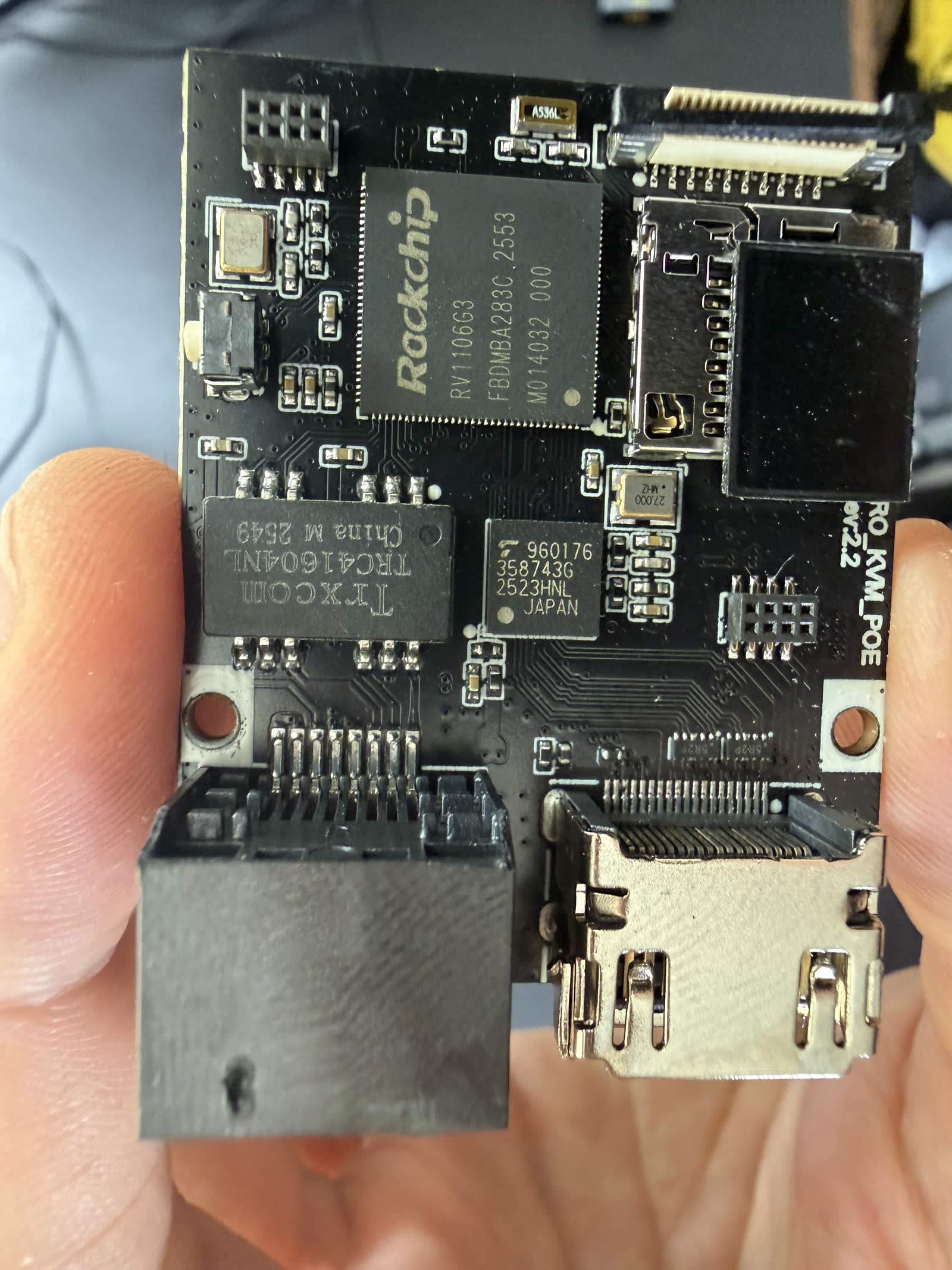
Full details on what is inside, board photos included, are in our JetKVM teardown. Two things stood out when we opened ours: it captures HDMI through a Toshiba TC358743 bridge, the same capture chip PiKVM uses, and the bundled microSD is a genuine SanDisk dated 2022, not the no-name card some rivals ship.
Hardware and build quality
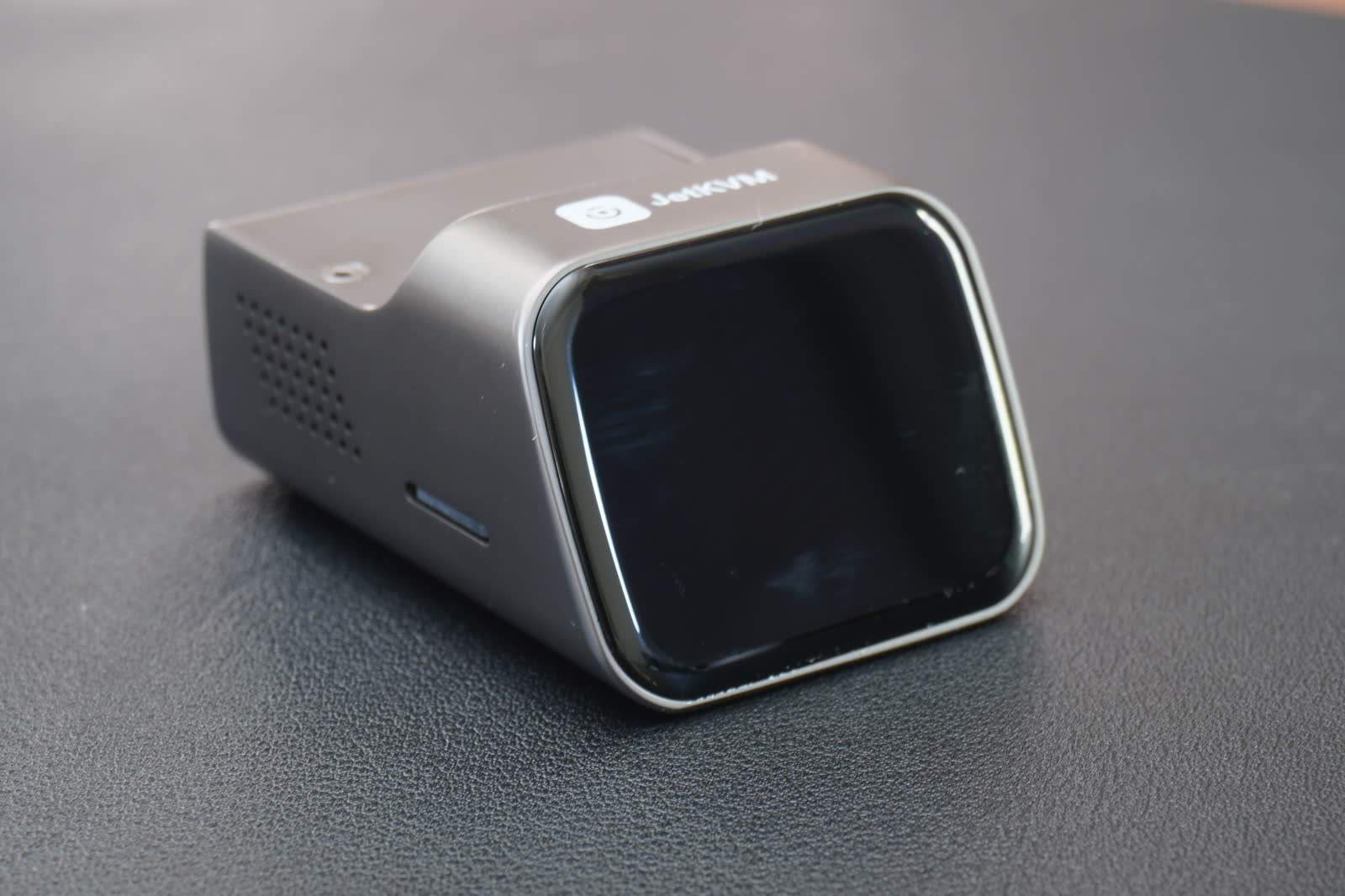
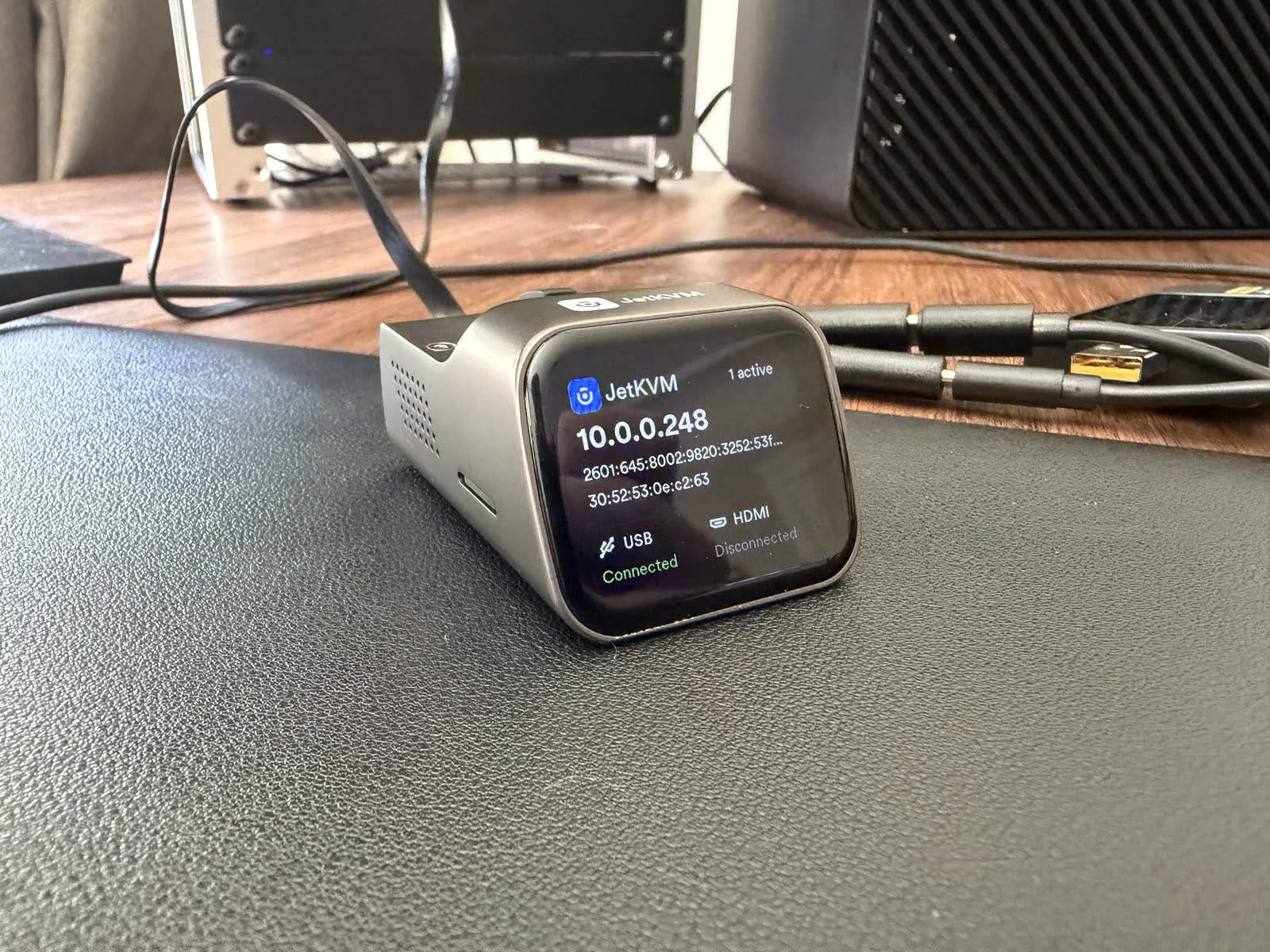
The enclosure is small enough to disappear behind a single machine: about the footprint of a matchbox, 30 grams. The shell is solid, nothing rattles, and the small front touchscreen is more useful than it looks. It shows the device IP, MAC address, active connection count, and cable status for USB and HDMI. When you are standing at the rack trying to remember which of four identical dongles is which, a glanceable IP address earns its place. On our power meter the JetKVM draws just 1.53 W streaming and 0.60 W idle, among the most efficient IP KVMs we measured, which matters for a device that runs around the clock. One build nitpick: the printed markings wiped off ours easily once the device warmed up, both the bottom labels and the logo on top.
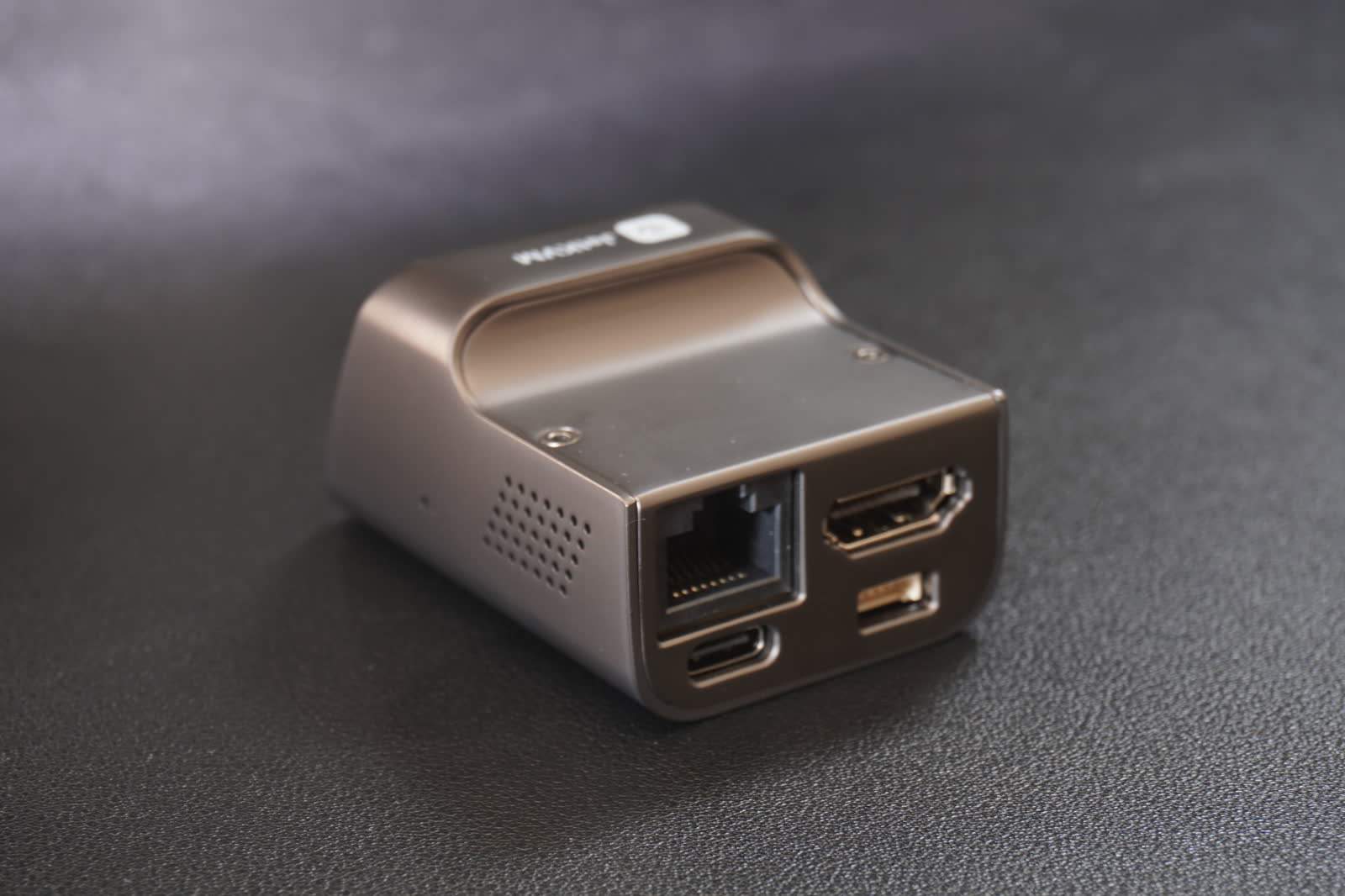
Around back: Ethernet, the extension port, HDMI, and USB-C for both power and the host connection. Our unit is the original revision with mini HDMI. Units shipping from mid 2026 have a full-size HDMI port, which removes the single most annoying thing about the original hardware. Nobody has spare mini HDMI cables.
Setup and installation
Setup took us 1 minute 55 seconds on the stopwatch, box to a working remote session, one of the fastest in our testing. That is wall-clock time, not marketing time.
Step 1
Connect the cables
HDMI from the host's video output to the JetKVM, USB-C to a host USB port. The single USB-C link carries power, keyboard, mouse, and virtual media.
Step 2
Plug in Ethernet
The device pulls a DHCP address and shows it on the front display within about 30 seconds.
Step 3
Open the web UI
Type the displayed IP into a browser on the same network. The interface loads instantly; there is nothing to install.
Step 4
Set a password and update
Create the local password, then apply the latest firmware from Settings. Recent releases add H.265 support and signed release verification.
No drivers on the host, no agent, no account required for local use. This is the correct default and fewer vendors get it right than should.
Software and web UI
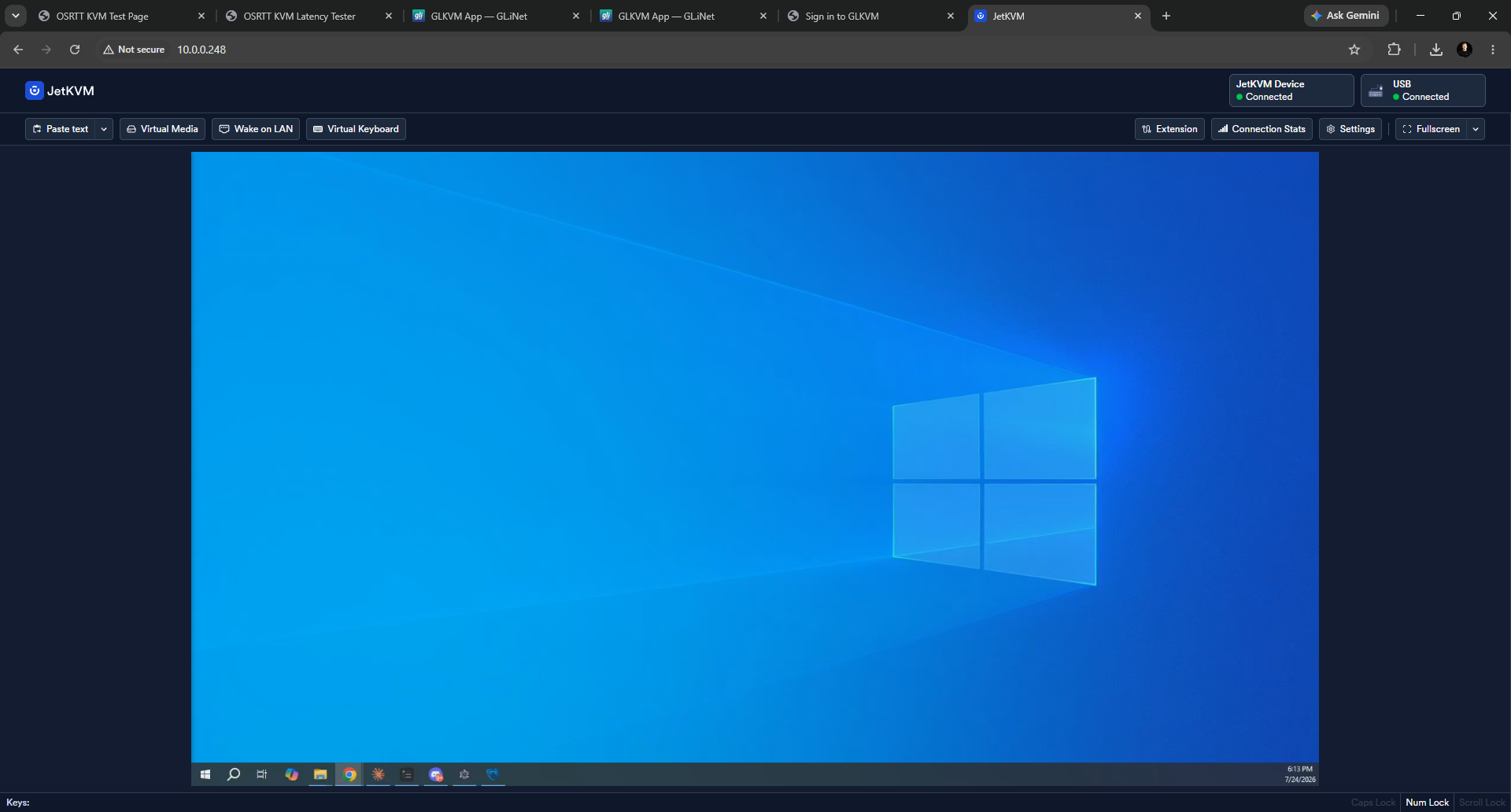
The web interface is the part of JetKVM that feels a generation ahead of the Raspberry Pi based alternatives. It is a React app served from the device, backed by a Go controller, and it is fast. Video appears in under two seconds from opening the tab. A Reddit user in one of the early first-impression threads called the design "simple and modern with no unneeded junk taking up space," which matches our experience three months in.
Day-to-day features that matter:
- EDID control. The device presents a configurable EDID to the host, so you can fix resolution detection problems without touching the machine.
- Paste text. Sends clipboard contents as keystrokes. Small feature, saves real time on password prompts in recovery consoles.
- ATX power control. With the ATX extension board (sold separately) wired to the motherboard headers, you get remote power, reset, and status LEDs. Until then you are limited to what wake-on-LAN and the OS give you. There are also DC power control and serial console extensions for the same port.
- Integrations. Recent firmware added MQTT and Home Assistant integration, plus partial Tailscale support with a simplified install.
Development pace deserves a mention. The GitHub repository has passed 7,000 stars and the release cadence has stayed steady since launch, including factory reset support and signed firmware releases.
Virtual media and ISO mounting
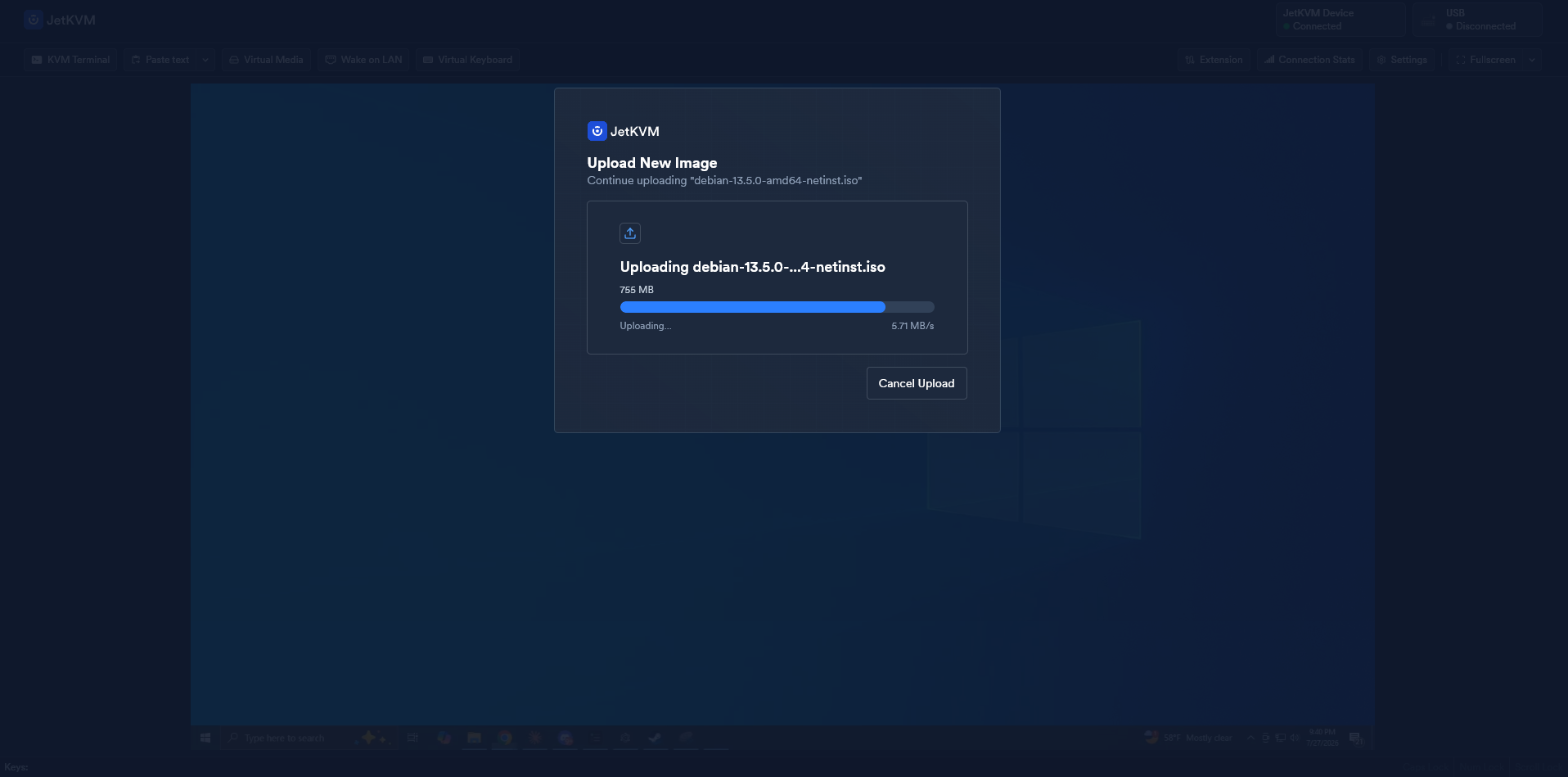
Mount an ISO from your browser and the host sees it as a USB drive. Because the device presents the image at the USB hardware level, it works in BIOS and during OS installation, which is the whole point. We have reinstalled Proxmox and Debian this way without touching the machine. The practical constraint is the 100 Mbps Ethernet port: pushing a multi-gigabyte ISO to the device takes minutes, not seconds, so stage images ahead of a maintenance window if time matters.
Video quality and latency
Updated October 2026: we re-measured every KVM with a new two-monitor glass-to-glass rig at each device's best settings on current firmware. The figures below replace our July click-to-photon numbers; why they changed. To feel these delays rather than read them, try our latency page.
JetKVM encodes the HDMI input as H.264 (H.265 on recent firmware) and streams it over WebRTC. JetKVM cites 30 to 60 ms. Our own measurement tells a fuller story. We time glass-to-glass latency: an HDMI splitter feeds one source to a reference monitor on a straight cable and to the JetKVM, whose stream we show full screen on an identical viewer monitor, and two light sensors time the same on-screen change on both. The figure is the viewer's time minus the reference's, so it is the video delay the JetKVM path adds over a direct cable: capture, encode, network, decode and the viewer's display. Each figure is the median of 300 timed changes per side at 1080p60 in Chrome over wired gigabit LAN, and we quote the higher of a scrolling-text and a still screen. At its lowest-latency setting (WebRTC H.264, Quality Low) the JetKVM measured 59.8 ms on scrolling text and 52.0 ms on a still screen, so the headline is 59.8 ms. Quality High was slower, 63.1 ms on scrolling text, with 15 percent of frames frozen. That is higher than the vendor's encode-time figure because we measure the whole video path rather than just encode latency. This is a video-path number only: it does not include the input path. In daily use it is perfectly workable, but we will be honest: you notice it. At around 60 ms the picture trails your hand slightly and it does not feel truly local, closer to a solid remote-desktop session than sitting at the machine. For BIOS screens, installers, and console work that is a non-issue. For fast, mouse-heavy interaction it is the thing you feel. Of the KVMs we tested, the JetKVM lands mid-pack: quicker than the TinyPilot Voyager 3 (61.3 ms), the Luckfox PicoKVM (90.0 ms) and the Sipeed NanoKVM Full (144.8 ms), but behind the Sipeed NanoKVM Pro (53.3 ms), the GL.iNet Comet (54.1 ms) and the PiKVM V4 Plus with its H.264 boost (57.3 ms). It also showed no picture at 1080p120.
Motion clarity has limits. High-motion content smears the way you would expect from a real-time H.264 stream at these bitrates, so this is not a gaming or video-review tool. For console work, BIOS screens, and installers it is clean.
Our dedicated JetKVM video quality and latency test also covers WAN and Tailscale. That article is the first in a series measuring the WebRTC pipeline of every KVM over IP we can get our hands on.
Cloud access and self-hosting
Local-first is the default: on your LAN, everything runs on the device and no traffic leaves your network. For remote access you have three honest options.
- JetKVM Cloud. Free, optional, WebRTC-based. Convenient, and the connection is peer to peer where the network allows it. Some users report slow initial connection times through the cloud relay compared to LAN.
- Tailscale. Now partially supported on-device with a simplified installation. This is what we run. The KVM joins the tailnet and is never exposed to the internet.
- Self-hosting. The cloud component is open source like the rest of the stack, so you can run your own.
Security considerations
Treat any IP KVM as an open door into your network. Jeff Geerling's survey of every IP KVM he has tested puts it bluntly: these devices allow remote BIOS access, and researchers disclosed serious vulnerabilities across four IP KVM manufacturers in March 2026. JetKVM's posture is better than most: the firmware is auditable, releases are now signed, and updates actually ship. But the operational rules still apply. Firewall it, keep it updated, and put remote access behind a VPN rather than a port forward. One Hacker News commenter running JetKVMs in production described the right pattern: firewalled to LAN only, reached through a jump host.
Price: from $69 to $103
The price history matters because value is the core of this product's pitch.
- Late 2024: $69 on Kickstarter
- 2025: $89 at retail through WisdPi and iKoolCore
- April 2026: $103 MSRP
The company explained the increase directly: AI-driven demand pushed eMMC and DRAM costs up hard, and their stockpile of old-price components ran out. Alongside the increase, storage moved from 16 GB soldered eMMC to a 32 GB microSD card. That reads as cost engineering, and it is, but it is also a repairability win: a failed card is now a swap instead of an RMA, and the card holds firmware rather than taking constant writes, so Raspberry Pi style SD wear is less of a concern.
Even at $103, the value argument holds. A PiKVM v4 Mini is around $270, the v4 Plus around $400. The cheapest credible alternatives (Sipeed NanoKVM, GL.iNet Comet) undercut JetKVM on price but not on software polish or openness.
“$79 for an IP KVM is insanely good value. I picked up two which have been in my rack for a few months at this point and I've got nothing but praise for them.”
A note for buyers on where to order. The cheapest route is the authorized resellers, WisdPi and iKoolCore, at the $103 MSRP. JetKVM's official Amazon listing is now live at $129.99. That is a premium over MSRP, so it only makes sense if you specifically want fast Amazon shipping and easy returns. Newegg carries similar reseller listings. Buying direct costs you less and earns us nothing. The Amazon link is an affiliate link, so if the convenience is worth the premium to you, using it supports our testing at no extra cost.
The 2026 hardware revision and the PoE model
If you have heard that a new JetKVM is coming, here is what is actually confirmed, from the company's April 2026 announcement:
- Full-size HDMI replaces mini HDMI.
- 32 GB microSD replaces 16 GB eMMC.
- A smaller 5-pin extension connector replaces the RJ-11 style jack. New extensions ship with the new cable; existing device and extension pairs keep working, and there will be a low-cost option to get old extensions recabled for new units.
- A PoE version at $119 MSRP. One Ethernet cable for power and network. For racks with PoE switches this is the configuration the product always wanted, and it answers the strongest argument for GL.iNet's Comet PoE.
This is a running change, not a "JetKVM 2" launch: new stock replaces old as it sells through. If full-size HDMI or PoE matters to you, check which revision your reseller is shipping before ordering.
Use cases: where it earns its keep
Three months of real use, concrete situations:
- Headless server recovery. A Proxmox host dropped off the network after a bad kernel update. BIOS access, boot menu, fixed, without leaving the desk.
- OS installs on bare metal. Virtual media plus BIOS-level control means a full reinstall happens from the couch.
- Benchmarking without contamination. Nothing runs on the host, so remote viewing costs zero host resources. This is why reviewers like Geerling use IP KVMs for testing.
- The remote family computer. Several community members run one permanently attached to a parent's PC. Out-of-band support that survives any software state.
- Colo and edge boxes. With Tailscale on the device, a machine in a colocation rack gets iDRAC-class access for $103.
If your machines already have working IPMI or iDRAC with a current BMC, you need this less. One Hacker News commenter made the fair counterpoint that a motherboard with full serial console access covers much of the same ground. For everyone on consumer hardware, that option does not exist.
Limitations and drawbacks
Three months in, this is our honest gripe list.
- One machine per unit. No built-in switching. Some users pair it with an external HDMI/USB switch like the Ezcoo 4x1, but that is a workaround with its own quirks.
- 100 Mbps Ethernet and no Wi-Fi. Fine for the video stream, but large ISO transfers to virtual media are slower than they need to be.
- No audio, at all. The JetKVM does not pass audio. Irrelevant for server work, but owners consistently note it rules out media, calls, or anything where you need to hear the host.
- 1080p ceiling. Fine for servers. If you want 2K or 4K capture, look at GL.iNet's Comet Pro or wait to see what the category does next.
- ATX control is an add-on. PiKVM includes power control in the box; JetKVM makes it a separate purchase on a port that just changed connectors.
- Occasional lockups reported. A minority of users report the device needing a power cycle after days of uptime. Ours has not done this on current firmware, but the reports exist and are worth knowing about.
Alternatives: PiKVM, NanoKVM, and GL.iNet Comet
| Device | Price | Max video | Open source | PoE | Notable |
|---|---|---|---|---|---|
| JetKVM | $103 ($119 PoE) | 1080p60 | Yes, full stack | PoE model shipping 2026 | Best software polish per dollar |
| PiKVM v4 Mini / Plus | $270 to $400 | 1080p60 | Yes (GPLv3) | Yes (Plus) | HDMI passthrough, two-way audio, most mature ecosystem |
| Sipeed NanoKVM | Under $50 | 1080p60 | Partially | PoE variant | Cheapest entry, weaker software and security track record |
| GL.iNet Comet / Comet PoE | $116 to $180 | 4K30 (Pro), 2K60 (base) | No | Yes | Polished closed-source alternative, fingerprint reader on Pro |
PiKVM remains the choice if you need HDMI passthrough, two-way audio, or multi-machine switching, and buying it supports the project whose open source software started this whole category. Jeff Geerling, who has tested more of these devices than anyone, called JetKVM "much nicer to work with" than the NanoKVM, the only other sub-$99 option he had used at the time. Our full head-to-head, including where PiKVM justifies its price, is in JetKVM vs PiKVM.
FAQ
FAQ
Sentiment on r/homelab and r/jetkvm is strongly positive: fast setup, clean software, and low latency come up constantly. Recurring complaints are slow initial connections through the cloud relay, long shipping waits during the Kickstarter era, and occasional reports of units that lock up until power cycled.
MSRP is $103 as of April 2026, up from the $69 Kickstarter price and the $89 retail price before component costs rose. The upcoming PoE version is $119. The cheapest source is the authorized resellers, WisdPi and iKoolCore, at MSRP. JetKVM's own official Amazon listing is now live at $129.99, and Newegg carries third-party reseller listings. Either Amazon route costs more than buying direct, so it is worth it only if you want fast shipping and Amazon's returns.
PiKVM ($270 to $400) if you need HDMI passthrough, audio, or multi-machine support. Sipeed NanoKVM (under $50) if price beats everything. GL.iNet Comet PoE (about $116) if you need PoE today and can accept closed source. Our full comparison is in JetKVM vs PiKVM.
As secure as you deploy it. The stack is open source and auditable, firmware releases are signed, and cloud access is optional. But any IP KVM grants BIOS-level access, and researchers disclosed vulnerabilities across several IP KVM brands in March 2026. Keep it on a management VLAN, behind a VPN such as Tailscale, and update promptly.
Yes, partially. Recent firmware ships simplified Tailscale installation on-device. It is the setup we recommend and use ourselves for remote access.
Bottom line
We will keep this review updated as the hardware revision rolls out. For the internals, see our JetKVM teardown. For the measured numbers behind the latency claims, see our IP KVM latency benchmarks.