October 21, 2026Review
NanoKVM Pro Teardown: Inside the Axera AI-SoC KVM
Sipeed built its 4K KVM on an AI vision chip instead of the usual capture SoC. We opened it to see what that buys, and what corners came with it.
By Andrew Douglass · Founder
Disclosure: Our articles contain affiliate links, including Amazon. If you buy through one, we may earn a commission at no extra cost to you, and as an Amazon Associate we earn from qualifying purchases. It never affects our testing, measurements, or verdicts. Full disclosure.
This NanoKVM Pro teardown looks inside the most unusual chip choice in our ten-device fleet. Where the rest of the market reaches for a Rockchip capture SoC or a Raspberry Pi, Sipeed built the Pro on an Axera AX630C, an AI vision SoC, paired with a Lontium capture bridge and a generous 64 GB of storage running full Ubuntu. That decision is why the Pro is the only KVM we own with built-in AI features, why it reaches 4K, and why it posted the lowest 1080p60 glass-to-glass latency of the KVMs we tested. It also comes with a few rough edges the teardown and the shell make plain.
What we look for, and why
An IP KVM is defined by three parts: the capture chip that ingests HDMI, the SoC that encodes and streams it, and the storage that holds the OS and any mounted ISOs. Reading those parts off the board tells you the resolution ceiling, the latency class, and how much you can trust a 24/7 device. The Pro is interesting because its SoC was designed for a different job entirely, and repurposing it has real consequences. The same probe across the whole fleet lives in our capture chip database.
Opening it up
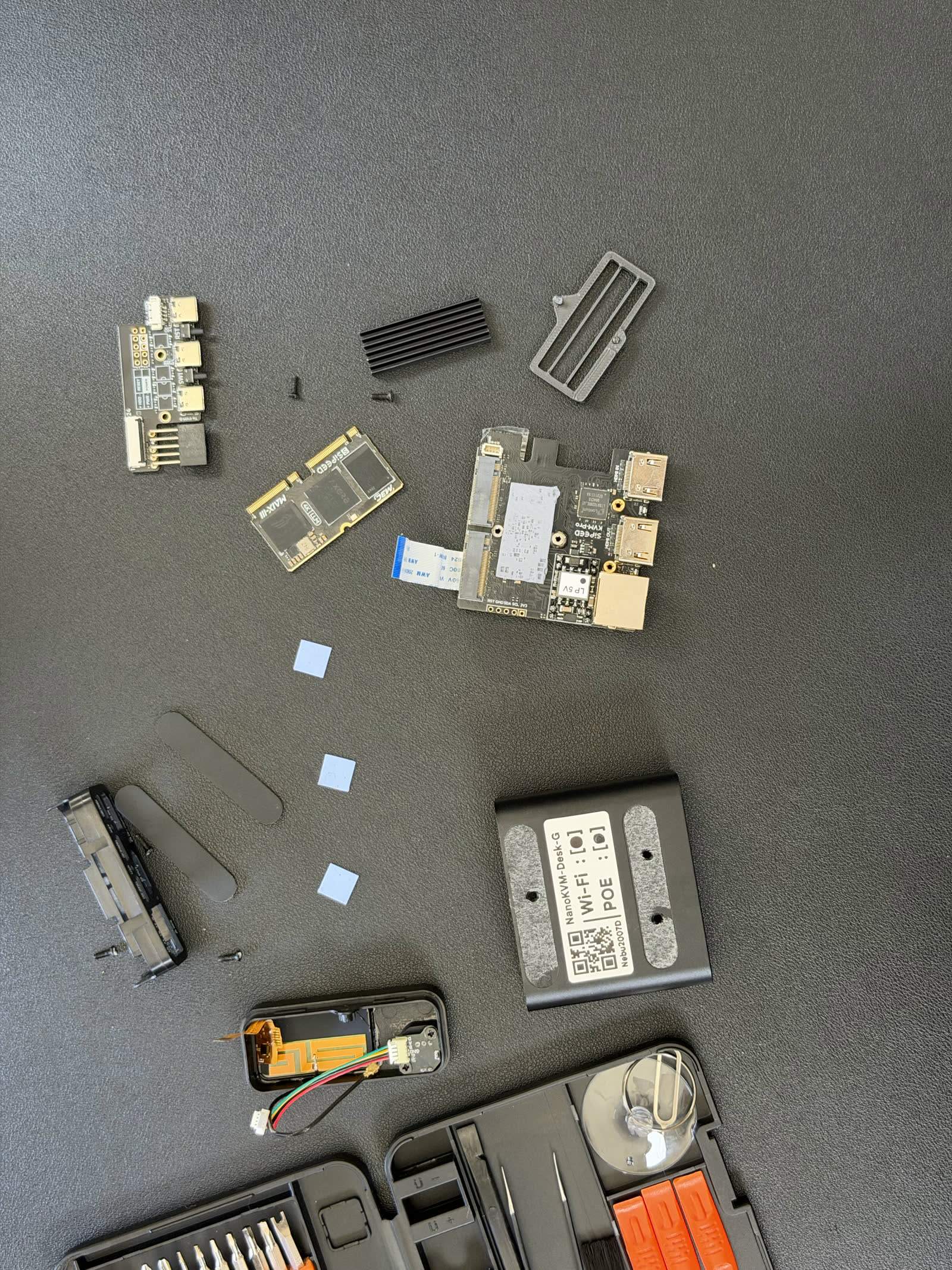
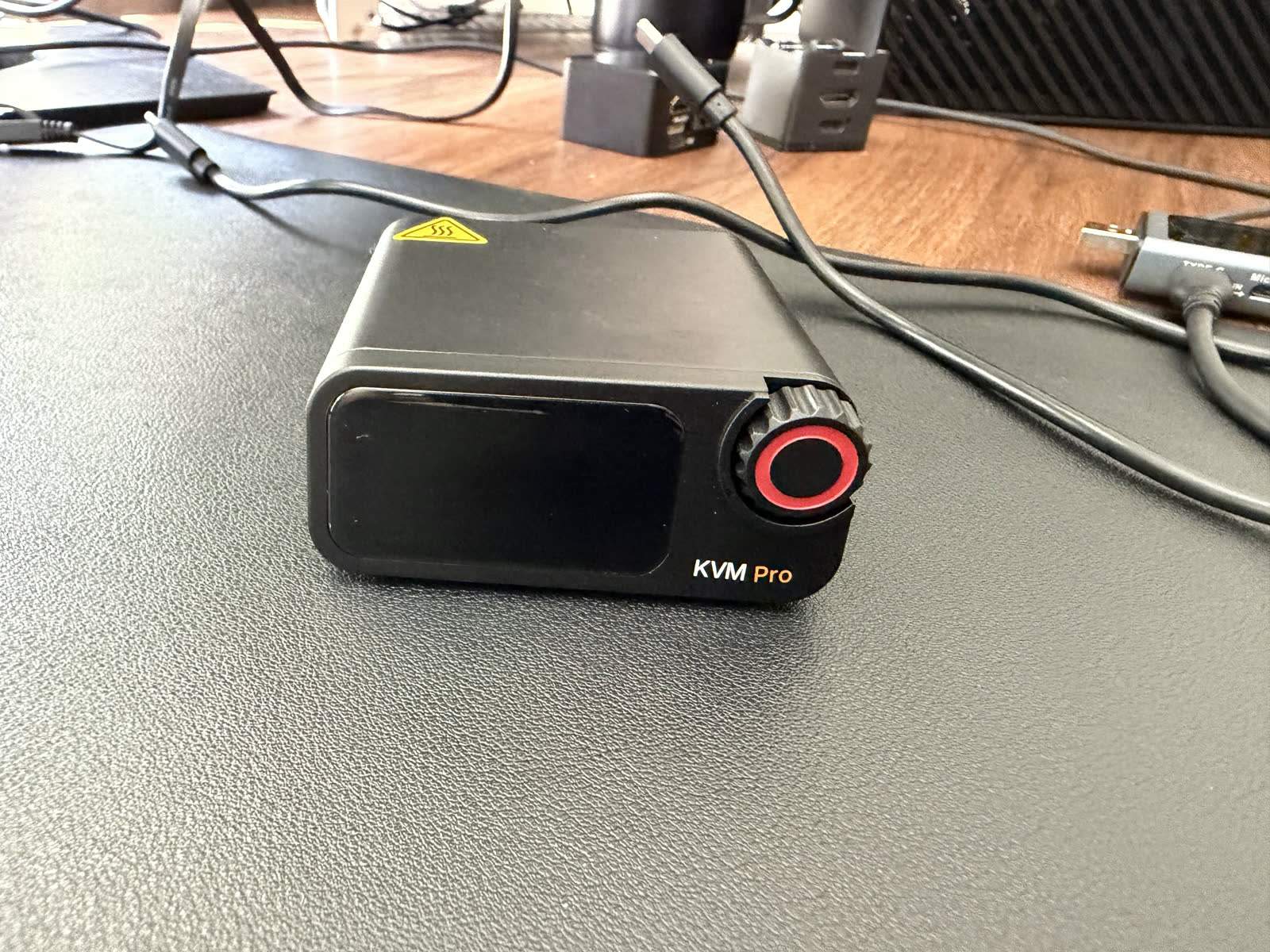
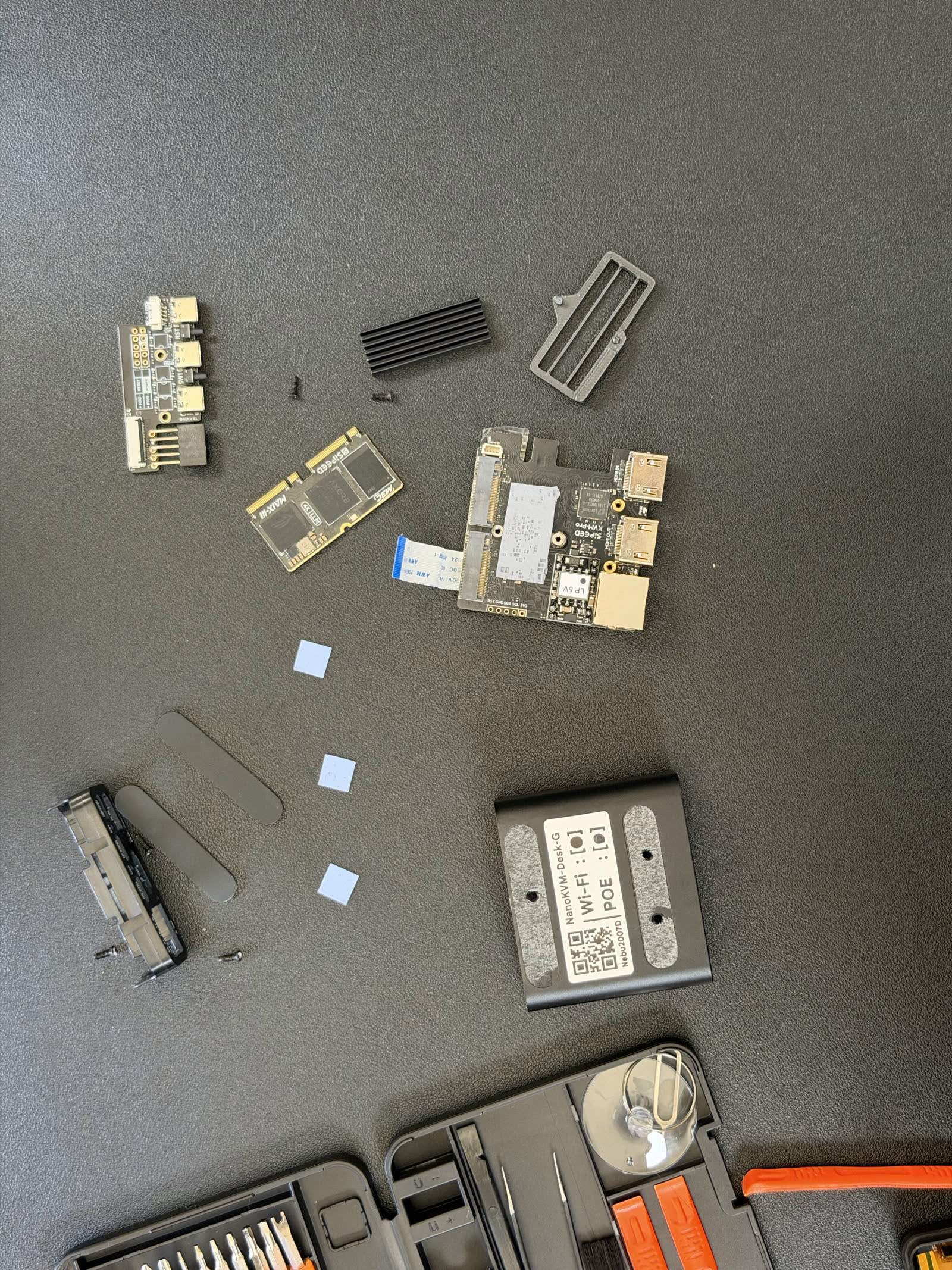
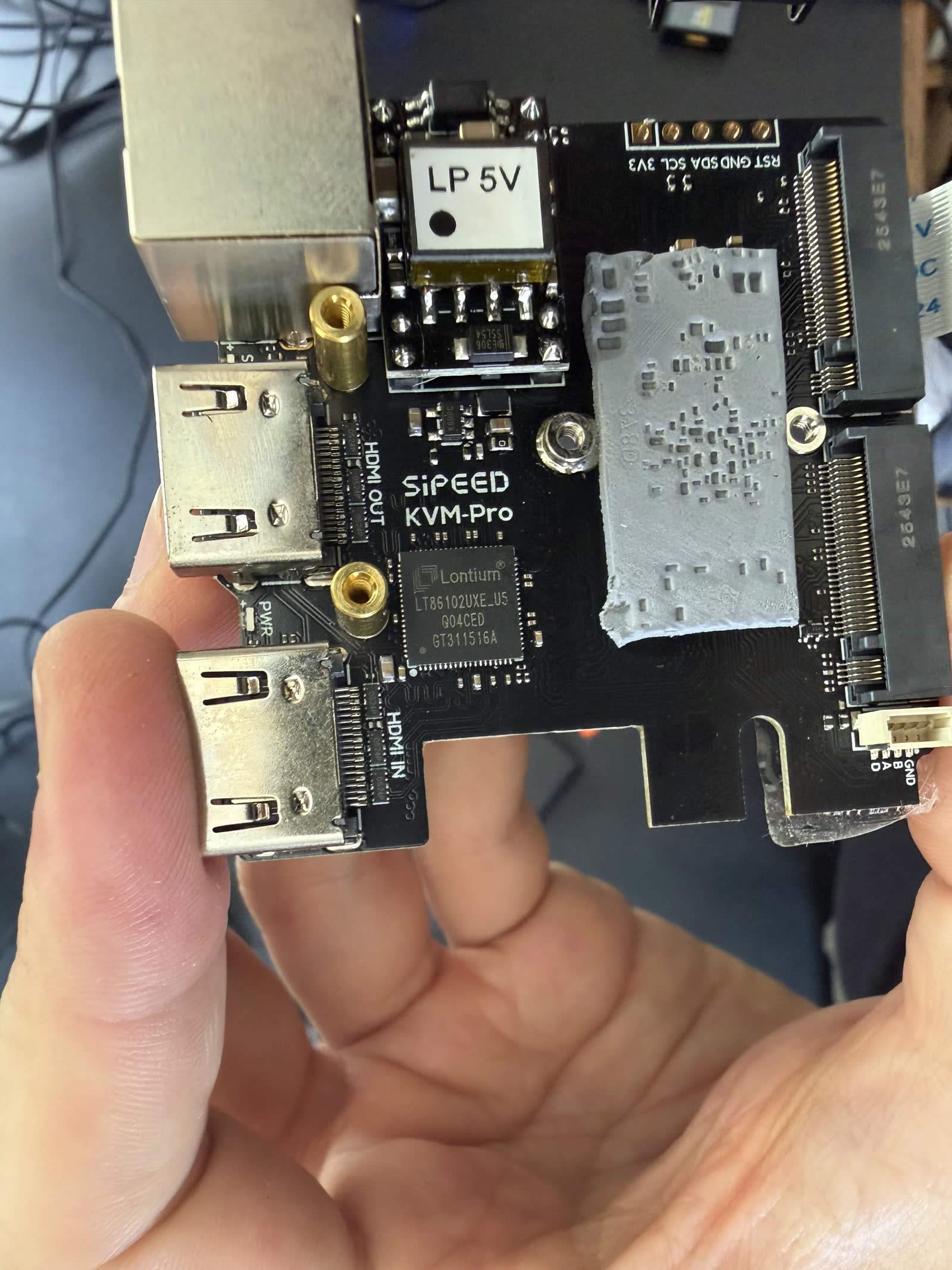
The Pro is a small, dense device, and it opens without drama, though like the rest of the NanoKVM line it has no swappable components once inside. The layout is tight, with the Axera SoC, the Lontium capture chip, and the eMMC packed onto a compact board behind the front touchscreen and scroll wheel. Neither of those front controls proved especially useful once the device was running and reachable over the network, but they are part of the reason the board is as busy as it is.
The brain: an Axera AX630C
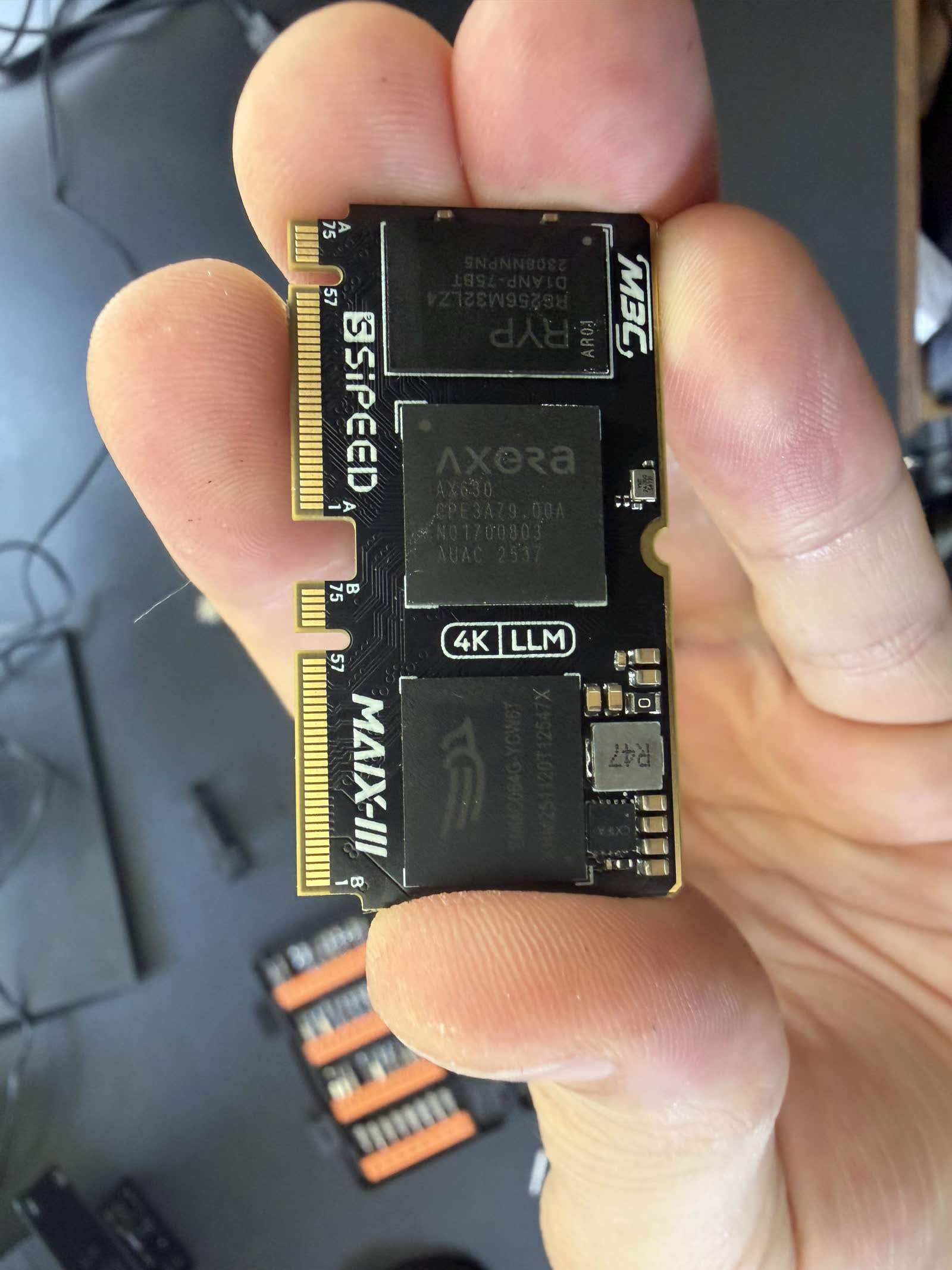
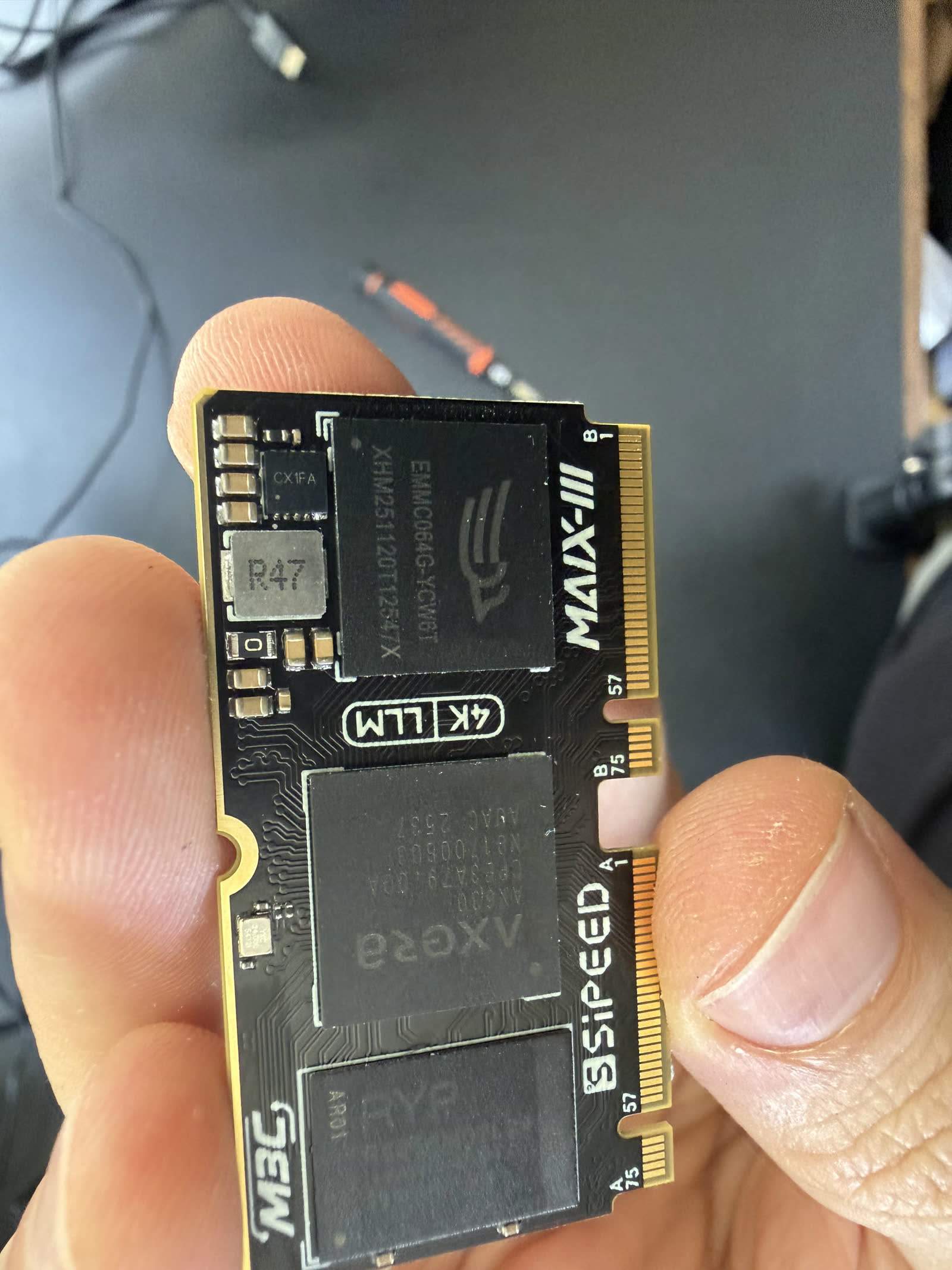
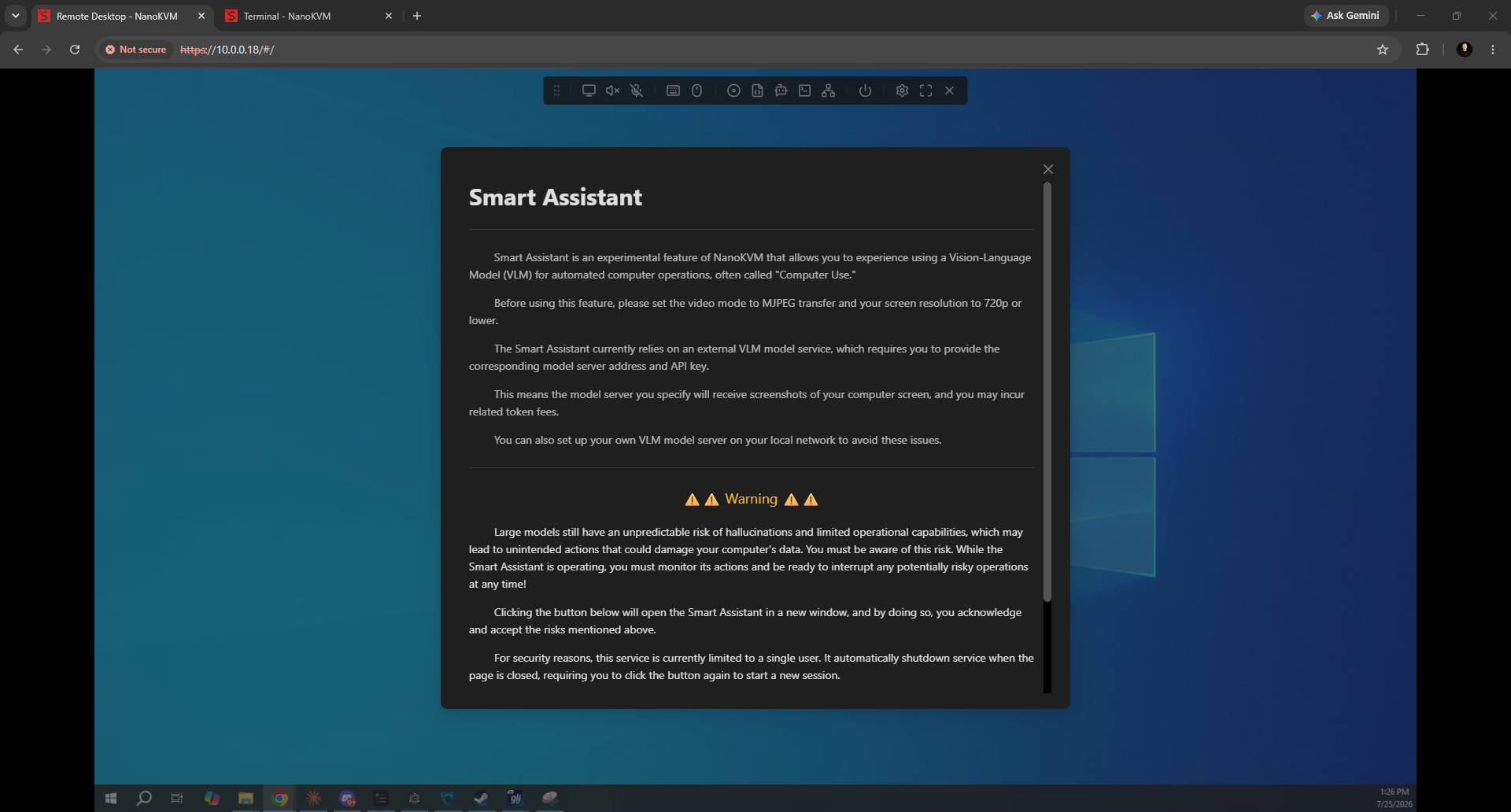
The SoC is an Axera AX630C, a dual Cortex-A53 applications processor with an integrated neural-network accelerator, a part designed for smart cameras and edge-AI vision rather than remote administration. Sipeed's choice to build a KVM on it is what sets the Pro apart. The AI block is not marketing filler here: the Pro is the only device in our fleet with built-in AI and LLM integration, exposed in its interface, a genuinely novel feature for the category even if most admins will never touch it. More usefully for everyone, the Axera's video pipeline is capable enough to push the Pro to 4K capture, well beyond the 1080p ceiling of the Toshiba-based devices, and it helped the Pro post 53.3 ms glass to glass at 1080p60 in our October 2026 test, the lowest of the shipping KVMs we tested (level with the GL.iNet Comet within our margin of error). Its 4K path is less settled: at 4K30 a still screen measured 65.7 ms, but scrolling text collapsed to 234.6 ms at 19 fps with 57 % of frames frozen, and it showed no 4K60 picture on our rig. We measure glass-to-glass latency with a light sensor on each of two identical monitors fed by an HDMI splitter, taking the median of 300 per side with every device at its best settings on current firmware (method, results). Our SoC roundup sets the Axera against the Rockchip, Broadcom, and RISC-V parts the rest of the field uses.
Capture: a Lontium LT6911UXC
HDMI enters through a Lontium LT6911UXC, an HDMI-to-MIPI-CSI bridge, the same capture family Sipeed uses across the NanoKVM line. Unlike the USB-attached MS2131 in a BliKVM, the Lontium feeds the SoC over CSI lanes, which is why the NanoKVM devices stream cleanly at 1080p and, in the Pro's case, reach 4K capture. The pairing is deliberate: a capable AI SoC on the encode side and a proper CSI capture bridge on the ingest side is exactly the combination that lets a sub-$100-class device reach resolutions the 1080p crowd cannot. The chip-by-chip breakdown is in the capture chip database.
Storage: a generous 64 GB eMMC
The Pro carries a 64 GB eMMC (part EMMC064G-YCW6T), by far the most storage in our fleet and enough to hold full ISOs for virtual media without the cramped feeling of the 8 GB budget devices. It is soldered rather than a removable card, so you cannot pull it to reimage elsewhere, but the capacity is a real practical advantage for anyone who mounts installers regularly. The trade, as always, is field-serviceability for capacity and speed. We put the Pro's storage in fleet context on the storage provenance report.
The software, and the corners
With a shell open, the Pro runs a full Ubuntu, not a stripped Buildroot, which fits the capable hardware and makes it hackable. But the shell also surfaces the corners. Our unit shipped with a default admin/admin login, a genuinely poor choice on a device built to sit at the hardware level of a machine you care about; change it immediately, and read our KVM security guide before exposing it anywhere. The clock was wrong out of the box with no NTP configured, and H.265 encoding was disabled by default, so the Pro ships without the more efficient codec its own SoC supports switched on, something worth enabling for better quality at a given bitrate. None of these are hardware faults; they are firmware defaults, and they are fixable, but they are the kind of thing a teardown-plus-shell catches that a spec sheet never will.
The bill of materials
| Subsystem | Part | Notes |
|---|---|---|
| SoC | Axera AX630C | Dual Cortex-A53 + NPU, an AI vision SoC; enables 4K and built-in AI |
| HDMI capture | Lontium LT6911UXC | HDMI-to-MIPI-CSI bridge, 4K capture |
| Storage | 64 GB eMMC (EMMC064G-YCW6T) | Largest in our fleet, soldered, fits full ISOs |
| OS | Full Ubuntu | Hackable, but ships admin/admin with H.265 off |
| Connectivity | Wi-Fi, PoE, touchscreen, scroll wheel | Front controls of limited use once networked |
What the teardown means
The NanoKVM Pro is the most architecturally interesting device we own. Repurposing an Axera AI vision SoC gave Sipeed 4K capture, the lowest 1080p60 latency we measured, generous storage, and a genuinely unique AI feature, all at a price the premium CM4 devices cannot match. The teardown's caution is not about the hardware, which is impressive for the money, but about the firmware defaults the shell exposed: an insecure default login, a wrong clock, and its best codec switched off. Fix those and the Pro is a lot of capable, unusual hardware for the price. The measured performance and the full verdict, alongside the cheaper RISC-V NanoKVM Full, are in our NanoKVM review.
FAQ
FAQ
An Axera AX630C, a dual Cortex-A53 AI vision SoC with an integrated neural accelerator. It was designed for smart cameras and edge AI, and Sipeed repurposed it for the KVM, which is why the Pro reaches 4K and is the only device in our fleet with built-in AI and LLM features.
A Lontium LT6911UXC, an HDMI-to-MIPI-CSI bridge. Because it feeds the SoC over CSI lanes rather than USB, the Pro streams cleanly at 1080p and reaches 4K capture, unlike USB-capture designs such as the BliKVM.
A soldered 64 GB eMMC, the most storage of any device in our fleet, enough to hold full ISOs for virtual media without the cramped feeling of 8 GB budget units. It is not removable, so you cannot pull it to reimage on another machine.
Not by default. Our unit shipped with an admin/admin login and no configured NTP, and H.265 was disabled. Change the credentials immediately and put the device behind a VPN or Tailscale rather than exposing it directly; these are firmware defaults you should fix on first boot.
Partly. Its Axera SoC and Lontium CSI capture support 4K, which is why it clears the 1080p ceiling of the Toshiba-based devices like the JetKVM and PiKVM. At 1080p60 it posted 53.3 ms glass to glass, the lowest of the shipping KVMs we tested. At 4K30 a still screen measured 65.7 ms, but scrolling text collapsed to 234.6 ms at 19 fps with 57 % of frames frozen, and it showed no 4K60 picture on our rig.
Every part here was read off our own unit. The measured latency, power, and value verdict this context sits against are in the NanoKVM review, and the same probe on every other device is in our capture chip database and storage provenance report.