October 5, 2026Journal entry
Video capture: RK628D to RK628H
Three variants of one HDMI bridge, why the RK628F lost to a chip that is identical except for a panel output we never use, and the EDID bug that looked like a hardware limit.
By Andrew Douglass · Founder
Disclosure: Our articles contain affiliate links, including Amazon. If you buy through one, we may earn a commission at no extra cost to you, and as an Amazon Associate we earn from qualifying purchases. It never affects our testing, measurements, or verdicts. Full disclosure.
This picks up where picking the SoC left off.
We picked the Rockchip RK628H for every WarpKVM. It is the chip that turns the HDMI signal from your computer into something the processor can capture, and because a KVM's processor only has a camera interface (MIPI CSI), this bridge sets the product's resolution, refresh rate, and color format before any of our software runs. We got there through three variants of the same chip: the RK628D we started on, the RK628F we planned for 4K60, and the RK628H we actually picked. The H locked 1080p at 120 Hz cold on its first power-on, with no driver changes, and the same day, once we fixed our EDID, it locked a 1080p 180 Hz signal, 50% above anything the D could reach. (Capturing that fast is a different story, and the processor is what stops it.)
The ones we did not pick
The Toshiba TC358743 is what JetKVM and PiKVM use, and it is a good, well-supported part, but it tops out at 1080p60, and at $8.61 in hundreds on JLCPCB (part C3008606, September 2026) it costs more than twice an RK628H. For a product built around 4K, that ruled it out.
Toshiba does make a 4K part, the TC358840, which goes up to 4K30, but we could not readily source it.
(Which bridge every other KVM uses is in our capture chip database.)
The Rockchip RK3588 skips the bridge entirely: it has an HDMI receiver built in. But it is Rockchip's flagship: the RK3588 lists from $62.48 on LCSC (out of stock, September 2026), against roughly $20 for an RK3576 (a sourcing agent's figure from late 2025) plus $3.93 for an RK628H.
Lontium makes the other common family of HDMI bridges, but their parts were not readily available to us. Their 4K bridge, the LT6911UXC, shows zero stock on JLCPCB (part C5261040, September 2026), pre-order only at an estimated $9.16 each, while the RK628H is in stock. So the choice came down to the RK628 family.
RK628D: the one that got us started
On our bench, the RK628D's HDMI receiver gave out around 273 MHz. The RK628D is Rockchip's first HDMI bridge: HDMI 1.4 in and one MIPI output, rated on paper for 1080p60 or 4K30, and the cheapest of the three at $2.50 in hundreds on JLCPCB (part C2843533, September 2026).
It also taught us most of what we know about this chip family, the hard way:
- A clock ceiling around 273 MHz on our bench. Our D's HDMI receiver became unreliable above about 273 MHz, below the 297 MHz that both 1080p120 and 4K30 need, even though 4K30 is within its rating. We did get 1080p120 to lock on it, but only marginally: warm-stepping up from a lower rate, six driver patches, and a half-width pixel mode. That was the D's real best, and it was never something we would ship.
- Mis-measured sync timing. The D reported a horizontal sync width of 183 at 1080p120 when the real value is 42, which forced a patch that repairs the timing from the standard mode tables.
- Cold-start calibration failures above about 150 MHz, partly down to marginal analog conditions on the dev module.
- A blind first week. The dev module gave us no test points, so the first week of debugging happened entirely through
i2cdetect. Every board we have designed since exposes the bridge's I2C bus on a header, plus test points on hot-plug detect and 5V detect.
The D did its job. It proved the pipeline. In December 2025, before we had pushed it hard, the plan took its datasheet at face value: the D for 4K30, the F for 4K60. Once we found the D's receiver giving out around 273 MHz on our bench, even its 4K30 rating stopped looking like something we could ship on.
RK628F and RK628H: the same chip, almost
The F and H are the HDMI 2.0 generation. Both accept up to 4K60 over a 600 MHz receiver, and both have two MIPI CSI outputs: use both and you get 3840x2160 at 60 fps, use one and you get 4K30. Per the RK628F datasheet, the 4K60 dual-CSI mode runs at 1.3 Gbps per lane.
For a KVM, the two are identical. The only difference is that the F adds a GVI (General Video Interface) output, a panel link for driving displays like TV panels, which the H does not have:
| RK628D | RK628F | RK628H | |
|---|---|---|---|
| HDMI input | HDMI 1.4 | HDMI 2.0, 4K60 | HDMI 2.0, 4K60 |
| MIPI CSI outputs | One | Two (4K60 with both, 4K30 with one) | Two (4K60 with both, 4K30 with one) |
| GVI panel output | No | Yes | No |
| Output to the SoC | YUV 4:2:2 only | YUV 4:2:2 only | YUV 4:2:2 only |
| HDMI output | 1080p max | 1080p max | 1080p max |
| Pin compatible | No | Yes, with H | Yes, with F |
| Why we did or did not ship it | Proved the pipeline; unreliable above ~273 MHz on our bench | Pays for a GVI block a KVM never uses | Same capture path, cheaper: shipping |
A KVM outputs over CSI, never GVI, so the F would have meant paying for a block we would never use. The F lists at $4.92 in hundreds on LCSC. The H lists at $3.93 in hundreds on JLCPCB (part C45369093, September 2026) and is pin compatible, so the decision in July 2026 took about a day. If you are building on this family, the practical rule is simple: buy the H, and only pay for the F if you need to drive a panel over GVI.
Buying an RK628 board today
If you want to experiment with this chip family yourself, there are three off-the-shelf options, and the differences matter more than the names suggest:
- Firefly's RK628D board is the one we started on. Its spec page lists HDMI input up to 4K at 60 fps but MIPI CSI output only up to 4K at 30. An HDMI 1.4 receiver cannot carry 4K60, so treat the input line with suspicion; the part a KVM depends on, the CSI output into your processor, tops out at 4K30. It is a D, so everything above about the D applies.
- Radxa's new RK628H adapter, documented in September 2026, does 4K30 over a 4-lane CSI port, or 2K30 over 2 lanes.
- Ours is the RK628H board from this post, in a 30-pin version for the Firefly RK3576 and a 22-pin version for boards like the Luckfox Aura.
All three stop at 4K30, but not for the same reason. The Firefly board is a D, so the chip itself is the limit. The two H boards are limited by the host: most boards expose only one CSI port. The Luckfox Aura is an exception, with two, but its RV1126B tops out at 4K30 anyway, so a single port loses nothing there. 4K60 needs both ports into a processor that can take them, which is what the WarpKVM 01 board is for.
RK628H bring-up: it just worked
The first RK628H board arrived at the end of July 2026. We built it to plug into the RK3576 dev board so the rest of the stack could run unchanged.
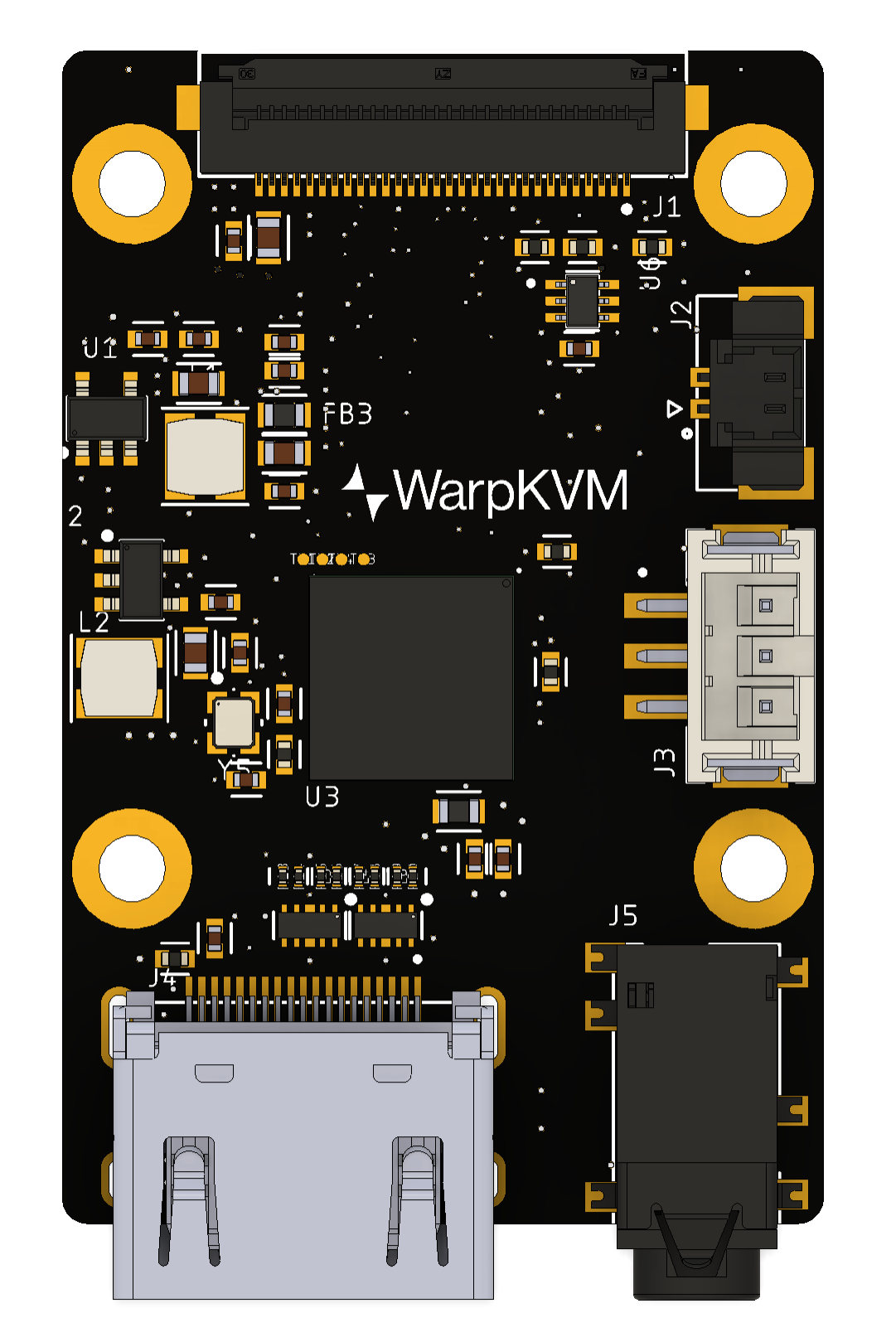
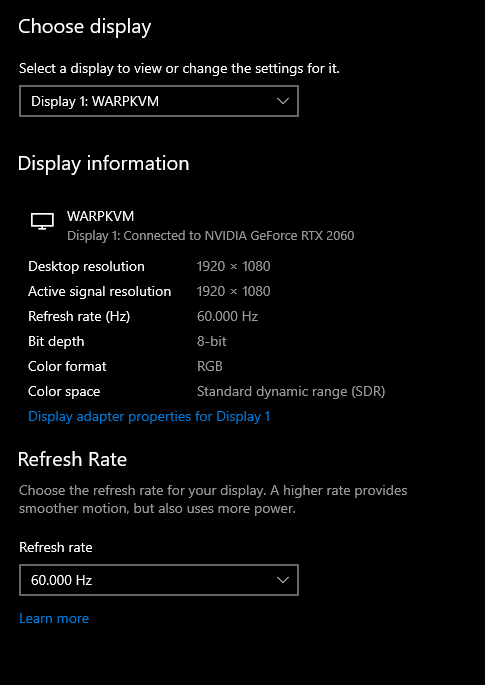
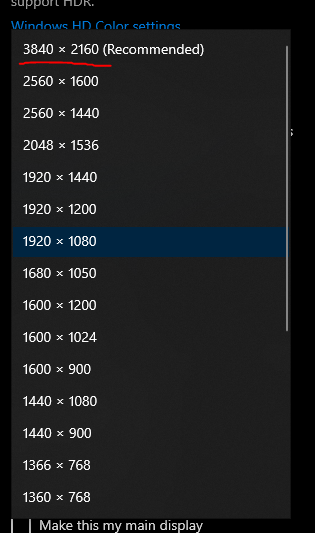
It worked on the first power-on, with no driver changes, and with our EDID loaded, Windows listed it as a display by name and offered 4K. The stock driver reads the chip ID and takes the F/H path on its own: the H reports the same version constant as the F. Then it fixed, in silicon, almost everything that had cost us nights on the D:
- 1080p120 locked cold, first try. All three TMDS channels locked at 297 MHz with no retries and zero channel alignment failures. On the D that took warm-stepping and six patches.
- Sync widths came out correct. The sync-width repair patch turned out to be a workaround for the D only.
The 340 MHz wall that was not the chip
1080p120 and 4K30 both worked, but 1080p at 144, 165 and 180 Hz never appeared as options. No error, the modes just were not there. It looked exactly like the chip could not do it.
It was our EDID, the block of data a display sends the computer to say what it supports. Above 340 MHz, HDMI requires scrambling, and a source only turns that on if the display advertises an HDMI Forum vendor block saying it supports it. Every EDID we had shipped carried only the older HDMI 1.4 block. Adding the HDMI Forum block unlocked the whole range at once, and on the bench the RK628H locked:
Highest HDMI clock each bridge locked on our bench (MHz)
WarpKVM bench, RK3576 dev board, July 2026. Lock and alignment status as reported by the RK628 driver. The RK628D reached 297 MHz only with warm-stepping, patches and a half-width mode.
Show data table
| TMDS clock | |
|---|---|
| RK628D best (marginal, with patches) | 297 |
| RK628H at 1080p120 | 297 |
| RK628H at 1080p144 | 356 |
| RK628H at 1080p180 | 446 |
Why we want those refresh rates at all is the subject of warpd #2. The short version is that the source's refresh rate sets how long each frame takes to arrive, and that post has the measurements.
The new ceiling is not the bridge, it is the processor. At 1080p180 the H locks perfectly but capture stalls, because the RK3576's CSI PHY frequency table tops out at 1599 Mbps per lane, according to the frequency table in its CSI PHY driver, and 1080p180 in 4:2:2 over 4 lanes needs about 1.49 Gbps per lane of payload, around 1.65 Gbps once MIPI overhead is added. So the production WarpKVM 01 board routes both CSI ports, which also gets us 4K60. When you push past the limit the failure is ugly (a stalled capture loop and a wedged chip that needs a power cycle), so we treat over-rate modes as dangerous, not just unsupported.
The EDID lessons were worth more than the chip swap, because every one of them fails silently and looks like a hardware limit:
- Keep the CEA extension block. Restoring only the first block drops the vendor blocks and the source treats you as a DVI monitor, capped at 165 MHz.
- Get the range-limit byte offsets exactly right. We once wrote them one byte early and advertised a maximum refresh of 15 Hz. Modes only survived where a standard mode code also listed them, which is why 1080p120 kept working while everything else vanished.
- Derive the maximum clock fields from your fastest mode. Never hardcode them.
- Above 340 MHz, add the HDMI Forum vendor block or the mode is unreachable.
- Windows caches a display's capabilities per product ID. It would not re-read a new EDID after a software hot-plug toggle. Bump the product code and physically replug when you change what you advertise.
What the RK628H cannot do
One open risk first, to be clear about where we are: 4K30 and 1080p at high refresh rates are proven on the H, and 4K60 is not yet. Our DIY carrier board, the RK628H board that sits on top of a Luckfox Aura in the DIY kit, routes both CSI ports, but the Aura's RV1126B tops out at 4K30, and the RK3576 dev board only exposes one port. The WarpKVM 01 board, with both ports going into an RK3576, arrives next week. Until it passes, 4K60 on the H is a datasheet number, not a measured one.
Beyond that, three limits come with the H, and all of them shaped the product.
The output to the processor is locked to YUV 4:2:2. Half the horizontal color resolution is gone before our code sees a pixel. On video you never notice. On a desktop, a red notification badge fringes green and colored text muddies. We found a way around it at 1080p, which is warpd #1.
HDCP 1.4 only, no HDCP 2.2. The F and H datasheets list HDCP 1.4 on the receiver. We have not tested protected content, but going by the datasheet, anything that requires HDCP 2.2, which in practice means most 4K protected video from streaming apps and discs, should either drop to a lower resolution or not show at all through the KVM, depending on the source. For the machines a KVM is actually for (servers, BIOS screens, remote workstations) this never comes up, but it is a real limit if you point one at a media PC.
The HDMI output is 1080p maximum on every variant. I believed for a while that the F could pass 4K through to a local monitor. It cannot: the datasheets put the HDMI transmitter at 1080p on the D, F and H alike. So the WarpKVM drives its local monitor output from the RK3576 instead of from the bridge. That costs someone at the local screen some latency compared with a hardware pass-through (we have not measured exactly how much yet), and it buys a lot: the KVM owns the picture, so it can draw its own interface over it, show a status screen when no one is connected, or act as a cast target, while streaming at the same time. For the main use, a headless server in a rack with no one at the local screen, that extra latency costs nothing.
If you are picking a capture bridge
- Pick the bridge you can actually buy and bring up. The RK628H won on three things you will not find on a spec line: it was in stock, it was cheap, and Rockchip's own driver took it on the RK3576 with no changes.
- Expose the bridge's I2C and status pins on your first board. A week of blind debugging taught us that.
- Route both CSI ports if your chip has them. The bridge outgrew a single port before we did.
- Treat your EDID as part of the product. It decides which modes the host will even offer, and every mistake in it looks like a hardware limit.
- Read the datasheet's output limits, not the marketing line. "4K" on a bridge can mean 4K in and 1080p out.
If you want to try the RK628H yourself, our adapter is in the store.
Next up is the first thing we did to work around the RK628H's limits: warpd #1, full color through a 4:2:2 pipe.