
Dual 22-pin adapter (4K60)
The dual-link RK628H HDMI to CSI adapter, which splits 4K60 across two 22-pin CSI links.
The dual board has two 22-pin CSI connectors. Above a 300 MHz pixel clock the RK628H splits each frame left and right across both links, and the host joins the halves back together. That is what carries 4K60.
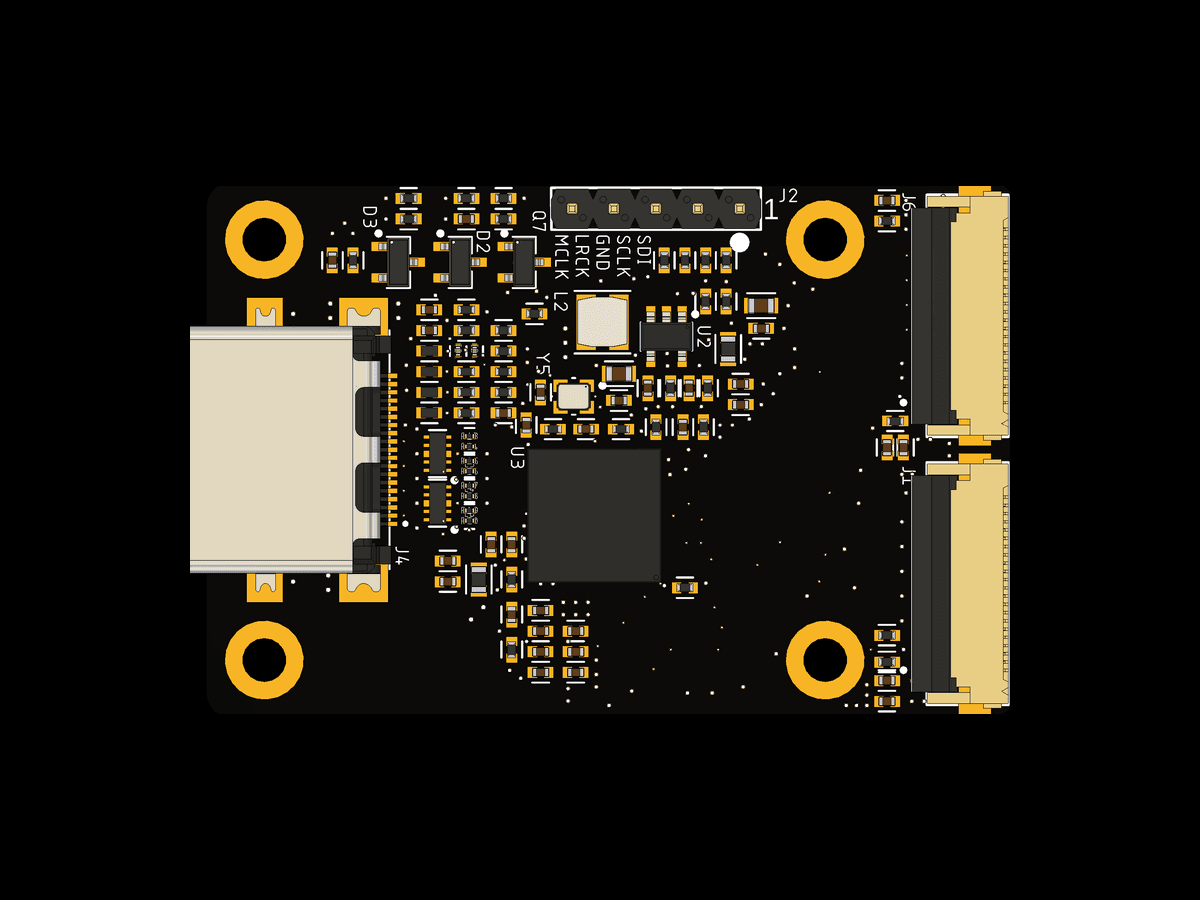
Design files and schematics are in the rk628-2x22p folder of the repository.
Status
This board has not been fabricated yet. It uses the same circuit and FPC wiring as our DIY shield for the Luckfox Aura, in a new layout, so the result below is from the shield. To be tested on the final board.
| Mode | Luckfox Aura, DIY shield |
|---|---|
| 3840x2160 @ 60 | 60.00 fps over 600 frames, no errors, halves aligned |
Measured on Luckfox's stock Debian 13 image with the dual-link boot image. The driver switches to dual link by itself for any mode above 300 MHz and uses one link below that.
Why two links
The limit is per-lane bandwidth, not the bridge:
| Mode | Total | Over 4 lanes | Over 8 lanes |
|---|---|---|---|
| 3840x2160 @ 30 | 4.75 Gbps | 1188 Mbps/lane | 594 Mbps/lane |
| 3840x2160 @ 60 | 9.50 Gbps | 2376 Mbps/lane | 1188 Mbps/lane |
At 4 lanes, 4K60 needs 2376 Mbps per lane, above what the bridge will drive. Split across both of its CSI ports it drops to 1188 Mbps per lane, the rate the single-link boards already sustain at 4K30.
Luckfox Aura
- Flash Luckfox's Debian 13 image for the Aura.
- Power off. Connect J1 to the Aura's CSI0 and J6 to CSI1. J1 carries the I2C, reset and interrupt lines, so it must go to CSI0. Connect an HDMI source.
- Power on, download
rk628-aura-boot-6.1.141.tar.gzfrom the releases page, copy it to the Aura, then:
tar xf rk628-aura-boot-6.1.141.tar.gz
sudo sh rk628-aura-boot/install.sh rk628-2x22p- Unplug the Aura and plug it back in, then check it with
sudo sh rk628-aura-boot/rk628-check.sh.
For 4K60, load the 4K60 EDID and set the source to 60 Hz:
wget https://raw.githubusercontent.com/WarpKVM/rk628-bridge-boards/main/hosts/edid/2160p60.hex
sudo v4l2-ctl -d /dev/v4l-subdev3 --set-edid=pad=0,file=2160p60.hex,format=hex
Use the dual board with the RK628H. The RK628D has no dual-link mode.