
Raspberry Pi
HDMI capture on a Raspberry Pi CM4 at 4K30 and 1080p120, or a Pi 4B at 1080p60, with the 22-pin RK628H adapter.
The 22-pin adapter plugs into a Raspberry Pi camera port. An install script builds the driver on the Pi against Raspberry Pi OS's kernel headers and installs a device tree overlay, so there is no kernel to build or flash.
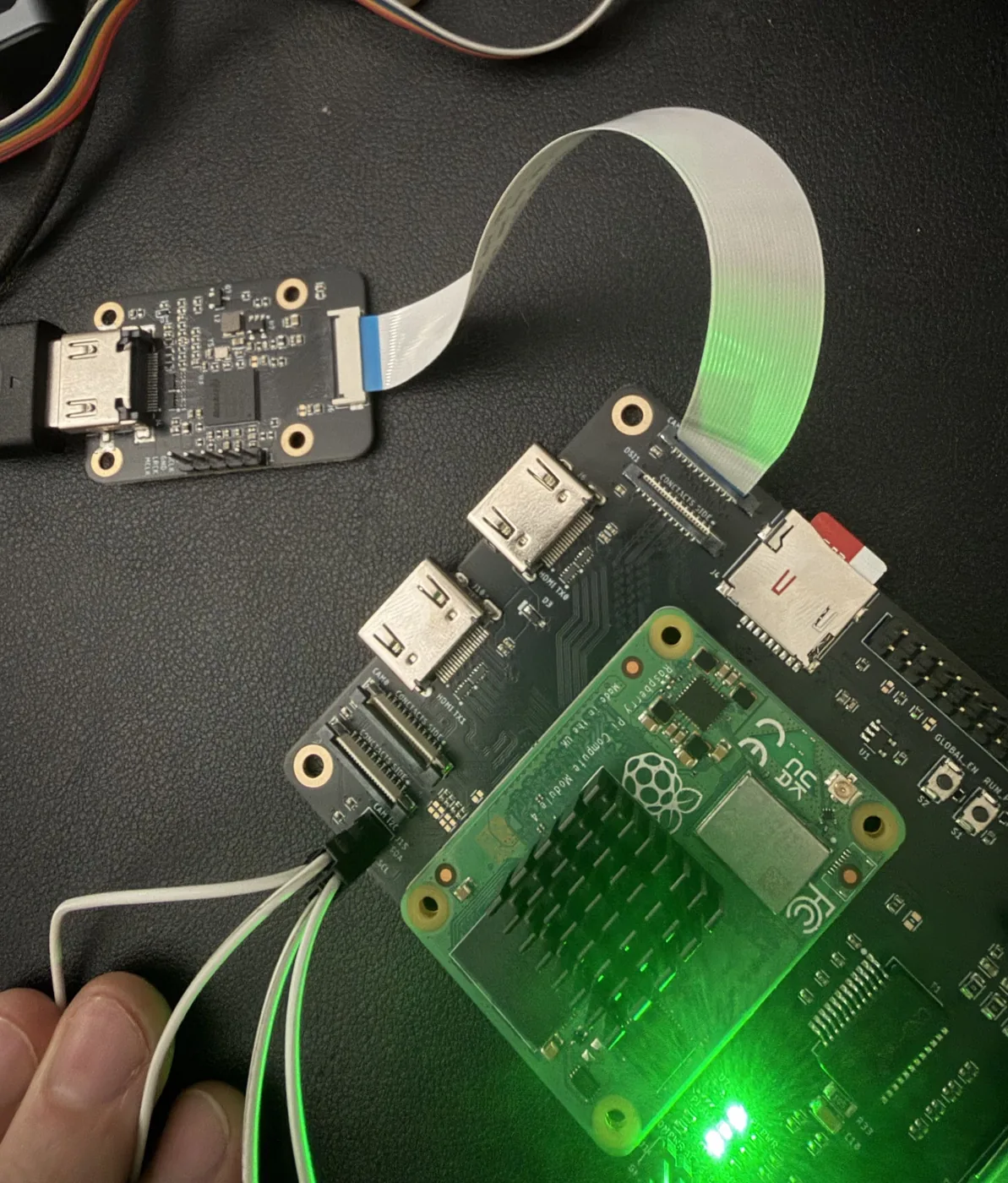
Which Pi
| Raspberry Pi CM4 | Raspberry Pi 4B | |
|---|---|---|
| Port | CAM1, 4 lanes, 22-pin | Camera port, 2 lanes, 15-pin |
| Cable | 22-pin, straight through | 22-pin to 15-pin camera adapter cable |
| 3840x2160 @ 30 | 30.00 fps, no errors | Too fast for 2 lanes |
| 1920x1080 @ 120 | 120.00 fps over 1200 frames, no errors | Too fast for 2 lanes |
| 1920x1080 @ 60 | 60.00 fps | 60.00 fps |
Measured on Raspberry Pi OS Lite (64-bit, Debian 13) with kernel 6.18. The Pi 4B column comes from a CM4 limited to two lanes, which is the same chip and capture driver as a Pi 4B. Two lanes carry at most about 1800 Mbps each, and 1080p120 or 4K30 in YUV 4:2:2 need about 2400.
The Raspberry Pi 5 uses a different camera interface and is not supported yet.
Install
- Install Raspberry Pi OS Lite (64-bit). Power off and connect the bridge to the camera port: CAM1 on a CM4.
- Power on, then:
wget https://github.com/WarpKVM/rk628-bridge-boards/archive/refs/heads/main.tar.gz
tar xf main.tar.gz
cd rk628-bridge-boards-main/hosts/raspberry-pi-cm4
sudo sh install.sh
sudo reboot- After the reboot, check it:
sh ../rk628-check.shinstall.sh builds and installs the driver, installs the overlay, turns off
camera_auto_detect, and adds one dtoverlay=rk628 line to
/boot/firmware/config.txt, keeping a backup next to it. If the build stops on
missing headers, run sudo apt install linux-headers-rpi-v8 first. Undo with
sudo sh uninstall.sh.
Options
Arguments to install.sh are added to the overlay line:
| Option | Use it when |
|---|---|
2lane | Two-lane port: Pi 4B, or CM4 CAM0. Tops out at 1080p60 |
int_gpio=<n> | Your carrier wires connector pin 18 to SoC GPIO n. On the WarpKVM CM4 carrier this is int_gpio=26. Without it the driver polls once a second |
reset_gpio=<n> | Your carrier wires pin 17 to SoC GPIO n instead of the camera power line |
cam0 | The bridge is on CAM0 instead of CAM1 (use with 2lane) |
For example, a Pi 4B: sudo sh install.sh 2lane.
Good to know
- Frames come out as UYVY, not NV12.
rk628-check.sh 30 frames.uyvysaves 30 of them. - Pin 17 is the bridge's reset. On a Pi camera connector it is the camera power enable, which the CM4 device tree gives to a camera power regulator. That regulator holds the pin low and keeps the bridge in reset, so the overlay turns it off.
- Change mode by loading an EDID. The source follows within a few seconds:
wget https://raw.githubusercontent.com/WarpKVM/rk628-bridge-boards/main/hosts/edid/1080p120.hex
v4l2-ctl -d /dev/v4l-subdev0 --set-edid=pad=0,file=1080p120.hex,format=hex- If a mode is too fast for the link,
rk628-check.shstops after a few seconds and says so instead of hanging.
HDMI audio over I2S on the Pi is not tested yet.