
30-pin adapter (Firefly RK3576)
The 30-pin RK628H HDMI to CSI adapter on the Firefly ROC-RK3576-PC, from the factory image to 1080p120.
The 30-pin board connects to hosts with a 30-pin 0.5 mm MIPI CSI-2 connector, and is tested on the Firefly ROC-RK3576-PC. It decodes HDMI audio to analog on an on-board DAC, with a 3.5 mm jack and two wafer connectors.
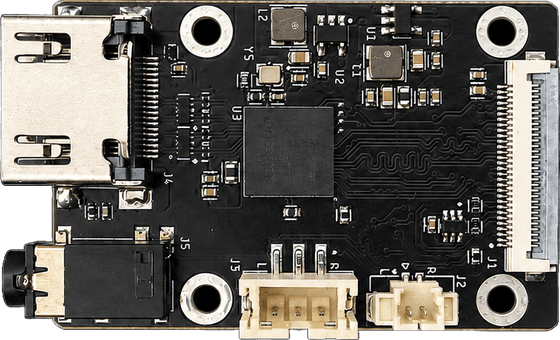
Design files, schematics and the kernel files are in the rk628-30p folder of the repository.
Mechanical
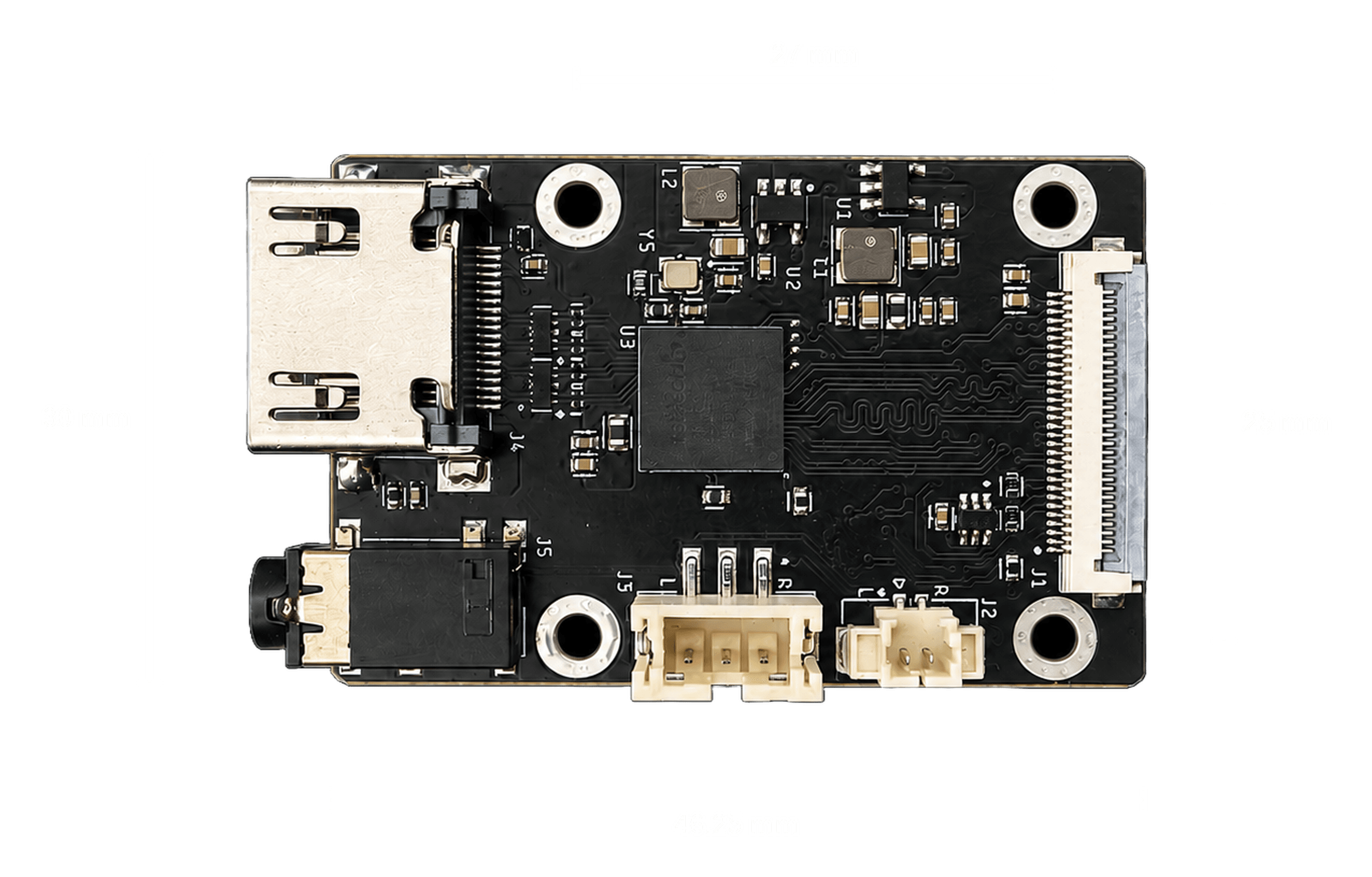
The board is 46.25 × 30 mm with four M2.5 mounting holes on a 27 × 25 mm pattern, center to center. The HDMI receptacle shell overhangs the left board edge, so allow for it when designing an enclosure.
What you'll need
- A Firefly ROC-RK3576-PC on its factory Ubuntu 22.04 image
- A 30-pin FPC cable, 0.5 mm pitch
- An HDMI source: a PC, console, or camera
You do not need to flash anything: the factory image already carries the driver and the device tree entry, so 1080p60 and 4K30 work out of the box.
1. Connect
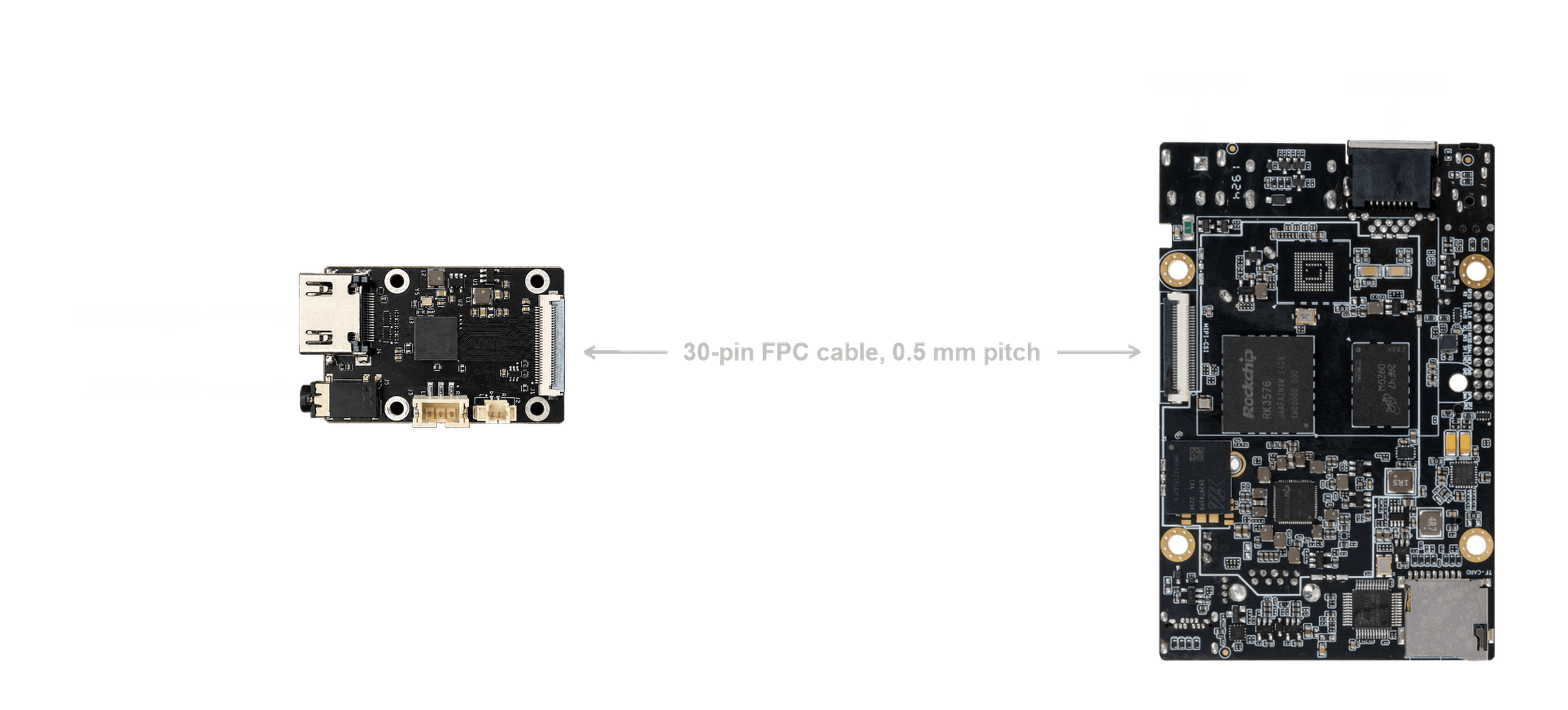
Power the board off before connecting the bridge. The driver sets the bridge up once at boot, so a bridge connected to a running board stays dead until a full power cycle.
- Seat the FPC cable in the bridge and in the host's MIPI CSI camera connector. Check the contacts face the right way at both ends and that both latches are closed.
- Connect your HDMI source to the bridge's HDMI input.
- Connect Ethernet and 12 V DC to the host, then power on.
2. Check it worked
wget https://raw.githubusercontent.com/WarpKVM/rk628-bridge-boards/main/hosts/rk628-check.sh
sh rk628-check.sh
Bridge: /dev/v4l-subdev3
Capture: /dev/video0
Source: 1920x1080 at 60.00 Hz
Capturing 300 frames...
Measured: 60.01 fpsThe factory driver's built-in EDID only offers 1080p60. For 4K30, load a 4K EDID and unplug and replug the HDMI cable once (the factory driver does not tell the source about the change; the patched kernel below does):
wget https://raw.githubusercontent.com/WarpKVM/rk628-bridge-boards/main/hosts/edid/2160p30.hex
v4l2-ctl -d /dev/v4l-subdev3 --set-edid=pad=0,file=2160p30.hex,format=hex
3. View the video
export DISPLAY=:0
export XAUTHORITY=/home/firefly/.Xauthority

gst-launch-1.0 v4l2src device=/dev/video0 \
  ! video/x-raw,format=NV12,width=1920,height=1080 \
  ! videoconvert ! xvimagesink
xvimagesink needs an X session. Use kmssink on a headless system, or
waylandsink under a Wayland compositor. All three ship with the factory
image.
4. Optional: the patched kernel
The patched kernel adds 1080p120 and 1080p144, EDID changes that apply
without a replug, automatic recovery when a hot replug wedges the bridge, and
the audio fixes. It is Rockchip's public kernel with our driver fixes, built
with the factory configuration. Download rk628-firefly-kernel-6.1.172.tar.gz
from the releases page,
copy it to the Firefly, then:
tar xf rk628-firefly-kernel-6.1.172.tar.gz
sudo sh rk628-firefly-kernel/install.sh
sudo reboot
sudo sh rk628-firefly-kernel/uninstall.sh puts the factory kernel back.
To change mode with the patched kernel, load an EDID and the source follows within a few seconds. If it still sends 60 Hz, pick 120 Hz in the source's display settings.
Supported modes
300 frames per run, on a freshly flashed Firefly.
| Mode | Factory kernel | Patched kernel |
|---|---|---|
| 3840x2160 @ 30 | 30.00 fps, no errors | 30.00 fps, no errors |
| 1920x1080 @ 120 | Locks, but capture hangs the board | 120.00 fps, 1 error at start-up |
| 1920x1080 @ 60 | 60.01 fps, 1 error at start-up | 59.94 fps, no errors |
An earlier build of the same patches also captured 1080p144 at 143.98 fps, 720p60 and 480p60.
Audio
HDMI audio is decoded on the bridge and converted to analog by the on-board DAC, available on the 3.5 mm jack and two wafer connectors.
- It bypasses the host. Audio reaches the analog outputs only. It is not a host capture device, so it cannot be recorded without extra hardware.
- It only plays while you are capturing. The bridge turns its I2S output on with the video pipeline, so with no capture running the outputs are silent. That is expected, not a fault.
Known limitations
Custom EDIDs do not take effect on the factory kernel until you replug the HDMI cable. The patched kernel fixes this.
Replugging HDMI on a powered board can wedge the bridge on the factory kernel: every I2C access times out and only a cold power cycle recovers it. The patched kernel detects this and recovers itself in about two seconds.
The camera connector is occupied, so the board's own camera can't be used at the same time.
Troubleshooting
No signal, or stuck at 640x480. Check the input cable and source power, then power-cycle the board.
Every register access fails. Usually caused by connecting the bridge while powered, or by replugging HDMI on the factory kernel. A cold power cycle is required.
A capture stalls right after a mode change. The factory driver needs a few seconds to settle on the new mode. Press Ctrl-C and run it again.
GStreamer hangs. Make sure only one process has the capture device open.