October 21, 2026Review
BliKVM v4 Review: The Allwinner PiKVM-Compatible, Tested
PiKVM's software on $155 hardware sounds like a bargain. Then we measured the USB capture chip doing the actual work.
By Andrew Douglass · Founder
Disclosure: Our articles contain affiliate links, including Amazon. If you buy through one, we may earn a commission at no extra cost to you, and as an Amazon Associate we earn from qualifying purchases. It never affects our testing, measurements, or verdicts. Full disclosure.
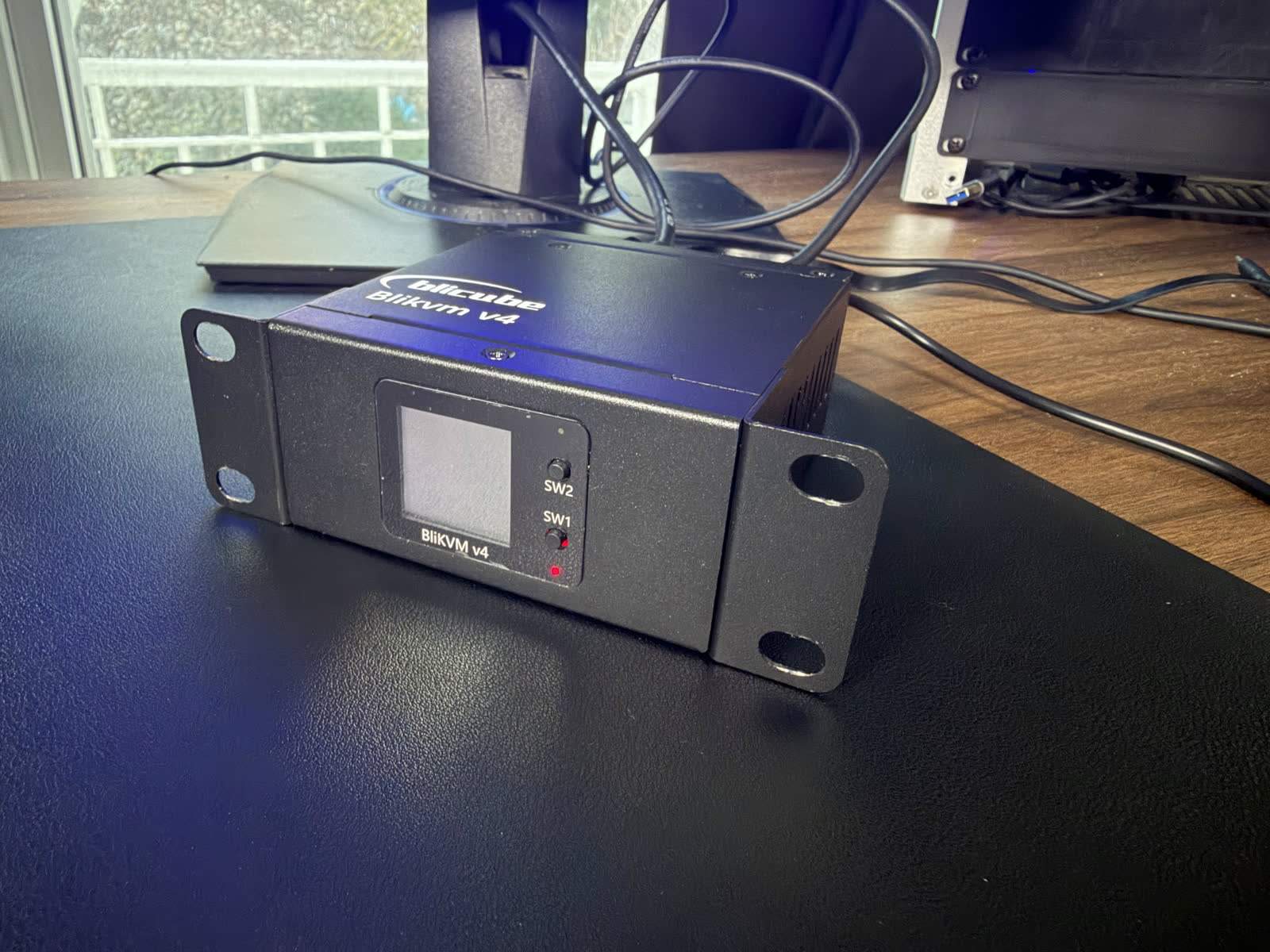
This BliKVM v4 review is the hardest verdict in our ten-device IP KVM test fleet, because the device is two different stories at once. Story one: for around $155 you get the genuinely excellent open-source PiKVM software experience, ATX power control with pass-through cables, PoE, Wi-Fi, and a full Linux you can apt-install on. Story two: on our bench its best timeable mode posted 185.9 ms glass-to-glass (its H.264 mode measured 688 ms and mostly froze), the slowest result of the KVMs we tested, and our teardown traced the reason to a single part choice. Both stories are true. Which one matters depends on what you are buying it for.
The verdict up front
What the BliKVM is
BliKVM is a family of KVM over IP devices from Blicube, a Chinese maker that builds on the open-source PiKVM software stack, with the project properly credited and its code public on GitHub. Earlier versions rode a Raspberry Pi CM4, including a clever PCIe card that lived inside the server it managed. The current v4 drops the Pi entirely for a MangoPi Mcore module with an Allwinner SoC in an external box, a move reviewers credited for cutting the complete-package price from well north of $300 to about $155 while dodging the CM4 supply mess. It gives you hardware-level keyboard, video, and mouse over the network: BIOS access, remote OS installs from mounted ISOs, and power control on machines with no IPMI of their own, all vendor-agnostic across whatever servers you run. More on who is behind each KVM vendor in our IP KVM makers guide.
Inside: good bones, one fateful chip
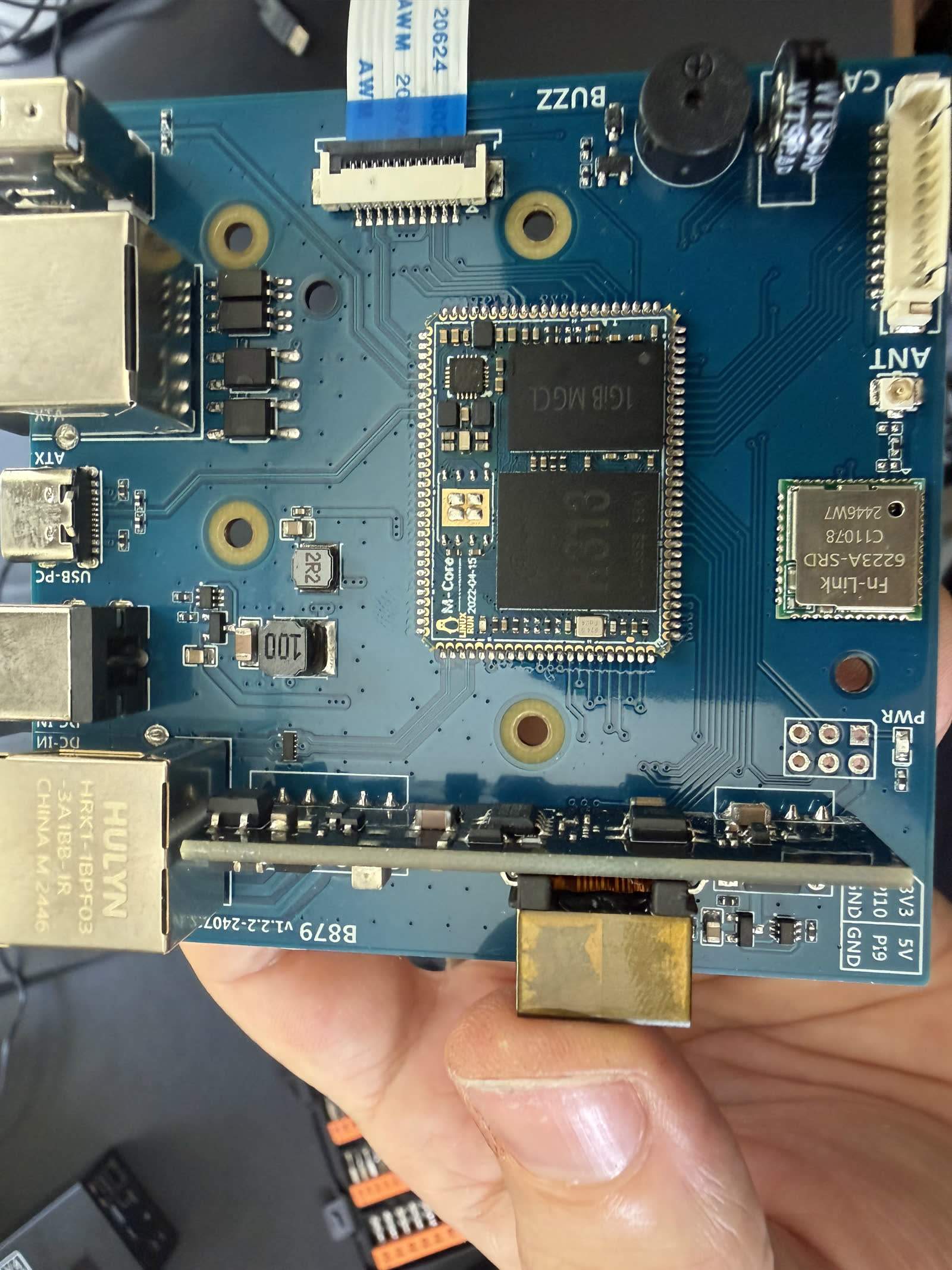
We put a root shell on our unit and then opened it. The compute side is solid for the money: an Allwinner H616-family SoC (Blicube's own datasheet says H616/H313, and the marking on our chip suggests the H313 bin of that die family) with four Cortex-A53 cores at 1.8 GHz and 1 GB of RAM, running full Armbian on an Ubuntu 22.04 base. That is a real Linux you can apt-install on, like the NanoKVM Pro and unlike the minimal Buildroot appliances.
The capture side is the fateful choice. HDMI comes in through a MacroSilicon MS2131, a USB capture chip, the same architecture as the external HDMI-to-USB dongles the original DIY PiKVM builds used. The MS2131 is itself USB 3.0-capable, but the BliKVM's Allwinner H616-family SoC has only USB 2.0, so the chip is throttled to a USB 2.0 link, and that 480 Mbps bus is a hard ceiling that no encoder tuning can raise. It defines this product's performance, as the next sections show. Every faster device in our fleet captures through a CSI bridge chip or the SoC itself; our capture chip database maps who uses what. One storage note: the card in our unit is our own. We had used this BliKVM before and fitted a fresh card, so unlike the rest of the fleet we make no claims about its bundled storage. BliKVM does appear to ship a microSD card, we simply did not test the one it comes with. Board photos are in our BliKVM teardown.
Setup: bring a microSD card and patience
Our stopwatch ran 38 minutes 57 seconds from sealed box to working stream, the slowest of all ten devices we set up. Full disclosure: about ten of those minutes were our own fault, flashing the wrong image first. But the structural point stands: this is a flash-your-own-microSD product with an Armbian-based official image, not a plug-and-play appliance, and even a clean run involves imaging a card, and fishing the microSD out of the enclosure it can fall into during insertion, which ours did.
Two more field notes. Power comes in on one USB-C port while HID data leaves on another, and we watched supply current sag when the HID cable was connected, so feed it from a proper supply, or better, use the PoE. And the defaults are admin/admin on the web interface with blikvm/blikvm on SSH, which ships enabled; change both before the device touches anything you care about, per our KVM security guide. Fleet-wide timings in the setup time comparison.
The software: PiKVM's stack, and it shows
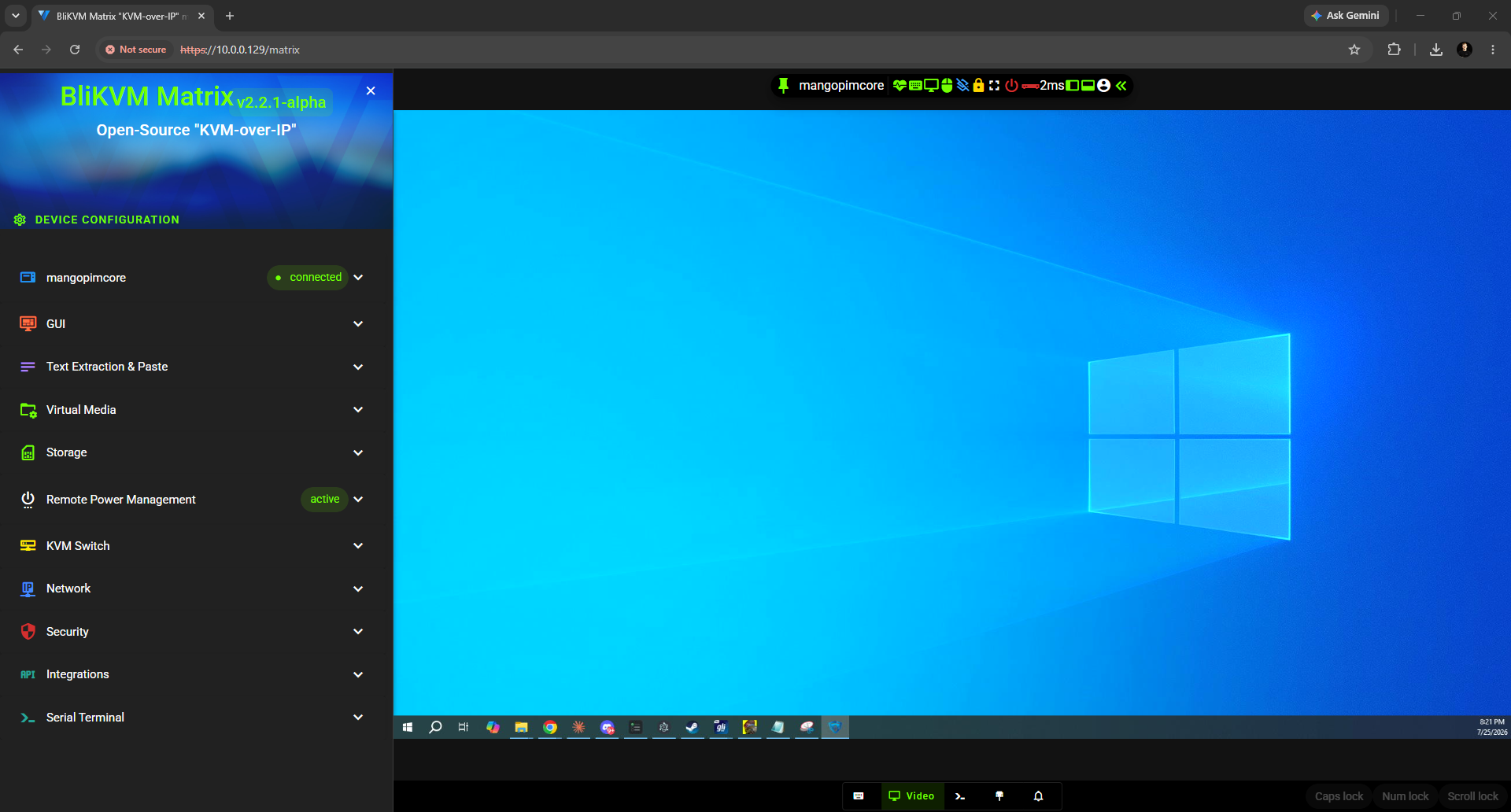
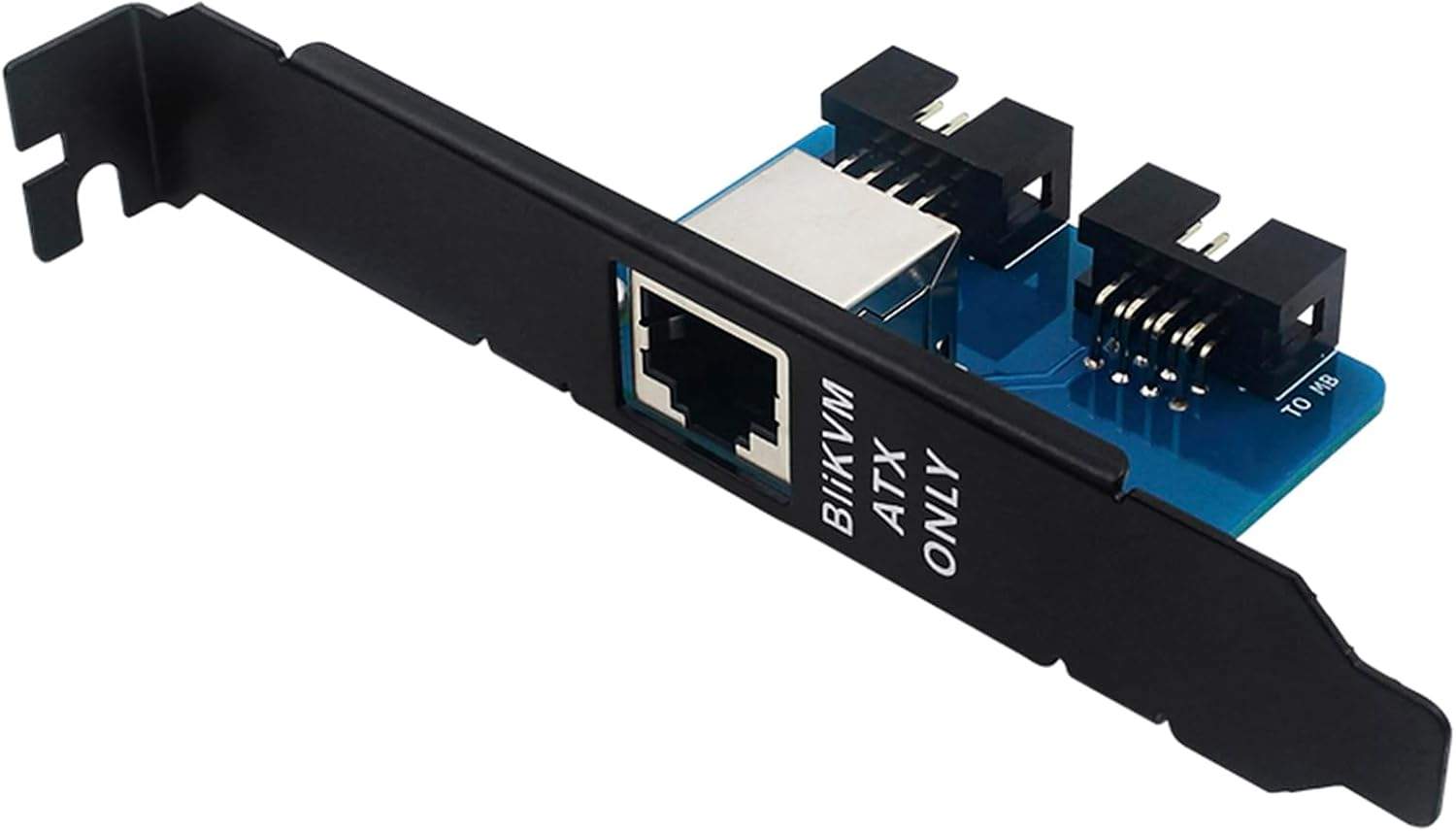
Once running, the BliKVM largely is a PiKVM: the kvmd daemon, the familiar HTML5 interface, keyboard and both mouse modes, and virtual media. The ATX kit is a highlight, with pass-through cables so the case's own power button and LEDs keep working alongside remote control, a design touch reviewers singled out. The v4 also advertises a four-port physical KVM switching mode via a companion Blicube switch, which reviewers could not test because the switch hardware was not purchasable; treat it as a roadmap item. Weak spots owners consistently report: the Ventoy-based ISO workflow is fiddly and upload-failure-prone, and updates happen over SSH with git, not a web-UI button, which reads as charming or disqualifying depending on your fleet size.
Performance: what we measured, and why
Updated October 2026: we re-measured every KVM with a new two-monitor glass-to-glass rig at each device's best settings on current firmware. The figures below replace our July click-to-photon numbers; why they changed.
We time glass-to-glass latency: an HDMI splitter feeds one source to a reference monitor on a straight cable and to the KVM, whose stream we show full screen on an identical viewer monitor, and two light sensors time the same on-screen change on both. The figure is the viewer's time minus the reference's, so it is the video delay the KVM path adds over a direct cable: capture, encode, network, decode and the viewer's display. Each figure is the median of 300 timed changes per side at 1080p60 in Chrome over wired gigabit LAN, and we quote the higher of a scrolling-text and a still screen. It is a video-path number only: it does not include the input path. At its best timeable setting (MJPEG, scrolling text at 30 fps and a still screen at 60 fps) the BliKVM v4 measured 185.9 ms on scrolling text and 84.3 ms on a still screen, so the headline is 185.9 ms. MJPEG at 60 fps on scrolling text could not be measured at all: it needs about 94 Mbps and the browser falls about 0.9 s behind. The H.264 mode is software encoded and measured 688 ms on scrolling text and 572 ms on a still screen, with mostly frozen frames. The MJPEG figure is the slowest result among the KVMs we tested, about 1.3 times the next slowest (Sipeed NanoKVM Full, 144.8 ms) and about 3.2 times the PiKVM V4 Plus (57.3 ms with its H.264 boost) running the same software family. At its default settings the delivered stream ran at roughly 18 fps against its 10 Mbps bitrate cap. The spec-sheet 4K30 figure describes what the HDMI input will accept, not what arrives in your browser.
This is not a software failing, and more tuning will not fix it: the MS2131 is capped to a USB 2.0 link by the Allwinner SoC, and that bus, not the encoder, is the bottleneck the measurement prices in. To be fair to the use case, reviewers of the v4 found the video perfectly serviceable for server administration, and they are right in that frame: for a BIOS screen, a boot menu, or watching an install progress bar, about 186 ms is annoying but workable. For anything interactive it is the difference between using a computer and supervising one. Power draw was a reasonable 2.02 W streaming, mid-pack, though our unit hit about 70C during boot, the warmest in our fleet. Full data in the latency benchmarks and power comparison.
Glass-to-glass latency, nine IP KVMs
Our October 2026 two-sensor glass-to-glass rig: 1920x1080 at 60 Hz, Chrome on Windows 10 over wired gigabit LAN, median of 300 measurements per side, the higher of a scrolling-text and a still screen, each device at its lowest-latency settings on current firmware. The NanoKVM PCIe was not in the October run. The BliKVM figure is MJPEG at 30 fps; its H.264 mode measured 688 ms and was mostly frozen.
Show data table
| Median milliseconds (higher of scrolling text and still screen) | Median glass-to-glass |
|---|---|
| NanoKVM Pro | 53.3 |
| GL.iNet Comet | 54.1 |
| GL.iNet Comet Pro | 57.3 |
| PiKVM V4 Plus (H.264 boost) | 57.3 |
| JetKVM | 59.8 |
| TinyPilot Voyager 3 | 61.3 |
| Luckfox Pico KVM | 90 |
| NanoKVM Full | 145 |
| BliKVM (MJPEG) | 186 |
What owners say
Across three video reviews, 75 owner comments, and 8 reddit threads we analyzed, the dominant theme is price against the alternatives: against a $400 TinyPilot, against Dell iDRAC licensing at hundreds per server, against $2,000 enterprise KVM switches.
“$160 USD vs 400 for the TinyPilot is the only argument I need to hear.”
The praise clusters around the vendor-agnostic pitch (one MSP-minded reviewer noted the same management interface works across Dell, Supermicro, or anything else), the ATX pass-through design, and the v4's price drop. The complaints cluster around the command-line update workflow, the flaky ISO uploads, and stock that comes and goes on AliExpress with regional prices spiking. Notably, none of the reviewers we analyzed measured latency instrumentally, which is why our 185.9 ms number and their "minimal latency" impressions can both exist; a human watching an install does not feel what a photodiode measures.
Price and alternatives
| Device | Price | Capture path | Glass-to-glass latency (our bench) | Streaming power |
|---|---|---|---|---|
| BliKVM v4 | ~$155 | MS2131 over USB 2.0 | 185.9 ms (MJPEG) | 2.02 W |
| PiKVM V4 Plus | ~$400 | TC358743 CSI bridge | 57.3 ms (H.264 boost) | 3.53 W |
| TinyPilot Voyager 3 | ~$399 | TC358743 CSI bridge | 61.3 ms | 4.11 W |
| JetKVM | ~$103 | TC358743 CSI bridge | 59.8 ms | 1.53 W |
| GL.iNet Comet | ~$90 | CSI bridge capture | 54.1 ms | 1.85 W |
The table is the argument. If you want the PiKVM software done right, the PiKVM V4 Plus costs 2.5 times as much and is about 3.2 times faster, with proper CSI capture. If you just want capable budget hardware, the JetKVM at $103 and GL.iNet Comet at $90 both embarrass the BliKVM's capture pipeline. The BliKVM's remaining niche is real but narrow: the full PiKVM software stack, ATX pass-through, PoE, and total hackability at the lowest price that combination exists.
FAQ
FAQ
It runs a fork of the open-source PiKVM software (kvmd), openly credited, so the interface and features feel like a PiKVM. The hardware is completely different: an Allwinner H616-family module with a MacroSilicon MS2131 USB capture chip throttled to USB 2.0, versus the PiKVM V4's Raspberry Pi CM4 with a CSI capture bridge. That capture difference is why we measured 185.9 ms on the BliKVM (688 ms in its H.264 mode) and 57.3 ms on the PiKVM.
No. Earlier BliKVM versions were built on the Raspberry Pi CM4, including a PCIe card variant, but the v4 moved to a MangoPi Mcore module with an Allwinner H616-family SoC, which cut the price to about $155 and sidestepped CM4 shortages.
The v4 runs around $155-159 for the complete package with the ATX kit, sold direct by Blicube and via AliExpress. Owners report availability gaps and regional prices as high as CAD $255, so check both channels. The older CM4-based versions cost more once you sourced the compute module.
It accepts a 4K30 HDMI input, so you can leave it attached to a 4K machine. The stream you actually see is limited by its MS2131 capture running over the Allwinner's USB 2.0; at defaults ours delivered roughly 18 fps within a 10 Mbps cap. Treat it as a 1080p-class viewer of whatever input it accepts.
Over SSH with git, following Blicube's documented process; there is no update button in the web interface. The underlying Armbian OS updates with apt. SSH ships enabled with blikvm/blikvm credentials, so change those before anything else.