October 21, 2026Explainer
KVM Over IP: The Complete Guide (2026)
BIOS-level remote control for any machine, from $70 homelab sticks to enterprise racks. How the hardware works, what it costs, and where the category is heading.
By Andrew Douglass · Founder
Disclosure: Our articles contain affiliate links, including Amazon. If you buy through one, we may earn a commission at no extra cost to you, and as an Amazon Associate we earn from qualifying purchases. It never affects our testing, measurements, or verdicts. Full disclosure.
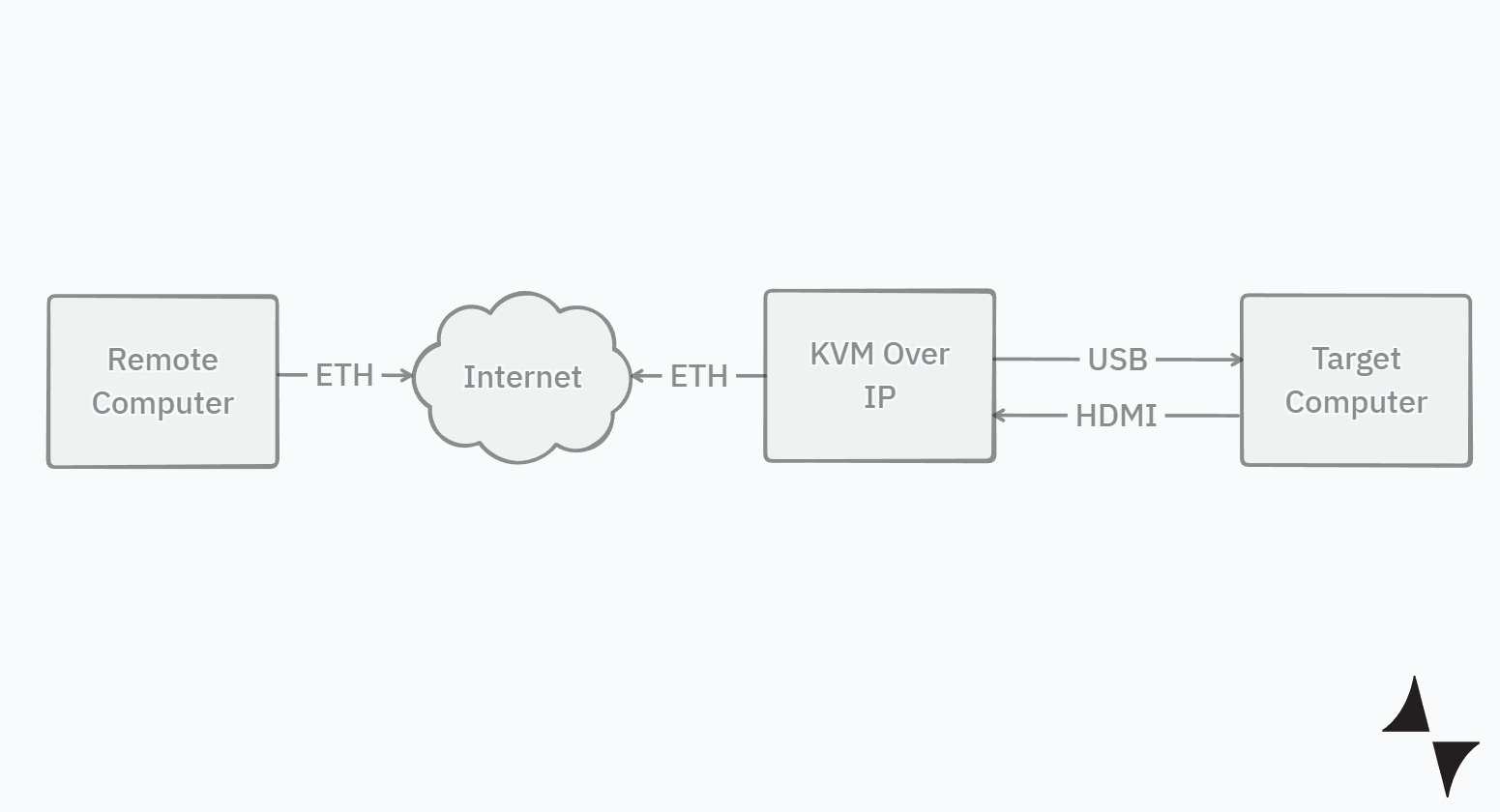
KVM over IP is hardware that gives you remote control of a computer at the hardware level. It captures the machine's video output (HDMI, DisplayPort, or VGA), emulates a USB keyboard and mouse, and serves both over Ethernet to your browser. Because nothing runs on the target machine, it works even when the operating system is frozen, reinstalling, or not there yet.
That last property is the whole point. SSH, RDP, and VNC all depend on a running OS and a working network stack. A KVM over IP device depends on neither. The name comes from the three things it carries: keyboard, video, mouse, delivered over an IP network.
This guide covers how the hardware actually works, how it compares to IPMI and software remote access, what the 2026 device landscape looks like, and how to choose. We build KVM hardware ourselves and test every device we mention, so the numbers here are measured, not copied from spec sheets.
How KVM over IP works
Every KVM over IP device, from a $70 stick to a $4,000 rack switch, is built from the same four blocks:
- Video capture. An HDMI (or VGA/DisplayPort) input feeds a capture chip that ingests the target's display output, exactly as a monitor would. The target thinks a real screen is attached because the device presents an EDID profile.
- Encoding. A SoC compresses the captured frames. Cheap devices encode MJPEG; modern ones encode H.264 in hardware, which is how a device like the JetKVM streams 1080p at 60 fps at about 60 ms glass to glass (59.8 ms in our October 2026 testing).
- Transport. The encoded stream and input events travel over Ethernet (some devices add Wi-Fi). The current generation favors WebRTC, which is why the video feels like a video call rather than a slideshow. Older and enterprise gear uses proprietary viewers or VNC-style protocols.
- HID emulation. The device's USB port connects to the target and enumerates as a standard keyboard and mouse. Your clicks in the browser are replayed as real USB input, which is why they register in the BIOS, in GRUB, and during OS installs where no remote-access agent could run.
Remote access capabilities
Video and input are the floor. Better devices add out-of-band capabilities that close the gap between "remote viewer" and "person standing at the machine":
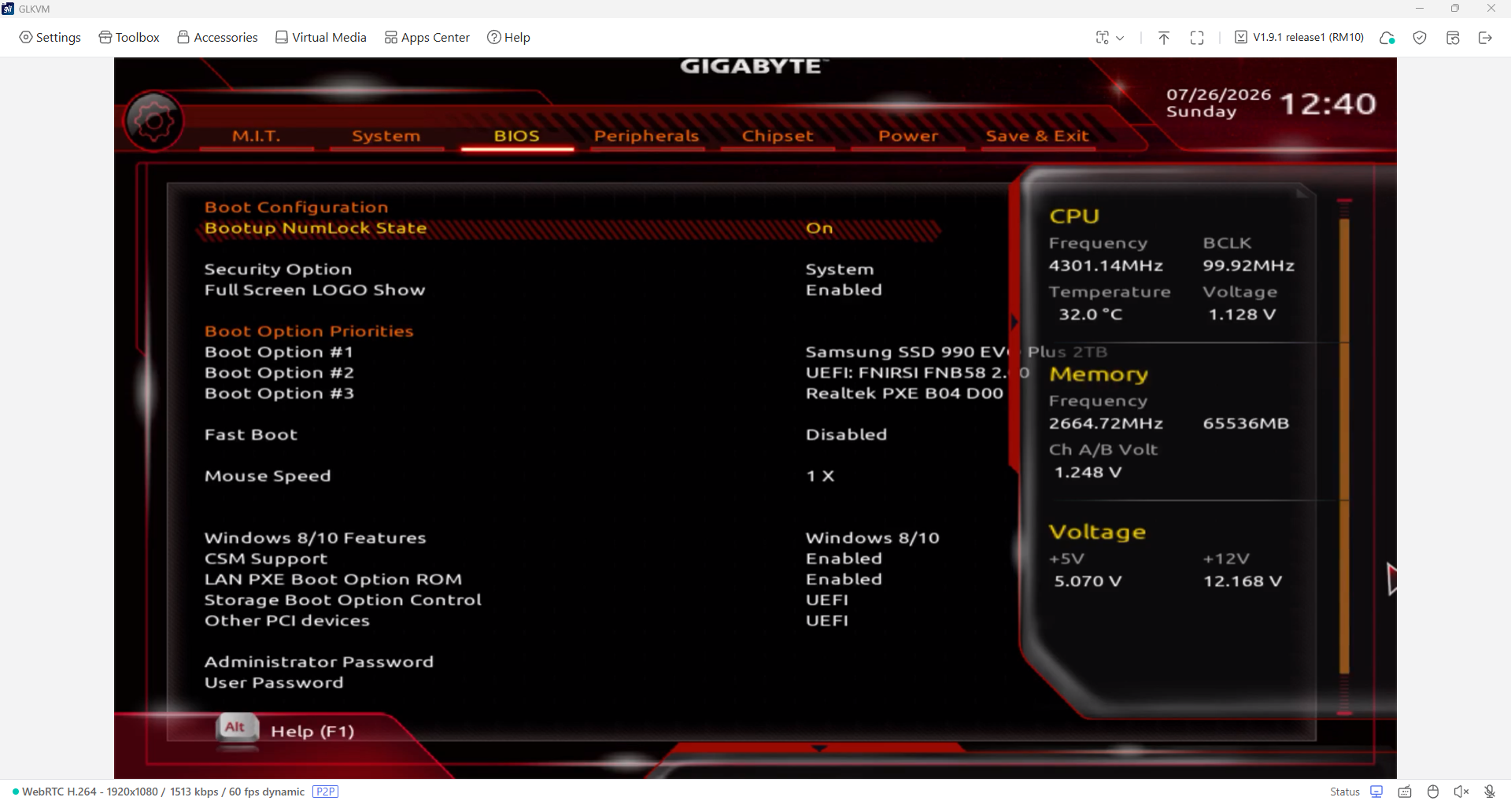
- BIOS and pre-boot access. Enter UEFI setup, pick a boot device, work in GRUB or a recovery console.
- ATX power control. Wiring into the motherboard's power and reset headers lets you hard-reset a machine the OS can no longer save.
- Virtual media. Mount an ISO over the network and the target boots from it, so a full OS reinstall never requires a USB stick or a site visit.
- Serial console. Some devices expose serial ports for switches, routers, and headless boxes.
That combination is why the category exists: you can take a machine from powered off, through firmware, through an OS install, to a login prompt without being in the building.
Benefits of KVM over IP
- OS-independent. Works when the machine is hung, mid-reinstall, or bare metal.
- Universal. Any machine with a video output and a USB port, including every consumer board and mini PC that will never have a BMC.
- Agentless. Nothing to install, license, or keep patched on the target.
- Cheap enough to leave attached. At $70 per port, permanent out-of-band access costs less than one emergency site visit.
KVM over IP vs. software remote access vs. IPMI
Three tools get conflated constantly. One Reddit homelabber put the question directly: "What's the actual difference between IPMI and a proper KVM over IP? I keep seeing people conflate the two." Here is the honest breakdown.
| Capability | Software (RDP, VNC, TeamViewer) | BMC (IPMI, iDRAC, iLO) | KVM over IP hardware |
|---|---|---|---|
| Works when OS is down | No | Yes | Yes |
| BIOS and boot access | No | Yes | Yes |
| Works on any machine | Yes, if OS supported | Server boards only | Yes, anything with HDMI and USB |
| Extra cost | Free to cheap | Built into server boards, license upsells | $70 to $400+ per port |
| Video quality | Excellent | Usually poor, Java-era viewers | 1080p60 typical, 4K30 to 4K45 on newest |
| OS-level integration (file transfer, clipboard) | Excellent | Minimal | Minimal to none |
The practical rule: use software remote access for day-to-day work, it is faster and richer. Use the BMC if your server has a good one. Reach for KVM over IP when the machine has no BMC (every consumer board, every mini PC, most workstations), when the BMC's remote console is unusable or licensed out of reach, or when you need one access method that works across a mixed fleet. For the software side of this comparison, see software KVMs vs. hardware.
Note the terminology trap: a traditional KVM switch shares one keyboard, monitor, and mouse between local machines sitting on the same desk. KVM over IP puts that console on the network instead. Related hardware, different job.
Types of KVM over IP
Single-port devices are the current center of gravity. One HDMI input, one USB cable, one Ethernet port, controlling one machine. This is the JetKVM, PiKVM, NanoKVM, GL.iNet Comet, and TinyPilot category that revived the market from 2024 onward, priced $70 to $400.
Multi-port and matrix systems put 8, 16, or 64 servers behind one appliance. ATEN, Raritan, and Avocent (Vertiv) own this segment. A 16-port ATEN or Raritan Dominion runs into the thousands, and multi-user licensing can double it. They earn their cost in data centers; in a homelab they rarely do. A common r/homelab workaround pairs one cheap IP KVM with an ordinary local KVM switch to reach several machines for a tenth of the price. Our rack-mount KVM guide covers when each approach makes sense.
DIY builds. PiKVM began as an open-source project you assemble from a Raspberry Pi and a capture HAT, and you can still build one yourself for less than the assembled V4 units cost. One HN user reported replacing a Raritan setup with a Pi-based build: "Cost me about $200 instead of $3000."
KVM over IP extenders are a different animal: a transmitter and receiver pair that extends one console across a building over Cat5/Cat6 with near-zero latency, used in broadcast and control rooms rather than for internet-based administration.
Popular KVM over IP products in 2026
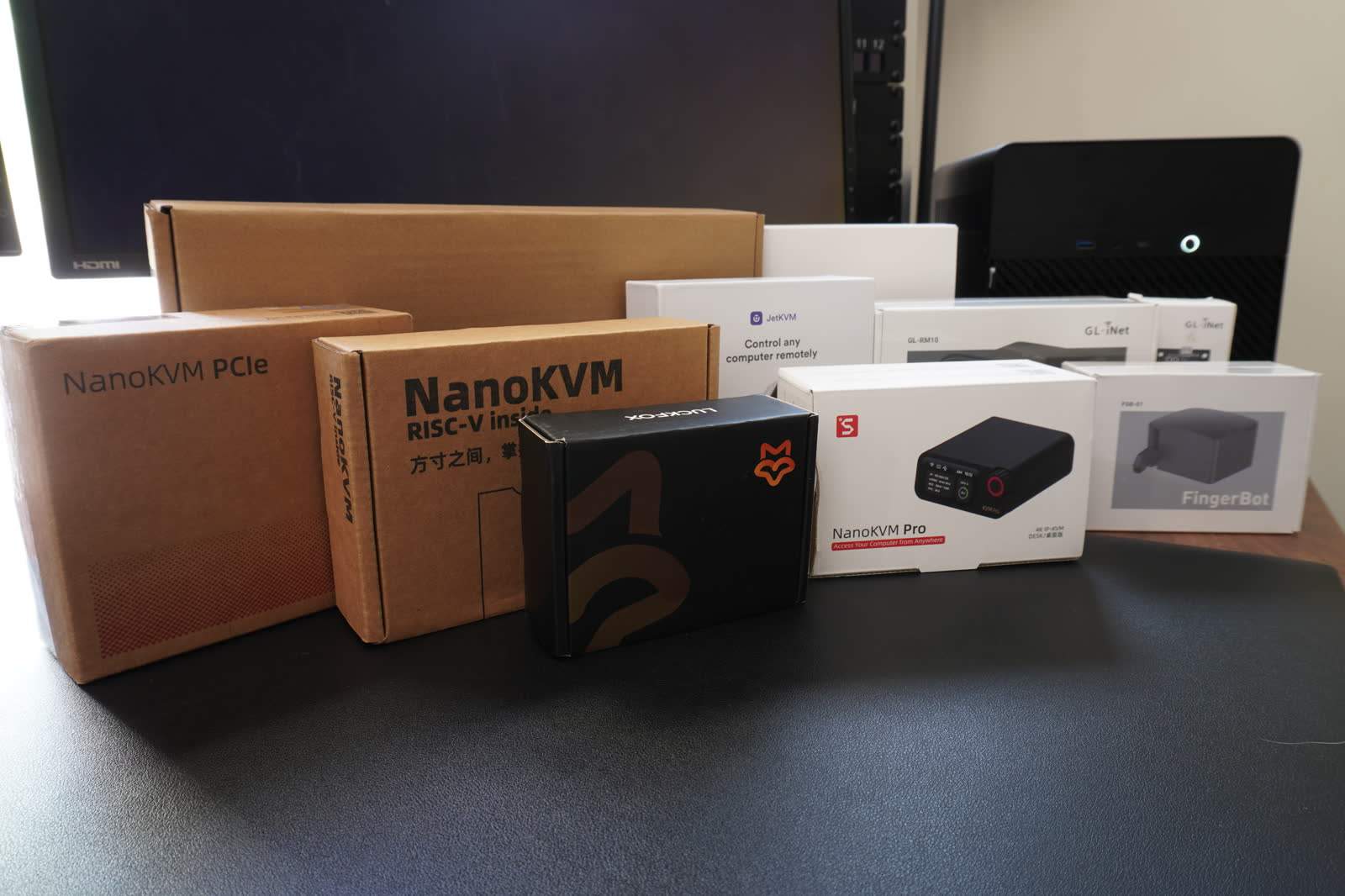
Single-port KVM over IP went from a niche DIY hobby to a crowded, competitive category in two years. Five devices matter for most buyers, and we have tested all of them hands-on:
- JetKVM ($103 to $130, October 2026) made the category mainstream: 1080p60 over WebRTC, a touchscreen status display, open-source software, and consistently low latency. It deliberately caps video at 1080p, and it measured 59.8 ms glass to glass at 1080p60 in our October 2026 testing. After Kickstarter it moved to general retail availability, where the value proposition landed hard:
“$79 for an IP KVM is insanely good value. I picked up two which have been in my rack for a few months at this point and I've got nothing but praise for them.”
- PiKVM V4 ($250 to $400) is the open-source veteran, built on the Raspberry Pi CM4. Deepest feature set of the group (VNC, serial, GPIO, multiport via switches), with the tradeoff that it is a Linux system you administer. Some love that; the r/homelab archives also contain plenty of "nothing but issues" frustration from people who wanted an appliance.
- Sipeed NanoKVM ($40 to $70) undercuts everything on price with a RISC-V SoC. It shipped with real security problems that the vendor has since largely addressed, but it taught the market to ask hard questions about firmware provenance. We took one apart in our NanoKVM teardown. The NanoKVM Pro raised the ceiling to 4K at 45 fps.
- GL.iNet Comet and Comet Pro ($60 to $130) iterate fast: 4K30 passthrough, Wi-Fi 6, a touchscreen on the Pro, Tailscale built in, and a growing accessory line (ATX board, a physical "fingerbot" button pusher). The Pro is the most feature-dense device in the category, and our head-to-head with JetKVM picks a winner.
- TinyPilot Voyager (~$400) is the premium plug-and-play option with polished software and real support, increasingly squeezed from below. Whether the price still clears, we cover in the review and in PiKVM vs. TinyPilot.
Enterprise brands (ATEN, Raritan, Avocent, plus Lantronix on the serial side) remain the right answer for multi-port, multi-user, compliance-driven deployments, and the wrong answer on price for everyone else.
For a ranked pick-by-use-case list, see our best KVM over IP roundup. If you want alternatives to the current default choice specifically, start with JetKVM alternatives.
Performance and video quality
Two numbers define the experience: latency and fidelity.
Latency. In our October 2026 testing, at each device's best settings, the H.264 devices we tested hold glass-to-glass latency of roughly 50 to 90 ms at 1080p60 on a wired LAN; the fastest of the KVMs we tested measured 53.3 ms, and MJPEG-based designs run 145 to 186 ms. That is comfortable for administration, BIOS work, and OS installs, and workable for light desktop use. It is not a gaming link, and vendors that imply otherwise are overselling. To feel these delays rather than read them, try our latency page. Transport matters as much as hardware: WebRTC devices feel dramatically better than MJPEG-over-HTTP designs at the same resolution. We break down where every millisecond goes in KVM over IP latency explained.
Updated October 2026: re-measured on our new glass-to-glass rig at each device's best settings; why the numbers changed.
Resolution. The market standard is 1080p60. The newest generation reaches 4K, with caveats: NanoKVM Pro captures up to 4K45, and GL.iNet's Comet line passes through 4K30. No shipping device sustains 4K at 60 fps today. That gap is an engineering problem of capture bandwidth, encode silicon, and thermals, and it is the specific problem we are building WarpKVM to solve. If your remote machine drives a 4K display and you care about fidelity, this corner of the market is about to change.
Glass-to-glass latency at 1080p60, each KVM at its best settings
WarpKVM glass-to-glass rig, October 2026. 1920x1080 at 60 Hz, Chrome on Windows 10, wired gigabit LAN, median of 300 per side.
Show data table
| Device | Glass to glass |
|---|---|
| NanoKVM Pro | 53.3 |
| GL.iNet Comet | 54.1 |
| GL.iNet Comet Pro | 57.3 |
| PiKVM V4 Plus | 57.3 |
| JetKVM | 59.8 |
| TinyPilot Voyager 3 | 61.3 |
| Luckfox PicoKVM | 90 |
| NanoKVM Full | 145 |
| BliKVM v4 | 186 |
Security considerations
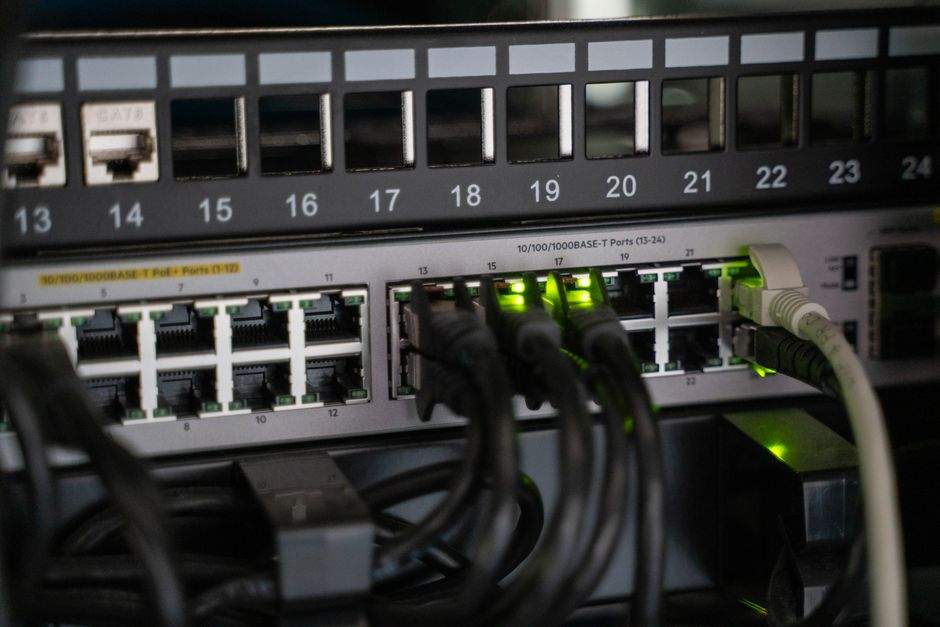
A KVM over IP device is, by design, a backdoor into your machine at the firmware level. Treat it like one. 2026 has been a reckoning on this front: a wave of independent audits found fundamental flaws across the cheap end of the market, from unauthenticated endpoints to sloppy update channels, and firmware currency is now a primary buying criterion, not a footnote.
The baseline posture, in order of importance:
- Never expose the web interface to the internet. No port forwarding, ever.
- Reach it through an overlay or VPN. Tailscale support is now table stakes (JetKVM, Comet, and PiKVM all offer it), and WireGuard works everywhere.
- Segment it. Put management devices on their own VLAN with no route in from untrusted networks. One production operator described the pattern on HN: "They are firewalled and can only communicate with other devices on the LAN. We use the other systems on the LAN to jump to the KVMs."
- Update firmware promptly, and buy from vendors with a security track record. The NanoKVM episode showed both the risk and that vendors can respond.
Our KVM over IP security guide turns this into a full hardening checklist per device.
Use cases and industries
- Homelabbers and self-hosters, the audience that revived the category: headless servers and mini PCs with no BMC, managed from the couch or from another city. A typical case from r/homelab: a student leaving for college who wants to fix his home servers remotely instead of talking a parent through it.
- IT teams and MSPs managing machines at branch sites, kiosks, and client racks where truck rolls are expensive.
- Data centers, the original market, via multi-port ATEN, Raritan, and Avocent gear for out-of-band access at scale.
- Broadcast, labs, and industrial, where extender-class KVM over IP moves consoles away from noisy or hazardous machine rooms.
- Firmware and OS developers, who live in pre-boot environments where software remote access cannot follow. Intel's own engineering writeups on remote manageability make the same case from the silicon side.
Setup and installation
Details vary by device (our JetKVM setup guide is a full walkthrough), but the shape is always the same and takes about fifteen minutes:
Step 1
Connect the cables
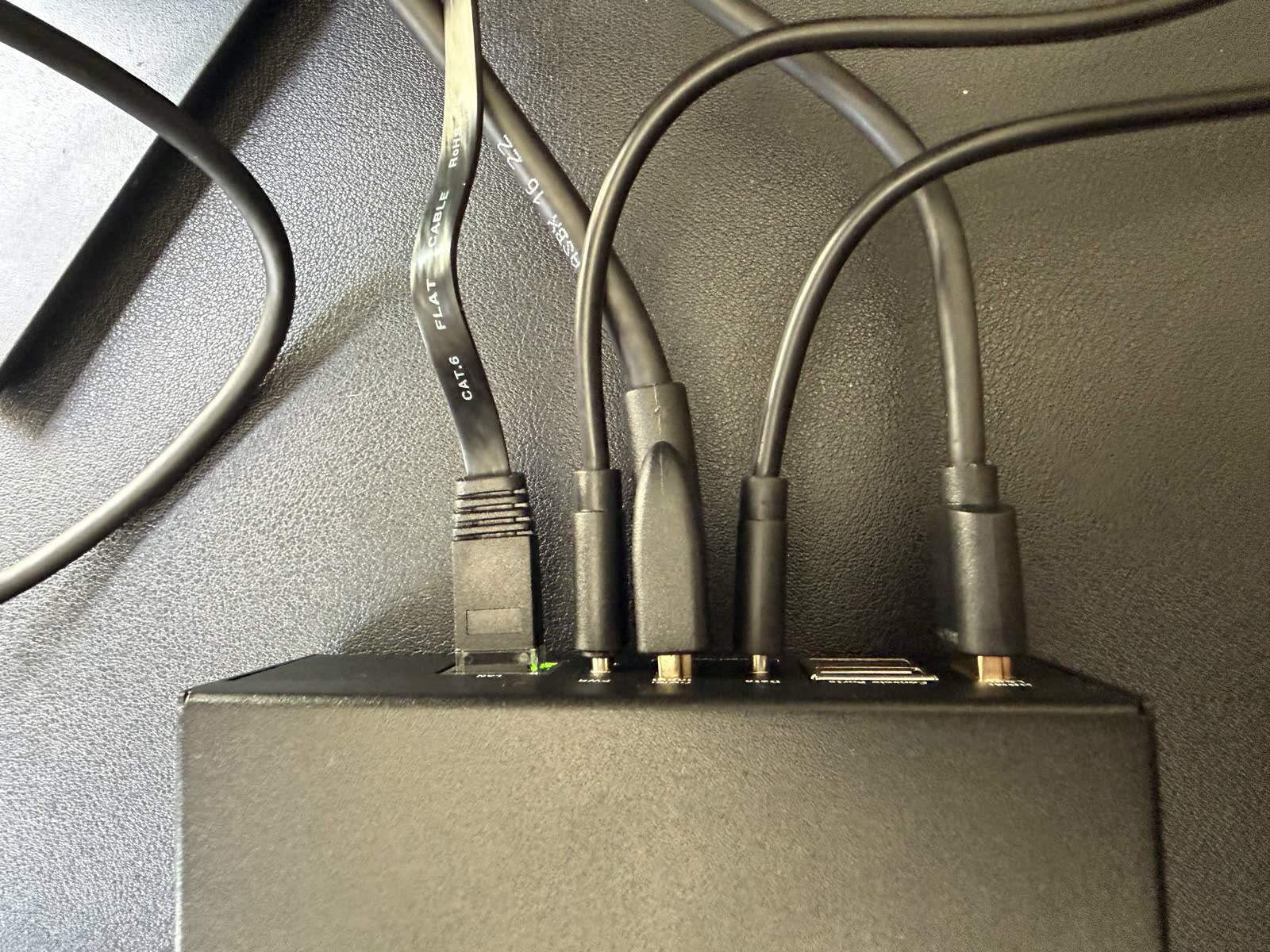
HDMI from the target machine's video output to the KVM's input; an active adapter handles VGA-era servers. Then the KVM's device port to any USB port on the target, where it enumerates as a keyboard, mouse, and, on most devices, virtual storage. Finally, Ethernet to your management network, and power over USB-C or PoE where supported.
Step 2
Open the web interface
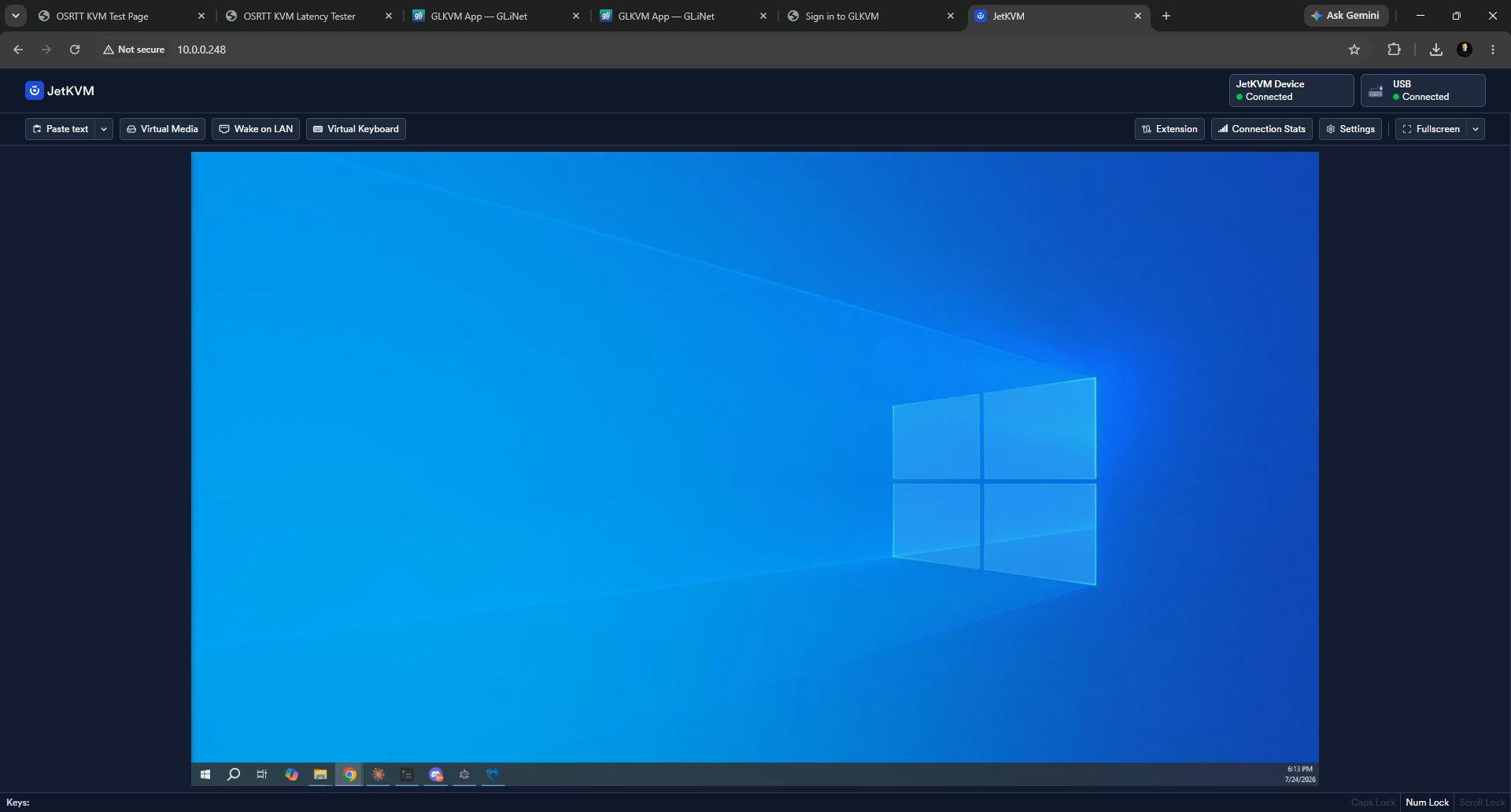
Find the device's IP from your router or its onboard display, open it in a browser, set credentials, and update firmware before anything else.
Step 3
Wire the optional extras
ATX header cable for hard power control, serial for network gear, and your VPN or Tailscale enrollment so you can reach it from outside.
Choosing the right KVM over IP solution
Price bands in 2026, street prices:
| Tier | Price | You get | Examples |
|---|---|---|---|
| Budget stick | $40 to $130 | 1080p60, WebRTC, one port, basic power control | JetKVM, NanoKVM, GL.iNet Comet |
| Prosumer | $130 to $400 | 4K capture tiers, PoE, richer I/O, mature ecosystems | Comet Pro, NanoKVM Pro, PiKVM V4, TinyPilot Voyager |
| Enterprise | $1,000 to $10,000+ | 8 to 64 ports, multi-user, audit trails, support contracts | ATEN KN series, Raritan Dominion, Avocent |
What separates devices within a band, roughly in the order it should matter:
- Security posture and update cadence. After 2026's audits, this outranks specs. Open firmware is a real advantage here: you can verify what you are trusting.
- Latency and transport, not headline resolution. A crisp 1080p60 WebRTC stream beats a stuttering 4K one for every administrative task.
- Power control. ATX header support or at least smart-plug integration. Without it, half the emergencies still require hands.
- Virtual media speed and reliability, if you reinstall operating systems often.
- Ecosystem: Tailscale integration, APIs, mounting accessories, and whether the vendor will still ship firmware in three years.
Challenges and limitations
Be clear-eyed about the downsides. KVM over IP gives you no OS-level conveniences: no file sync, no shared clipboard beyond paste-as-keystrokes, no multi-monitor capture on the affordable tier. Latency (roughly 50 to 90 ms glass to glass on the better H.264 devices we tested) rules out gaming and fast creative work. Cheap devices have burned buyers on security. And today's ceiling of 1080p60, or 4K at 30 to 45 fps with compromises, undersells modern hardware: you are administering 4K-native machines through a downscaled window.
That last limit is the one we are attacking. WarpKVM is our upcoming device built around true 4K at 60 fps capture and encode, because the gap between what machines output and what KVMs can carry has gotten absurd. The engineering behind that claim, and why nobody has shipped it yet, is documented in Why no KVM over IP does 4K@60.
FAQ
FAQ
A hardware device that captures a computer's video output and emulates its keyboard and mouse, streaming both over a network. It provides remote control that works at the BIOS level, independent of the machine's operating system, because nothing needs to be installed on the target.
For most homelab and prosumer buyers in 2026, the short list is JetKVM (best value, 1080p60), GL.iNet Comet Pro (most features), PiKVM V4 (most capable and hackable), and TinyPilot Voyager (premium support). Our ranked roundup picks by use case.
Latency (roughly 50 to 90 ms glass to glass on the better devices we tested, fine for admin work, wrong for gaming), limited resolution (1080p60 standard, no shipping device does 4K@60 yet), no OS-level features like file transfer or a true shared clipboard, per-machine hardware cost, and real security risk if you expose the device to the internet instead of putting it behind a VPN on an isolated VLAN.
Yes, that is its purpose, but never by exposing the web interface directly. Reach the device through a VPN or overlay network such as Tailscale or WireGuard. Modern devices build this in, and WebRTC transports handle NAT traversal so the video stream works across networks.
KVM over IP stopped being exotic infrastructure and became a $70 line item that belongs next to every headless machine you cannot afford to drive to. Pick a device with a serious security posture, put it on a management VLAN behind an overlay network, and the 3 a.m. "server is down and I am not there" problem is permanently solved. And if the current generation's video ceiling is what holds you back, that is exactly what WarpKVM is being built to fix.