October 21, 2026Buying guide
Best KVM Over IP Devices for Homelab (2026): Hands-On Roundup
Six IP KVMs tested on one bench: the best value, the feature king, the open-source powerhouse, and the picks per budget.
By Andrew Douglass · Founder
Disclosure: Our articles contain affiliate links, including Amazon. If you buy through one, we may earn a commission at no extra cost to you, and as an Amazon Associate we earn from qualifying purchases. It never affects our testing, measurements, or verdicts. Full disclosure.
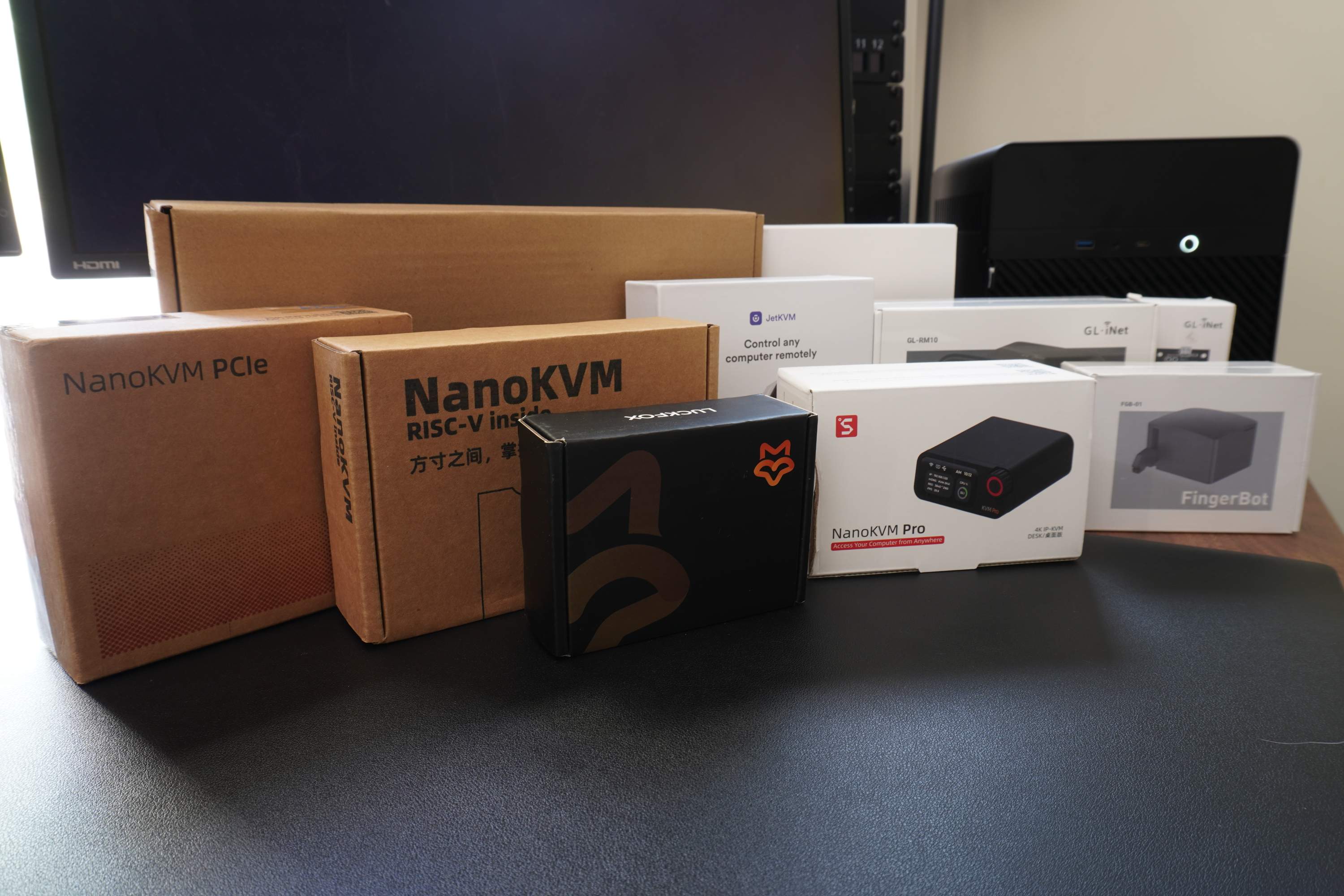
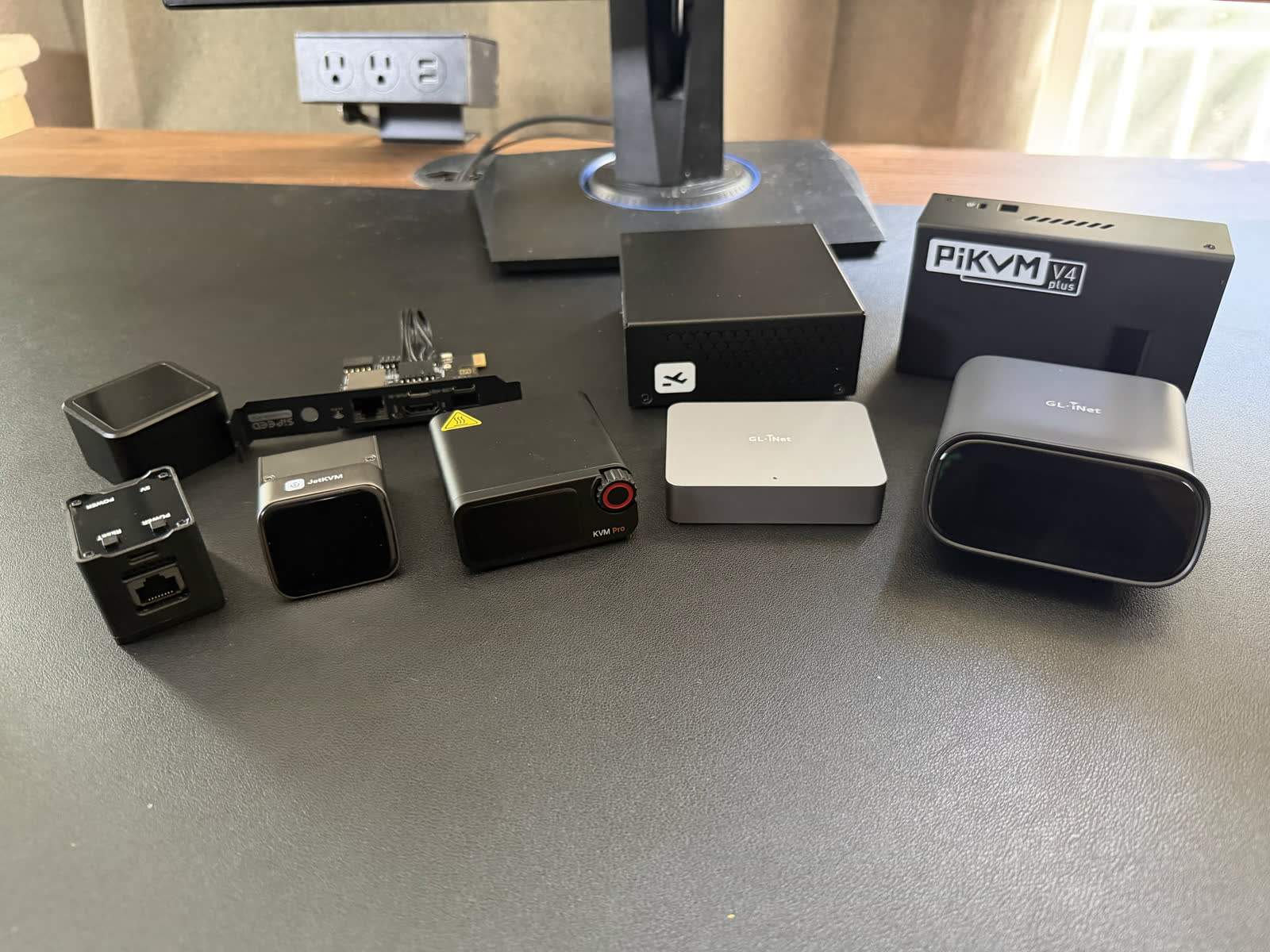
The best KVM over IP device for most homelab users in 2026 is the JetKVM ($103 to $130): 1080p60, about 60 ms glass-to-glass latency in our October 2026 test, open source, and no meaningful compromise at the price. The GL.iNet Comet Pro ($179.99) wins on features, the PiKVM V4 on capability and openness, and the NanoKVM Pro on capture resolution. We own and test every device in this guide on the same bench, against the same machines.
How KVM over IP works (the 60-second version)
A KVM over IP device captures a machine's HDMI output, encodes it, and streams it to your browser while emulating a USB keyboard and mouse back to the machine. Nothing installs on the target, so it works in the BIOS, during OS installs, and when the machine is crashed: BIOS-level access is the entire point. Our complete guide covers the architecture in depth; this page is about which one to buy.
KVM over IP products and models: JetKVM, PiKVM, NanoKVM, GL.iNet Comet, BliKVM, TinyPilot
1. JetKVM: best for most people
2. GL.iNet Comet Pro: most features
3. PiKVM V4: most capable, fully open source
4. Sipeed NanoKVM Pro: highest resolution shipping
5. TinyPilot Voyager 3: best for business
6. Budget wildcards: NanoKVM Full, BliKVM, and LuckFox PicoKVM
The NanoKVM Full (~$55) and LuckFox PicoKVM ($37.99 direct) are the floor of the market: functional 1080p access with rougher software and higher latency (90.0 ms glass-to-glass for the PicoKVM, 144.8 ms for the NanoKVM Full in our test). For a machine you touch twice a year, they are rational; for daily-driver access, spend the extra $50 or so on a JetKVM. BliKVM's PCIe card deserves mention for disappearing inside the chassis it controls while running PiKVM's open stack. More options in our JetKVM alternatives guide.
Price and cost comparison
| Device | Price | Max capture | Glass-to-glass latency, 1080p60 (our test) | Open source | Standout feature |
|---|---|---|---|---|---|
| JetKVM | $103 to $130 | 1080p@60 | 59.8 ms | Yes | Polish per dollar |
| GL.iNet Comet | $99.99 ($115.99 PoE) | 4K@30 | 54.1 ms | Partly | PoE option, accessories |
| GL.iNet Comet Pro | $179.99 | 4K@30 + passthrough | 57.3 ms | Partly | Feature density |
| PiKVM V4 Mini/Plus | $269.95 / $384.95 | 1920x1200@60 | 57.3 ms (H.264 boost) | Yes (GPLv3) | Depth, multiport |
| NanoKVM Full | ~$55 | 1080p@60 | 144.8 ms (MJPEG) | Partly | Price floor |
| NanoKVM Pro | ~$155 | 4K@45 | 53.3 ms | Partly | Resolution crown |
| TinyPilot Voyager 3 | $399 | 1080p@60 | 61.3 ms | Partly | Support contract |
Types of KVM over IP: single-port, extender, matrix
This roundup ranks single-port remote IP KVMs, the class built for administering machines over the internet. The other two types serve different jobs: KVM extenders move one console across a building at 4K@60 on dedicated LAN links, and matrix systems put 8 to 64 servers behind one enterprise appliance. If your search actually points at those, our 4K KVM over IP explainer covers extenders in depth.
Vendor and manufacturer comparison: ATEN, Raritan, Adder, Sipeed, GL.iNet
The prosumer wave (JetKVM, Sipeed, GL.iNet, PiKVM, TinyPilot) now owns the single-port market on value, iteration speed, and community. The traditional enterprise vendors (ATEN's KN series, Raritan's Dominion KX, Avocent, Adder's Infinity line) still own multi-port, multi-user, compliance-driven deployments: audit trails, redundant power, support SLAs, and four-to-five-figure pricing to match. The honest split: buy prosumer per-machine for a homelab or small fleet; buy enterprise when procurement asks about certifications rather than latency.
Features and specifications: resolution, video quality, frame rate
Updated October 2026: we re-measured every KVM with a new two-monitor glass-to-glass rig at each device's best settings on current firmware. The figures below replace our July click-to-photon numbers; why they changed. To feel these delays rather than read them, try our latency page.
- Video and resolution. Every device here handles 1080p at 60 fps well. Above that, the spec sheets promise more than the devices deliver: the Comets capture 4K at 30 fps, Sipeed rates the NanoKVM Pro at about 4K45 but its scrolling text fell to 19 fps at 4K30 in our test, and no shipping device gave us a 4K60 picture. Our own WarpKVM 01, due in Q2 2027, measured 37.8 ms glass to glass at 4K60 in the WarpKVM app (disclosure applies).
- Latency. We quote glass-to-glass latency: the video delay a KVM adds over a direct cable to an identical monitor, measured with two light sensors, median of 300 per side at 1080p60 in Chrome, the higher of a scrolling-text and a still screen, each device at its lowest-latency settings (video path only, not the input path). The NanoKVM Pro (53.3 ms), GL.iNet Comet (54.1 ms), Comet Pro (57.3 ms), PiKVM V4 Plus with its H.264 boost (57.3 ms) and JetKVM (59.8 ms) form a tight 53 to 60 ms group; TinyPilot follows at 61.3 ms with its High-performance mode on, and the budget tier runs slower, the LuckFox PicoKVM at 90.0 ms and the NanoKVM Full at 144.8 ms. Under ~80 ms feels responsive for admin work. Where the milliseconds go.
- ATX power control. PiKVM and NanoKVM Full bundle it; JetKVM sells an extension; the Comets have an accessory board and a fingerbot. Without hard power control, half your emergencies still need hands.
- Virtual media and ISO mounting. All six picks emulate USB storage well enough to reinstall an OS remotely; PiKVM's implementation is the most mature, TinyPilot's the most polished.
- Hardware and connectivity. HDMI in on everything; USB-C to the host; gigabit Ethernet except the base NanoKVM's 100M port; Wi-Fi on the Comets and optionally the NanoKVM Pro; PoE on the Comet PoE, TinyPilot, and NanoKVM Pro options.
Remote access methods: Tailscale, VPN, and the browser
Tailscale is built into JetKVM, the Comets, PiKVM, and NanoKVM, and it (or WireGuard) is the only acceptable path to a KVM from outside your network. Every device serves its console to a plain web browser; the differences are transport quality (WebRTC on the modern devices) and whether the vendor offers an optional cloud relay. Treat cloud relays as a convenience feature you can disable, never as the security model.
Multi-user and scalability
For simultaneous multi-user sessions and role-based access, PiKVM offers basic sharing and the enterprise vendors offer the real thing; the budget class assumes one admin at a time. Scaling out is where the prosumer economics shine anyway: at $55 to $155 per machine, one device per critical box usually beats one expensive multiport appliance, and the PiKVM Plus + Switch combination (up to 20 machines) covers the rack case in between.
Open source vs proprietary solutions
JetKVM and PiKVM are fully open; Sipeed opened its application code under community pressure; GL.iNet and TinyPilot remain partly closed. After 2026's security audits of cheap IP KVMs, auditability moved from philosophy to buying criterion: an open stack means you can verify what the box with BIOS access to your machines actually does.
Security considerations and vulnerabilities
Every device here is a hardware backdoor by design, and 2026's independent audits found the cheap end of the market shipping real flaws, from unauthenticated endpoints to sloppy update channels. The deployment rules do not change by brand: firmware updated before first use, management VLAN with no inbound route, access only via Tailscale or WireGuard, cloud relays off unless you specifically want them. Our KVM over IP security guide is the full checklist.
Comparison with alternatives: software remote control, IPMI, iDRAC, iLO
If your machine is a server-class board with a decent BMC, use it; that is what iDRAC and iLO are for. If the OS is up, RDP and VNC are richer and faster. The devices in this guide exist for everything else: consumer boards, mini PCs, and workstations with no BMC, and any machine in a state where software cannot help. The full comparison covers the decision tree, and software vs hardware KVM handles the desk-sharing case.
Installation and setup
All six picks follow the same pattern: HDMI from target, USB to target, Ethernet (or Wi-Fi on the Comets), browser to the device's IP, update firmware, enroll in your overlay network. Fifteen minutes, no drivers. Differences worth knowing: PiKVM expects Linux literacy for its depth, NanoKVM requires the firmware update before anything else, and the JetKVM walkthrough generalizes to the rest of the class.
Use cases and applications: homelab, data center, server management
- One headless server or mini PC: JetKVM.
- A rack of machines: PiKVM V4 Plus + PiKVM Switch, or one cheap unit per critical box.
- 4K-native workstation: NanoKVM Pro today; the 4K@60 tier arrives with the next hardware generation.
- Client sites / MSP: TinyPilot for the support contract, or Comet PoE for clean powered installs.
- Wireless-only spots: Comet Pro's Wi-Fi 6.
- Data center scale: ATEN/Raritan matrix gear when multi-user access and audit trails are requirements.
- Tightest budget: NanoKVM Full, updated and isolated.
FAQ
FAQ
The device captures the computer's HDMI output with a hardware capture chip, compresses the video, and streams it to your browser; simultaneously it presents itself to the computer as a USB keyboard and mouse and replays your input. Because it needs nothing from the operating system, it works in the BIOS and on crashed machines.
The JetKVM ($103 to $130) for most single-machine setups: 1080p60, about 60 ms glass-to-glass latency, open source. Step up to the GL.iNet Comet Pro for features, PiKVM V4 for depth and multiport, or NanoKVM Pro for maximum resolution.
ATEN's KN series (with Raritan Dominion and Avocent) serves the enterprise multi-port, multi-user segment: 8 to 64 servers behind one appliance with audit trails and support contracts, at thousands of dollars. For a homelab they are overkill; a $100-ish single-port device per critical machine is the modern answer.
Never directly. Reach the device through Tailscale or WireGuard on an isolated management VLAN with no port forwarding. Every recommendation in this guide assumes that posture; 2026's security audits of budget IP KVMs made it non-negotiable.
The bottom line
Buy the JetKVM unless you have a specific reason not to. The reasons that count: $180 buys the Comet Pro's everything-in-one-box, $270+ buys PiKVM's depth and full openness, $155 buys the NanoKVM Pro's resolution crown, and $399 buys TinyPilot's support contract. The one thing money cannot buy yet is 4K@60 remote access; that gap is the next thing this roundup will re-rank around.